








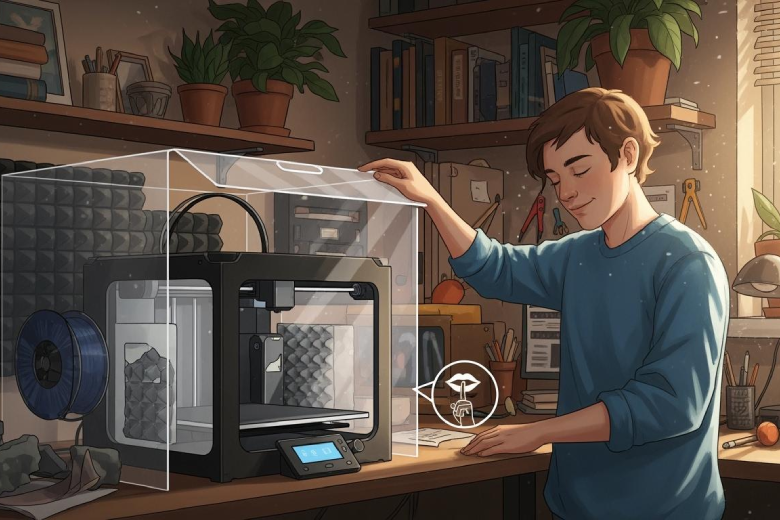
Many users seek ways to avoid noise from 3D printers. They can upgrade fans, tighten belts, use anti-vibration pads, slow print speed, and add soundproofing. Quiet printing remains possible with simple steps.
Many believe anti-vibration feet alone will solve noise issues. This method often fails to counteract vibrations from desks or floors.
Key Takeaways
- Upgrade to quieter fans to significantly reduce noise during printing. Larger fans running at lower speeds are especially effective.
- Regularly tighten belts and check for loose parts to minimize rattling and vibrations. This simple maintenance step can lead to a quieter operation.
- Consider using a soundproof enclosure to contain and dampen noise. Materials like acrylic and foam can enhance sound reduction, creating a more peaceful workspace.
Avoid Noise: Main Sources of 3D Printer Noise
Understanding the main sources of 3D printer noise helps users address the problem directly. The following sections outline the most common contributors to printing noise.
Motors and Drivers
Motors and their drivers move the printer’s axes and extruder. These components often generate significant sound during operation. Users have reported that stepper motor noise can reach 65-70 dB, but with noise-reducing modules, this drops to 45-50 dB. The current supplied to the motors also affects noise levels. Some users find that lower currents result in quieter operation. Addressing these factors can reduce noise from the mechanical drive system.
|
Source of Noise |
Description |
|
|---|---|---|
|
Motors |
Drive mechanisms for moving parts |
50-70 |
Fans and Cooling
Fans cool the hotend, mainboard, and power supply. These parts can produce as much noise as the motors. The type of fan, its size, and speed all influence the sound level. Larger fans running at lower speeds tend to operate more quietly. The type of filament used and print settings, such as speed and layer height, can also affect fan noise. Enclosed printers usually reduce noise better than open-frame models.
- The speed of the fan is a major factor; faster fans produce more noise.
- Different printer designs affect noise; enclosed printers tend to be quieter.
- Print settings such as speed and infill density can change noise levels.
|
Source of Noise |
Description |
Noise Level (dB) |
|---|---|---|
|
Fans |
Cooling components that operate during printing |
50-70 |
Vibrations
Vibrations from motors and fans travel through the printer frame and into tables or floors. These vibrations can amplify sound and disrupt activities in homes or offices. Printer frames often transmit vibrations to surfaces, making the environment noisier. Tables and floors can further increase the sound level.
|
Evidence |
Explanation |
|---|---|
|
Vibrations from motors and fans can lead to increased noise |
Mechanical operations contribute to overall noise levels in quiet environments. |
|
Printer frames can transmit vibrations to surfaces |
The physical setup can amplify noise, affecting the surrounding environment. |
|
Tables and floors can amplify sound |
Furniture can exacerbate noise issues, affecting overall sound levels. |
Loose Parts
Loose frames and belts are common sources of unwanted noise. When these parts are not secure, they rattle and vibrate, increasing the overall sound output. Regular checks and tightening help reduce noise and maintain print quality.
Tip: Inspect the printer for loose frames or belts before each print to avoid noise and ensure smooth operation.
By identifying these main sources, users can take targeted steps to reduce noise and enjoy a quieter 3D printing experience.
Noise Reduction Fixes
Upgrade to Quiet Fans
Many 3D printers use standard fans that generate considerable printing noise. Upgrading to quiet fans can significantly reduce noise during operation. Larger fans running at lower speeds produce less sound, while high-quality bearings further minimize vibrations. Users often notice a substantial improvement in overall noise reduction after replacing stock fans with quieter alternatives. Selecting fans designed for silent operation helps avoid noise and creates a more comfortable workspace.
Tighten Belts and Frame
Loose belts and unstable frames contribute to unwanted sounds and vibrations. Regularly tightening the belts removes slack, which prevents layer shifting and helps reduce noise. Ensuring the frame remains steady stops shaking and loud sounds from occurring. Many users find that making sure belts are tight leads to a noticeable decrease in printing noise. These simple adjustments maintain print quality and keep the printer running quietly.
- Tightening belts removes slack and prevents layer shifting.
- A steady frame stops shaking and loud sounds.
- Making sure belts are tight helps reduce noise.
Use Anti-Vibration Pads
Anti-vibration pads absorb mechanical vibrations and block sound transmission. Several types of pads prove effective for 3D printers:
- Rubber feet absorb vibrations and reduce noise.
- Felt pads placed under each corner of the printer help with noise reduction.
- Squash balls, especially when cut in half, make printers almost whisper quiet.
- Anti-vibration mats or thick yoga mats dampen sound.
- Damper boards provide stability and noise reduction with soft feet.
Many users report that squash balls significantly reduce noise, making the printer nearly silent. Choosing the right pad depends on the printer’s weight and the surface it sits on.
Stable, Heavy Surface
Placing a 3D printer on a stable, heavy surface helps reduce noise by absorbing vibrations and blocking sound travel. The following table summarizes effective methods:
|
Method |
How It Helps |
|---|---|
|
Heavy base |
Reduces vibration |
|
Foam pads |
Blocks sound travel |
|
Enclosure |
Traps printer noise |
A heavy base, such as a concrete paver, absorbs vibrations efficiently. Adding a foam mat or rubber sheet underneath provides extra dampening. Some users place printers on soft furniture to further reduce noise. These strategies help avoid noise and create a quieter environment.
Slow Print Speed
Print speed directly affects noise output. Users who adjust the print speed from 100mm/s to a lower rate often notice a significant reduction in noise levels. Lower speeds decrease mechanical vibrations, making the printer nearly silent. Slowing down the print speed not only reduces noise but also improves print quality. This simple change benefits users seeking a quieter printing experience.
- Lowering print speed reduces mechanical vibrations.
- Many users report their printers become nearly silent at slower speeds.
Soundproof Enclosure
Soundproof enclosures contain and dampen sound waves, offering one of the most effective ways to reduce noise. Materials such as acrylic, polycarbonate, and MDF block sound efficiently. Adding sound-absorbing foam enhances noise reduction. A soundproof enclosure can cut noise by about 8 dB, which is significant in a quiet room. Building or purchasing an enclosure helps users control printing noise and maintain a peaceful workspace.
- Soundproof enclosures contain and dampen sound waves.
- Acrylic, polycarbonate, and MDF block sound efficiently.
- Sound-absorbing foam enhances noise reduction.
- A soundproof enclosure can cut noise by about 8 dB.
Applying these fixes allows users to reduce noise from their 3D printers and enjoy a quieter, more productive environment.
3D Printer Noise: Maintenance Tips
Lubricate Moving Parts
Lubrication plays a vital role in keeping 3d printer noise low. Operators should regularly clean and oil the printer to prevent squeaking and grinding. Wiping rails and belts every few weeks removes dust and debris. A drop of light oil on moving parts ensures smooth motion. Tightening loose screws on the frame and adjusting the Y-axis belt for proper tension also help maintain quiet operation.
One user reported, "I had a howling noise part way down on the Z axis for a few inches of travel. Lube on the Z rails improved it."
Adding a foam liner to the motor mount can further dampen sound and avoid noise during printing.
Check for Wear
Routine inspections help identify worn components that may increase noise. Operators should check for loose screws, worn belts, and inconsistent hotend temperatures. The frequency of these checks depends on usage:
|
Usage Level |
Recommended Frequency |
|---|---|
|
Extensive Use |
Weekly or Bi-weekly |
|
Moderate Use |
Monthly |
|
In-depth Reviews |
Quarterly |
Designing parts with round shapes and printing with the largest face on the bottom increases stability. Adding a brim or composite fiber to parts enhances stiffness and reduces vibration.
Calibrate Settings
Proper calibration reduces vibrations and loud sounds. Lowering acceleration and jerk settings leads to smoother operation. This adjustment minimizes mechanical wear and extends the printer’s lifespan. Operators who calibrate settings regularly experience quieter printing and improved results.
- Lower acceleration and jerk settings for smoother movement.
- Reduced vibrations lead to less noise and longer component life.
Run in Silent Mode
Many modern printers offer a silent mode. This feature lowers motor noise and reduces overall sound output. Operators who enable silent mode notice a significant decrease in 3d printer noise. Regular use of silent mode helps maintain a peaceful workspace and avoids noise disruptions.
Upgrades for Less Noise
Silent Stepper Drivers
Silent stepper drivers offer one of the most effective upgrades for reducing 3D printer noise. Standard drivers often reach noise levels similar to a passing truck, sometimes as high as 78dB. Silent drivers, such as those using StealthChop or SpreadCycle technology, operate much more quietly. They can lower noise output to around 60dB, which is 18dB quieter than standard options. Many users report that printers with silent drivers run almost silently at lower speeds. This upgrade not only reduces noise but also improves the overall printing experience.
Dampeners and Isolation
Dampeners and isolation techniques absorb vibrations before they reach tables or floors. Vibration dampeners attach directly to the printer and minimize movement. Lamellar viscoelastic dampers outperform traditional options for vibration control. Combining anti-vibration pads, heavy surfaces, and dampeners yields the best results. The following table summarizes common recommendations:
|
Surface Type |
Recommendation |
|---|---|
|
Use a 17x17 inch paver stone to increase mass |
|
|
Acoustically Coupled |
Ensure the printer is coupled to the mass for best results |
|
Isolating Foam |
Use Sorbothane feet to prevent vibration transmission |
Improved Mounts
Improved mounts, such as anti-vibration pads, help isolate vibrations from the printer’s frame. Placing the printer on a heavy surface, like a concrete paver, absorbs energy and reduces noise. Combining these mounts with dampeners and pads maximizes noise reduction. Many users find that these upgrades also enhance print quality by stabilizing the machine.
Avoid Resonant Surfaces
Resonant surfaces, such as wooden tables, can amplify printer noise. A paving slab with a foam mat underneath absorbs vibrations more effectively. Increasing the mass under the printer, and using felt non-isolating feet, helps prevent noise from escaping into the environment. These strategies create a quieter workspace and reduce disturbances.
Best Practices & Quick Checklist
Top Noise Reduction Tips
Experts recommend several best practices to reduce noise from 3D printers. These strategies help users maintain a quieter workspace and improve print quality:
- Soundproof Enclosure: Users can create or purchase a box that contains noise and vibrations. Adding foam inside the enclosure increases soundproofing.
- Vibration-Dampening Feet: Installing rubber feet, felt pads, or squash balls under the printer minimizes vibrations that travel to tables or floors.
- Quieter Fans: Replacing standard fans with quieter models and adjusting fan speeds in the printer settings lowers overall noise.
- Heavy Base: Placing the printer on a heavy base, such as a concrete slab, absorbs vibrations and helps reduce noise.
- Soft Materials: Positioning the printer near soft furniture or curtains absorbs sound waves and keeps the environment calm.
Tip: Combining these methods allows users to avoid noise issues and achieve a more peaceful printing area.
Easy Action Checklist
Operators can take several quick actions to reduce noise immediately:
- Lower print speed by 20% to minimize vibrations and improve print quality.
- Place vibration-absorbing pads under the printer for instant dampening.
- Check for loose screws or broken parts before each print.
- Adjust acceleration and jerk settings for smoother movement.
- Tighten belts and pulleys to maintain stable operation.
These steps help users address noise problems quickly and keep their 3D printers running smoothly.
Users achieve quieter 3D printing by applying quick fixes and regular maintenance. Advanced upgrades offer further noise reduction for those seeking ultra-quiet results.
- Soundproof enclosures reduce vibrations, especially in shared spaces.
- Many users report printers become almost silent, with smoother prints and improved accuracy
FAQ
What causes most noise in a 3D printer?
Motors, fans, and vibrations create the loudest sounds. Loose belts or frames also increase noise. Regular maintenance and upgrades help reduce these sources.
How can someone quickly reduce printer noise?
Placing anti-vibration pads under the printer and lowering print speed immediately decrease noise. Tightening belts and checking for loose screws also help.
Does a soundproof enclosure work for all printers?
|
Printer Type |
Effectiveness |
|---|---|
|
Open-frame |
High |
|
Enclosed |
Moderate |
Soundproof enclosures work best for open-frame printers. Enclosed models already block some noise.
