






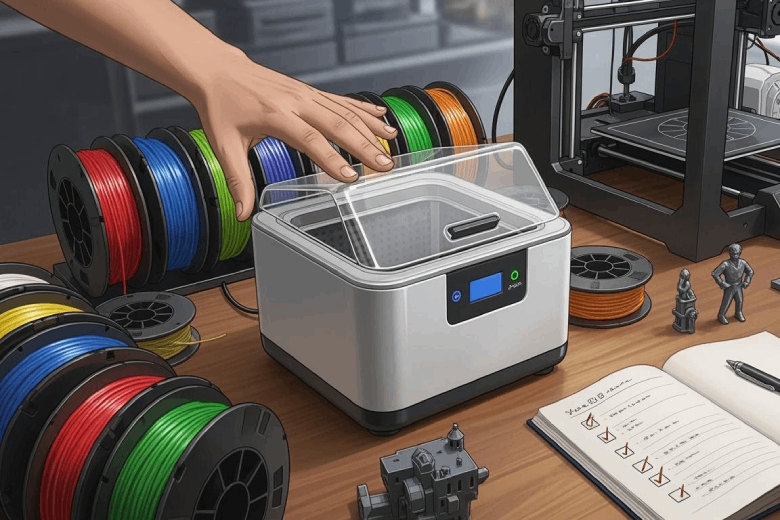
A filament dryer is worth buying when moisture is affecting your prints or when you regularly use materials such as PETG, TPU, nylon, PVA or polycarbonate. The right model is not simply the one with the highest temperature. It should match your filament types, spool capacity, printing frequency and need to print directly from the dryer.
This guide explains the features that matter, the mistakes to avoid and how to choose between the Sovol SH01, Sovol SH02 and Sovol SH03.
Quick recommendation
- Choose SH01 for affordable two-spool drying of PLA and other lower-temperature materials.
- Choose SH02 for the best all-round balance of price, 70°C heating and everyday material support.
- Choose SH03 for nylon, PC, four spools or two materials that need different drying settings.
Do you actually need a filament dryer?
Filament absorbs moisture from the surrounding air at different rates. When wet filament enters a hot nozzle, the trapped moisture can turn into vapour and disturb the melt flow. The result may be bubbles, stringing, rough surfaces, inconsistent extrusion or weaker layer bonding.
Drying is worth trying when several of these symptoms appear together:
- Popping, hissing or crackling at the nozzle
- Bubbles or foamy extrusion
- Unusual stringing after previously reliable prints
- Rough, cloudy or inconsistent surfaces
- Weak layer bonding
- Filament that snaps easily after being left open
Moisture is not the only possible cause. Incorrect nozzle temperature, retraction, flow, cooling or a partially blocked nozzle can create similar defects. Check the basic print settings before assuming every problem requires drying.
Why proper drying matters
Not every filament reacts to humidity in the same way. PLA is usually less moisture-sensitive than nylon or PVA, but an opened PLA spool can still become brittle or produce extra stringing. PETG and TPU often show moisture through bubbles, rough extrusion and unstable surface finish. Nylon, PVA and many PC grades can absorb enough moisture to affect a print within a much shorter period in a humid room.
At extrusion temperature, absorbed water can turn into vapour and create visible defects. In some moisture-sensitive polymers, heat and water can also contribute to degradation of the polymer chains, reducing the strength and consistency of the printed part.
Drying and storage solve different problems:
- Active drying uses controlled heat and airflow to remove moisture from a spool that is already wet.
- Dry storage uses a sealed container and desiccant to slow down moisture absorption after drying.
For best results, dry the material first, then keep it sealed until the next print.
Filament dryer buying checklist
1. Maximum temperature
Start with the materials you use most. A dryer that reaches 50°C may be sufficient for cautious PLA drying, but it will not cover the full recommended range for PETG, ABS, ASA, nylon or PC.
| Maximum dryer temperature | Typical use | Important limitation |
|---|---|---|
| About 50°C | PLA and lower-temperature maintenance drying | Not enough for many engineering materials |
| Up to 70°C | PLA, PETG, TPU, ABS and ASA | Nylon and PC may benefit from higher heat |
| Up to 85°C | Everyday materials plus nylon, PA and many PC grades | Always check the exact filament and spool limit |
Drying requirements vary by manufacturer, polymer blend, pigment, filler and spool material. Use our filament drying temperature guide as a starting point, then follow the instructions supplied with your exact filament.
2. Spool capacity
A larger dryer is useful only when you need the capacity. Consider how many spools you actually print from during a normal week.
- Two-spool dryers suit most home users, dual-colour preparation and keeping a backup spool ready.
- Four-spool dryers make more sense for print farms, workshops, multi-material projects or users who regularly switch between several filaments.
Also check the supported spool diameter, width and weight. Large cardboard spools or non-standard 2–3 kg spools may not fit even when the dryer is described as multi-spool.
3. Airflow and moisture exhaust
Heating alone is not enough. As moisture leaves the filament, humid air must be moved away from the spool. Look for active air circulation, controlled vents or another method of exhausting moisture from the chamber.
A sealed box with desiccant is useful for storage, but it usually removes deep moisture from a wet spool much more slowly than controlled heat with airflow.
4. Temperature consistency
The temperature shown on a display is not always identical to the temperature throughout the chamber. Spool position, airflow and sensor placement can create hot or cool zones.
A dryer with circulating air and stable temperature control is generally more useful than a model that reaches a high temperature only near the heater.
5. Printing directly from the dryer
For long PETG, TPU, nylon, PVA and PC prints, the filament can begin absorbing moisture again during the job. A dryer with filament outlets and smooth spool rotation allows you to print while keeping the material warm and dry.
Check the outlet position, PTFE path and spool resistance, especially when using flexible filament.
6. Humidity monitoring and storage
A humidity display helps you monitor conditions inside the chamber, but it does not directly measure the moisture content inside the filament. Treat it as a useful trend indicator rather than proof that the centre of the spool is fully dry.
If you want the dryer to double as storage, look for a sealed chamber, desiccant space and automatic humidity-control functions.
7. Independent chambers
Independent chambers matter when two materials require different temperatures. For example, PLA and nylon should not automatically be dried together at one shared setting.
A dual-chamber dryer can also reduce energy use because you can operate one side when only one or two spools need drying.
8. Safety and controls
Because drying cycles can run for many hours, safety features should be part of the buying decision. Look for temperature monitoring, overheat protection, fan-error detection, thermal cut-off protection and clear error messages.
Preset profiles are convenient, but manual temperature and timer controls are still important because different brands of the same material may require different settings.
Sovol SH01 vs SH02 vs SH03
| Model | Capacity | Temperature | Heating | Best for | EU price* |
|---|---|---|---|---|---|
| SH01 | 2 spools | 40–50°C | 40W | Budget users and lower-temperature materials | From €38.99 |
| SH02 | 2 spools | 40–70°C | 150W, 360° PTC heating | Most everyday PLA, PETG, TPU, ABS and ASA users | €54.99 |
| SH03 | 4 spools, 2 independent chambers | Up to 85°C | 200W + 200W PTC heating | Nylon, PC, multi-material and workshop workflows | €109.00 |
*Prices were checked on the Sovol EU store on 10 August 2026. Promotions and availability may change.
Which Sovol filament dryer should you buy?
Choose SH01 for affordable basic drying
The SH01 is the lowest-cost option and can hold two spools. Its 40–50°C range is most suitable for PLA and other lower-temperature use cases. It is a practical choice if you print occasionally, mainly use PLA and want to improve storage and print consistency without paying for high-temperature capability.
Do not choose SH01 if nylon, PC, ABS or ASA are important to your workflow. Its maximum temperature is below the normal starting range for many of those materials.
Choose SH02 for the best everyday balance
For most users, SH02 provides the strongest balance of price, capacity and material coverage. It holds two spools, uses 150W 360° PTC heating and supports an adjustable 40–70°C range.
That range covers common starting temperatures for PLA, PETG, TPU, ABS and ASA. It is a good fit for hobbyists and regular users who want more flexibility than a basic dryer but do not need four-spool capacity or 85°C drying.
Choose SH03 for advanced materials and multiple spools
SH03 is designed for users who need higher temperatures, more capacity or different settings at the same time. It holds up to four spools across two independently controlled chambers and reaches 85°C with separate 200W PTC heating modules.
The two chambers can run different temperature and time settings, making SH03 more suitable for mixed-material workflows. Active moisture exhaust, automatic dehumidification and direct-from-dryer printing also make it a stronger storage and workflow tool for nylon, PC and long professional prints.
Dedicated dryer, food dehydrator, oven or dry box?
The original article covered several drying methods, and each one answers a different need. The safest choice is not always the cheapest, so compare temperature control, airflow and supervision requirements before using any device.
| Method | Main advantage | Main limitation | Best use |
|---|---|---|---|
| Dedicated filament dryer | Controlled heat, airflow and direct printing | Requires a separate purchase | Regular and moisture-sensitive filament use |
| Food dehydrator | Good airflow and moderate temperatures | May need modification and independent temperature checking | Occasional drying when properly configured |
| Household oven | Already available in many homes | Low-temperature cycling can deform filament or spools | Generally not recommended |
| Sealed dry box | Low-cost storage with desiccant | Does not quickly restore a wet spool | Maintaining filament after active drying |
A food dehydrator can work when it has stable temperature control, enough space for the spool and good airflow. Verify the real chamber temperature with a separate thermometer during the first cycle, and do not return equipment used for filament to food preparation.
A DIY dry box is useful for storage and direct feeding. Adding a hygrometer, desiccant and PTFE outlet can make it more practical, but passive desiccant should not be confused with active drying.
Recommendations by user type
Beginners
Start with a dryer that has clear controls, presets and enough temperature range for your main materials. A two-spool model is usually easier to place and more economical. For most beginners using PLA and PETG, SH02 provides more room to grow than a 50°C-only dryer.
Advanced and engineering-material users
If you regularly print nylon, PA-CF, PC or several material types, prioritize higher temperature, stable airflow, manual controls and direct-from-dryer printing. SH03 is better suited to this workflow because its chambers can use different settings.
Budget-conscious and occasional users
Users who mainly print PLA and only need occasional drying may not benefit from the highest temperature or largest capacity. SH01 offers a lower entry cost, while a sealed storage box with regenerated desiccant can help protect the spool between prints.
Multi-material users and workshops
Capacity becomes important when several spools must remain ready. A four-spool, dual-chamber dryer reduces waiting and allows two drying programmes to run at the same time. This is more useful for a workshop than repeatedly rotating spools through a small dryer.
How to use and maintain a filament dryer
- Check the filament instructions. Use the brand-specific temperature and time when they differ from a general chart.
- Inspect the spool. Confirm that the cardboard, adhesive or plastic spool can tolerate the selected temperature.
- Start at the lower end of the range. This is especially important for PLA, TPU and unfamiliar blends.
- Allow moisture to escape. Open or configure the vents according to the dryer instructions.
- Recheck the filament. If popping or bubbles remain, extend the cycle before sharply increasing the temperature.
- Store it immediately. Move the dry spool to a sealed container or continue printing directly from the dryer.
Cleaning and maintenance
- Disconnect and cool the dryer before cleaning.
- Remove dust and small filament fragments from the chamber and rollers.
- Keep air inlets, outlets and fans free from obstruction.
- Check the power cable, PTFE outlets and spool rollers for wear.
- Test temperature and humidity readings if results suddenly become inconsistent.
Storage after drying
Use an airtight container or vacuum bag with regenerated desiccant. Keep nylon, PVA, TPU and PC sealed whenever they are not being printed. Label the spool with the drying date, temperature and time that worked, so the next cycle is easier to repeat.
Common filament dryer buying mistakes
- Buying by maximum temperature alone: Capacity, airflow, outlets and controls may matter more for everyday use.
- Ignoring the spool: Cardboard, adhesive and low-temperature plastic spools may tolerate less heat than the filament.
- Assuming desiccant can quickly restore wet filament: Desiccant is better for keeping a dry spool dry.
- Drying every material at one preset: PLA, TPU, nylon and PC require very different conditions.
- Forgetting storage after drying: Moisture-sensitive filament can quickly absorb water again.
- Choosing too little capacity: Regular multi-material users may outgrow a two-spool dryer.
- Choosing too much capacity: A four-spool dryer takes more space and is unnecessary for occasional PLA printing.
Filament dryer safety
A dedicated filament dryer provides more controlled low-temperature heating than most household ovens. Many ovens cycle above their displayed temperature, particularly at low settings, which can soften filament or deform a plastic spool.
Never use a microwave or toaster oven for filament. Avoid using food-preparation equipment for plastic, and follow the filament and dryer manufacturers' instructions.
Frequently asked questions
How long should filament be dried?
The drying time depends on the material, moisture level, temperature, spool size and airflow. PLA may need several hours, while heavily exposed nylon can require a much longer cycle. Check the exact filament instructions and use the Sovol filament drying temperature chart as a starting point.
Can desiccant replace a filament dryer?
Usually not when a spool is already wet. Desiccant is useful for slowing moisture absorption during storage. Controlled heat and airflow are normally more effective for removing moisture that has already entered the filament.
Can you print directly from a filament dryer?
Yes, provided the dryer has a suitable filament outlet and the spool rotates freely. Printing directly from the dryer is particularly helpful for nylon, PVA, TPU, PC and long PETG jobs.
Should every new spool be dried?
Not necessarily. A properly sealed spool may print well immediately. Drying is more useful before an important job, when the packaging has been damaged or when moisture-related symptoms appear.
Can filament be overdried?
The main risk is excessive temperature. Too much heat can soften the filament, deform the spool or affect additives and surface finish. Start at the lower end of the recommended range and follow the manufacturer's maximum temperature.
Is a four-spool dryer worth it?
It is worth considering for print farms, workshops, multi-material printing and users who regularly keep several moisture-sensitive spools ready. A two-spool dryer is usually more economical for occasional home printing.
Final recommendation
The best filament dryer is the one that matches your materials and workflow without paying for unused capacity.
- SH01: Best for budget-conscious PLA users and basic two-spool drying.
- SH02: Best overall choice for most everyday materials and regular home printing.
- SH03: Best for nylon, PC, four-spool capacity and mixed-material professional workflows.
Compare Sovol filament dryers
Check current prices, capacity and temperature ranges before choosing.
