






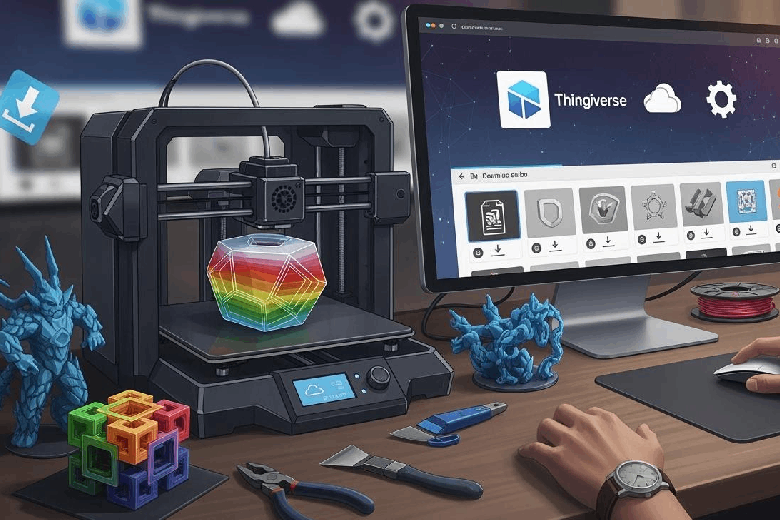
Explore the top 10 websites for 3d print files in 2025: Thingiverse, Printables, Cults3D, MyMiniFactory, Yeggi, MakerWorld, GrabCAD, Free3D, Pinshape, and Creality Cloud. You need reliable sources for free stl files, free 3d models, and free downloadable stl files. Each platform features high-quality models, ready-made stl files, and an extensive collection in a 3d models library. A strong 3d printing community and active community drive engagement, with each 3d model website offering quality 3d files, printable 3d models, and free 3d printer files. Search for high quality 3d designs, downloads, and community-driven marketplace benefits, ideal for 3d printing beginners.
Key Takeaways
- Explore top websites like Thingiverse and Printables for a vast selection of free 3D print files.
- Check for community engagement and user feedback to ensure high-quality models and support.
- Use search filters to quickly find models that match your printer and project needs.
- Always review licensing rules for each model to understand usage rights, especially for commercial projects.
- Stay updated with new designs by subscribing to newsletters or following your favorite platforms.
How We Chose the Top 10 Websites
When you look for the best places to download 3d print files, you want more than just a large library of free stl files. You need high-quality models, a strong 3d printing community, and clear licensing. To help you find the top 10 websites, we used several important criteria. These factors make sure you get reliable free 3d models and free 3d printer files for your projects.
You should pay attention to these main criteria when you search for 3d model websites:
|
Criteria |
Description |
|---|---|
|
Website Reputation |
Trustworthy sites often have a large user base and positive reviews, indicating reliability. |
|
Model Quality Verification |
Sites like MyMiniFactory ensure models are tested for printability, reducing failed prints. |
|
Format Support |
Availability of multiple file formats (STL, OBJ, 3MF) to cater to different printer preferences. |
|
Licensing |
Clear guidelines on commercial use and modifications help users comply with copyright laws. |
|
Community Interaction |
Active user feedback through comments and ratings enhances trust in the quality of files. |
You want a site with an active community and community-driven features. User reviews and platform reputation play a big role in your experience. Here are some ways these factors help you:
- Quality assurance comes from high ratings and skilled designers. You get models that print well.
- Printability insights from user comments help you avoid mistakes with stl files.
- Design versatility shows up in feedback. You can see how models work for different uses.
You should also look for up-to-date content. The best 3d model websites update their library often. This keeps your search fresh and gives you access to new free stl files and models. A site with a strong 3d printing community and active community support helps you solve problems and share ideas.
Ease of use matters too. You want to find and download free 3d printer files quickly. Sites with simple navigation and clear search tools save you time. Licensing is important. Always check if you can use or modify stl models for personal or commercial projects.
By focusing on these criteria, you can choose the top 10 websites for free 3d models and 3d printer files. You get reliable downloads, a helpful community, and a wide variety of models for your 3d projects.
Thingiverse – Largest Free 3D Print Files Community
Key Features
You find Thingiverse at the top of many lists for 3d print files. This site gives you access to a massive library of free stl models. You can browse thousands of designs, from simple gadgets to complex mechanical parts. The platform supports a strong 3d printing community, so you see new models added every day. You can upload your own stl files and share them with others. The site offers easy search tools, letting you filter by category, popularity, or printability. You get free downloads for all models, and you can join discussions with other users. Thingiverse also provides detailed instructions for many stl models, which helps you avoid mistakes during printing.
Tip: Use the advanced search feature to find high-quality stl models that match your printer and skill level.
|
Feature |
Description |
|---|---|
|
Free stl downloads |
Unlimited access to thousands of models |
|
Community support |
Active forums and user feedback |
|
Model variety |
Designs for toys, tools, art, and more |
|
Printability info |
User comments and ratings on stl files |
|
Easy uploads |
Share your own 3d models with the community |
Pros & Cons
You get many benefits when you use Thingiverse for your 3d projects. The site gives you free access to a huge library of stl models. You can join a large 3d printing community and learn from others. You find high-quality models for almost any purpose. The search tools help you locate the right stl files quickly.
Pros:
- Free downloads for all models
- Large and active 3d printing community
- Wide variety of stl models
- Easy to upload and share your own designs
- Helpful printability feedback from users
Cons:
- Some models may lack detailed instructions
- Quality varies between different stl files
- Occasional broken links or outdated models
You should explore Thingiverse if you want free stl files and a strong community. The site works well for beginners and advanced users. You can build your own library of 3d models and share your creations with others.
Printables – Free STL Files by Prusa
Key Features
You find Printables by Prusa Research as a trusted source for free 3d print files. This platform stands out because it connects you with a large library of over 200,000 models. You can explore a wide range of stl files, from simple gadgets to advanced engineering parts. Printables supports you with pre-sliced G-code files, which work well with PrusaSlicer and Prusa printers. This feature saves you time and helps you start printing right away.
You also benefit from a strong community. Printables hosts contests and tutorials that encourage you to learn and share. Many models come with bundled slicer files and versions for resin printing. This makes the process easier, especially if you want high-quality results. You can search for free stl models using clear filters and categories. The site’s connection with Prusa Research gives you extra confidence in the quality and support you receive.
Tip: Join community contests to improve your skills and win prizes. You can also follow top designers to stay updated on new free stl files.
|
Unique Feature |
Description |
|---|---|
|
Affiliation with Prusa Research |
Sponsored by Prusa Research, offering credibility and user support. |
|
Large Selection of Models |
Over 200,000 models for all types of 3d projects. |
|
Pre-sliced G-code for Prusa printers |
Ready-to-use files for PrusaSlicer and Prusa printers. |
|
Community Engagement |
Contests, tutorials, and active participation for learning and sharing. |
|
Bundled Slicer Files |
Many models include slicer files and resin printing versions for easier use. |
Pros & Cons
You gain many advantages when you use Printables for your 3d printing needs. The platform gives you free access to a huge variety of stl models. You can trust the quality because of the Prusa Research connection. The community helps you learn and grow as a maker.
Pros:
- Free downloads for all stl files and models
- Large and active 3d printing community
- Pre-sliced G-code for quick printing
- High-quality models with detailed instructions
- Frequent updates and new contests
Cons:
- Some features work best with Prusa printers
- Not all models have versions for every 3d printer
- You need to create an account to upload or join contests
You should use Printables if you want a reliable source for free stl files and a supportive community. The platform works well for both beginners and advanced users who want to expand their 3d model library.
Cults3D – Marketplace for Free 3D Models
Key Features
You can explore Cults3D as a dynamic marketplace for 3d print files. This platform gives you access to a huge library with 2.9 million free and premium models. You find 600 free models ready for download, which makes it easy to start your next project without spending money. You can search for stl files by category, popularity, or designer, which helps you discover unique and high-quality models for your 3d printer.
Cults3D supports a wide range of 3d projects. You see models for art, fashion, gadgets, and even engineering parts. The site lets you filter for free stl files, so you do not waste time scrolling through paid options if you want only free content. You can also follow your favorite designers and get updates when they release new stl models.
Tip: Use the search filters to quickly find free stl files that match your printer and skill level.
Cults3D values intellectual property. The platform prohibits the reproduction and exploitation of content through artificial intelligence services. You must get permission from the author before using any digital content. Unauthorized use counts as copyright infringement and may lead to legal action. This focus on copyright helps protect creators and ensures you download legal 3d print files.
Pros & Cons
You benefit from a large selection of free and premium stl models. The site’s strong copyright rules protect both you and the designers. You can join a creative community and share your own 3d models.
Pros:
- Access to a massive library of 3d models
- 600 free stl files for instant download
- Advanced search and filter tools
- Strong protection for intellectual property
- Active community of designers
Cons:
- Most models require payment
- Some free stl files may have limited instructions
- Strict copyright rules may limit how you use certain models
You should try Cults3D if you want a mix of free and premium 3d print files. The platform works well for users who value high-quality models and respect for creators’ rights.
MyMiniFactory – Curated 3D Print Files
Key Features
You want a platform that gives you confidence in every 3d print. MyMiniFactory stands out because it uses a strong curation process to ensure high-quality 3d models. When you upload stl files, the site does not just add them to the library. Instead, MyMiniFactory uses a four-step process to check every 3d model before you can download it for free.
|
Step |
Description |
|---|---|
|
1 |
Community engagement through the MyMiniFactory Wonderland program. |
|
2 |
Expert 3d printer owners test print models. |
|
3 |
Guarantee printability and quality of 3d print files. |
|
4 |
Collaboration between makers and 3d designers. |
You benefit from this careful review. You can trust that the stl files you find will work well with your 3d printer. The platform also supports a large community of designers and makers. You can join discussions, share your own free 3d models, or follow your favorite creators. MyMiniFactory offers a simple search tool that helps you find the right stl files quickly. You can filter by category, popularity, or even by the type of 3d printer you use.
Tip: Use the search bar to explore the library for trending free stl models. You can discover new projects and get inspired by what others have made.
Pros & Cons
You get many advantages when you use MyMiniFactory for your 3d printing needs. The curated library means you spend less time fixing failed prints. You also enjoy a wide range of free stl models, from toys to tools.
Pros:
- High-quality 3d models tested for printability
- Free downloads for most stl files
- Active community of designers and makers
- Easy-to-use search and filter options
- Regular updates with new free models
Cons:
- Some premium models require payment
- Not every stl file is available for commercial use
- You need an account to upload or comment
You should try MyMiniFactory if you want reliable free stl files and a supportive 3d printing community. The platform works well for both beginners and advanced users who want a trusted source for 3d models.
Yeggi – 3D Print Files Search Engine
Key Features
You want a tool that helps you find the best 3d print files across the internet. Yeggi works as a powerful search engine for 3d models. You do not need to visit every site one by one. Instead, you can type what you need into Yeggi and see results from many different sources. This saves you time and helps you compare options quickly.
Yeggi collects 3d models from popular sites like Thingiverse, Printables, and MyMiniFactory. You get access to a huge library of free files without extra effort. You can filter your search by categories, popularity, or the newest uploads. This makes it easy to find free 3d models for any project. Yeggi also shows you which files are free and which are paid, so you do not waste time clicking on the wrong links.
Tip: Use the “free” filter to see only free 3d models in your search results.
Pros & Cons
You gain many benefits when you use Yeggi for your 3d printing needs. The main advantage is the ability to find free 3d models from many websites in one place. You do not need to create an account to start searching. The simple interface helps you get results fast.
Pros:
- Finds free 3d models from multiple sources
- Saves time with one-stop search
- Easy to use for beginners
- Shows which files are free or paid
- Large library of 3d print files
Cons:
- Some links may lead to external sites with ads
- Quality of 3d models can vary
- No direct download, you must visit the original site
You should try Yeggi if you want a fast way to find free 3d models for your next project. The search engine works well for both new and experienced users who want a big library of options.
MakerWorld – Free 3D Models Platform
Key Features
You discover MakerWorld as a vibrant platform where you can find free 3D models for almost any project. The site offers a massive library with over one million models, making it easy for you to search and explore new ideas. MakerWorld stands out because it encourages community engagement. You can interact with other users through posts, comments, and events. This active participation helps your designs gain more visibility.
The platform also supports social media promotion. You can share your models on Facebook, Twitter, and Reddit to reach a wider audience. MakerWorld lets you use eye-catching visuals, such as gifs for model covers, which attract more attention to your designs. You can join community events and earn rewards for your contributions. These features make MakerWorld a popular choice for anyone who wants to build and share free 3D models.
|
Feature |
Description |
|---|---|
|
Community Engagement |
Engaging with the community through posts increases visibility and targeted outreach. |
|
Social Media Promotion |
Utilizing platforms like Facebook and Twitter to share models enhances exposure. |
|
Model Presentation |
Using eye-catching visuals, such as gifs for model covers, attracts more attention to designs. |
|
Participation in Events |
Engaging in community events can lead to rewards and increased visibility for models. |
|
Reddit Promotion |
Sharing designs on subreddits can drive significant traffic to models. |
Pros & Cons
You benefit from MakerWorld’s large and active community. The platform has nearly ten million monthly active users, so you always find new free 3D models to try. MakerWorld features a rewards system that motivates you to create and share more models. This system makes it easier for beginners to get started and feel welcome.
- You enjoy a user-friendly experience that reduces barriers for new users.
- You find a wide variety of free 3D models for different needs.
- You earn rewards for participating in events and sharing your work.
However, you may notice some challenges. The huge library can make it hard to choose the best models. Some designs may lack detailed instructions. You need to spend time searching for the right free 3D models for your printer.
In comparison to other platforms, MakerWorld offers a more generous rewards system and a smoother experience for beginners. You get access to a growing library and a supportive community that helps you succeed in your 3D printing journey.
GrabCAD – Engineering 3D Print Files
Key Features
You find GrabCAD as a top choice for engineering 3d print files. The platform gives you access to a large library of free 3d models designed for professionals and students. You can explore mechanical parts, assemblies, and technical components that suit your 3d printing needs. GrabCAD supports multiple file formats, so you can download free models in STL, STEP, and other options.
GrabCAD Shop serves as a centralized platform that streamlines communication and requests among engineers, designers, and 3d printing shop operators. You benefit from having all your project discussions and requests in one place. This setup increases efficiency and reduces confusion that comes from using different tools. You can collaborate with others, share feedback, and manage your 3d print jobs easily.
You use the search function to find specific free 3d models quickly. The platform lets you filter results by category, popularity, or file type. You also see detailed information about each model, including print settings and designer notes. GrabCAD encourages you to join its active community, where you can ask questions and share your own 3d models.
Tip: Use GrabCAD’s advanced search to locate engineering models that match your project requirements.
|
Feature |
Description |
|---|---|
|
Engineering focus |
Models for mechanical, aerospace, and automotive |
|
Free downloads |
Access to thousands of free 3d models |
|
Collaboration tools |
Centralized communication for project teams |
|
Format support |
STL, STEP, and other engineering formats |
|
Active community |
Forums and feedback for 3d printing questions |
Pros & Cons
You gain many advantages when you use GrabCAD for your 3d printing projects. The platform offers a wide variety of free engineering models. You can collaborate with other users and improve your designs. The search tools help you find the right models fast.
Pros:
- Large library of engineering 3d models
- Free downloads for most models
- Collaboration features for project teams
- Multiple file formats for technical needs
- Active forums and community support
Cons:
- Some models may require advanced 3d printing skills
- Not all models include detailed print instructions
- You need an account to upload or comment
You should try GrabCAD if you want free engineering 3d models and a strong community. The platform works well for students, professionals, and anyone who needs technical 3d print files.
Free3D – Free STL and OBJ Files
Key Features
You can use Free3D to find a wide range of 3d models for your projects. The platform gives you access to a large library of free files, including STL and OBJ formats. You can download these files and use them with most 3d printers. Free3D lets you browse categories like vehicles, architecture, and characters. You can also upload your own 3d models to share with others.
You will notice that Free3D supports both free and paid options. Many designers offer their 3d models at no cost, so you can build your collection without spending money. The site makes it easy to search for specific models. You can filter results by file type, popularity, or newest uploads. This helps you find the right 3d model for your needs quickly.
Tip: Use the search bar to explore the library and discover trending free 3d models. You can also check user ratings to pick the best files for your printer.
|
Feature |
Description |
|---|---|
|
Free STL and OBJ files |
Download 3d models in popular formats |
|
Large model library |
Access a wide variety of free 3d models |
|
Easy search tools |
Find models by category, popularity, or type |
|
User uploads |
Share your own 3d models with the community |
|
Model ratings |
See feedback from other users |
Pros & Cons
You get many benefits when you use Free3D for your 3d printing projects. The platform offers a big selection of free 3d models, so you always have new designs to try. You can download files in formats that work with most 3d printers. The search tools help you find what you need fast.
- You enjoy a simple interface that makes browsing easy.
- You can join a global community of 3d designers.
- You have the chance to share your own free 3d models.
However, you may find that some models lack detailed instructions. The quality of 3d models can vary because anyone can upload files. You might see some paid models mixed in with the free ones, so check before you download.
Note: Always review the license for each 3d model to make sure you can use it for your project.
Pinshape – Community 3D Print Files
Key Features
You find Pinshape as a strong community platform for 3d print files. The site gives you a large library of free 3d models. You can search for models that fit your needs, whether you want toys, tools, or art. Pinshape stands out because it helps you connect with other makers and learn from their experiences.
You can upload your own 3d models and share them with the community. When you print a model, you can add your print settings and results. This feedback helps other users choose the best free models for their 3d printer. Pinshape lets you sort models by successful prints, which is helpful if you are new to 3d printing.
You also get a personalized Feed feature. This tool shows you new free models based on your interests and what you have printed before. You see updates from designers you follow, so you never miss new 3d projects. Pinshape encourages you to become an ambassador, join contests, and help moderate forums. These options give you a sense of ownership and let you shape the 3d printing community.
- You can upload prints and share detailed metadata about your print settings.
- The Feed feature customizes content for you based on your interests.
- You can review designs and share your printing experiences.
- Ambassadors can moderate forums and judge contests.
- You can discover new models and trends that match your needs.
Pros & Cons
You benefit from a large and active user base. At its peak, Pinshape had over 75,000 active users sharing free 3d models. This strong community means you always find new ideas and support for your 3d projects.
Pros:
- Large library of free 3d models for all skill levels
- Active community with feedback and print settings
- Personalized Feed for discovering new models
- Opportunities to join contests and become an ambassador
- Easy upload and sharing of your own 3d models
Cons:
- Some models may lack detailed instructions
- Quality can vary between different free models
- You need an account to upload or comment
Pinshape works well if you want a supportive community and a wide variety of free 3d models. You can learn from others, share your own work, and grow your skills in 3d printing.
Creality Cloud – Free 3D Models Hub
Key Features
You discover Creality Cloud as a powerful hub for finding free 3d models. The platform gives you access to a large 3d models library, where you can search for designs that fit your needs. You can download free models for toys, tools, art, and engineering projects. The site updates its library often, so you always find new free models to try.
Creality Cloud stands out because it connects directly with your 3d printer. You can manage your printer fleet using Creality’s software. You control printers through your browser and set permissions for each device. The cloud slicer and toolpath viewer help you prepare your models for printing quickly. You save time and avoid mistakes with these tools.
Creality Cloud also supports advanced workflows. The partnership with QUICKSURFACE lets you scan objects and turn them into CAD files. You use Creality’s scanners to digitize complex parts with up to 0.02 mm accuracy. This feature helps you create precise 3d models for engineering and product design.
|
Feature |
Description |
|---|---|
|
Partnership |
Creality’s collaboration with QUICKSURFACE for a scan-to-CAD workflow |
|
Benefits |
Streamlines the process from 3D scanning to CAD reconstruction |
|
Accuracy |
Scanners offer up to 0.02 mm accuracy for digitizing complex parts |
Pros & Cons
You enjoy many benefits when you use Creality Cloud for your 3d projects. The platform gives you a wide selection of free models in its library. You manage your printers easily and prepare files with cloud tools. You also get advanced features for scanning and CAD design.
- You find a large 3d models library with free downloads.
- You control your 3d printers from anywhere using browser tools.
- You use the cloud slicer and viewer for efficient workflow.
- You scan objects and create accurate 3d models for engineering.
However, you may notice some challenges. Some advanced features work best with Creality devices. You need to learn how to use the cloud slicer and scanner tools. Not all models include detailed instructions, so you must check before printing.
Creality Cloud works well if you want a free source for 3d models and easy printer management. You benefit from a growing library and advanced workflow tools that help you succeed in 3d printing.
Comparison of Top 10 Websites for 3D Print Files
You want to choose the best platform for your next 3d project. The top 10 websites each offer unique strengths for finding free stl files, free 3d models, and free 3d printer files. Use the table below to compare file formats and licensing rules. This helps you pick the right site for your needs.
|
Website |
File Formats Supported |
Licensing Considerations |
|---|---|---|
|
Thingiverse |
STL, OBJ, 3MF |
Varies by model, check individual licensing |
|
Printables |
STL, G-code |
Most models for personal use, some for commercial |
|
Cults3D |
STL, OBJ |
Commercial use allowed with creator's permission |
|
MyMiniFactory |
STL, OBJ |
Commercial use allowed with restrictions |
|
Yeggi |
Multiple (search engine) |
Depends on source website |
|
MakerWorld |
STL, OBJ |
Community-driven, licensing varies |
|
GrabCAD |
STL, STEP |
Personal use only, no modifications allowed |
|
Free3D |
STL, OBJ |
Check each model for license |
|
Pinshape |
STL, OBJ |
Varies, check model details |
|
Creality Cloud |
STL, OBJ |
Varies, check model details |
You find that Thingiverse and Printables give you the largest selection of free stl files and free 3d models. MyMiniFactory stands out for its curated library and tested models. Cults3D and Free3D offer both free and paid options, so you can build your collection without spending money. GrabCAD works best for engineering 3d printer files, while MakerWorld and Pinshape focus on community sharing and rewards.
Tip: If you want only free 3d printer files, use Yeggi as a search engine to compare results from all top 10 websites.
You should choose Thingiverse or Printables if you want a huge library of free stl files. MyMiniFactory is great for reliable, tested free 3d models. GrabCAD fits advanced users who need technical models. MakerWorld and Pinshape help you connect with other makers and share your own free 3d printer files. Creality Cloud gives you advanced workflow tools and a growing library.
For beginners, you get the easiest start with Thingiverse, Printables, or MakerWorld. Advanced users often prefer GrabCAD or MyMiniFactory for specialized free 3d models. You can always explore more than one site to find the best free 3d printer files for your project.
You have many options for finding 3d print files. Each site offers a large library of free 3d models. Some focus on community support, while others provide curated or engineering models. You can choose a platform that matches your needs for free 3d models or advanced features.
- Personalization is growing in the 3d community.
- User-friendly software helps you create free models with less effort.
- Expanded technology brings more uses for 3d models.
FAQ
What are the best sites to find free 3d models?
You can find free 3d models on sites like Thingiverse, Printables, and MyMiniFactory. These platforms offer a large library of designs for many uses. You can search by category and download files for your 3d printer.
Can you use free 3d models for commercial projects?
You must check the license for each 3d model. Some free 3d models allow commercial use, while others do not. Always read the rules before you print or sell anything from a public library.
How do you know if a 3d model will print well?
You should read user reviews and check ratings for each 3d model. Many free 3d models include comments about print quality. You can also look for models that have been tested by the community.
Do you need special software to use free 3d models?
You need slicing software to prepare free 3d models for printing. Most 3d printers work with programs like Cura or PrusaSlicer. You can download these tools for free and use them with files from any library.
How often do sites update their 3d model library?
Most top sites update their 3d model library every week. You can find new free 3d models often. Check the homepage or subscribe to updates to see the latest designs.
Found your model? Time to print it.
Your first 3D printer — starting at €209
All those files you just bookmarked deserve to be printed. Sovol SV06 ACE is the most beginner-friendly way to get started — full-auto leveling, Klipper, ready in minutes.

- ✅ Full-auto leveling — no manual calibration
- ✅ Klipper — up to 600mm/s print speed
- ✅ Real-time monitoring & timelapse support
- ✅ 220×220×250mm build volume
