





If your printer clogs once, that’s annoying.
If it keeps clogging—especially on longer prints—it’s almost never “bad luck.” It’s a repeatable failure mode: contamination, heat management, hardware fit, or settings that push your hotend outside its comfort zone.
This guide is built for the messy reality: you want a fast way to narrow the cause, run one or two tests, and stop burning time on the wrong fix.
Why does my 3D printer nozzle keep clogging? The four root causes
When people ask “why does my 3D printer nozzle keep clogging,” the real answer usually falls into one of four buckets:
- Heat management (heat creep)
- Contamination (dust, debris, burnt plastic)
- Mechanical fit issues (gaps/leaks/rough path)
- Settings that create back-pressure (temperature, retraction, flow)
You don’t need to guess which one it is. Use the decision framework below.
The fastest way to diagnose repeat nozzle clogs
Repeat clogs are easier to solve when you treat them like a decision problem:
- Identify the symptom pattern (when it clogs, what you hear/see).
- Run the fastest discriminating test (fan check, cold pull result, purge behavior).
- Fix the root cause (not just the clog).
Here’s the short matrix you can use before you disassemble anything.
|
What you notice |
Most likely cause |
Fastest test you can do now |
|---|---|---|
|
Clogs after 20–60 minutes; extruder starts clicking; worse in warm room/enclosure; PLA is the worst offender |
Heat creep (filament softening too high up) |
Check hotend heatsink fan is running, unobstructed, and moving real air; inspect heatsink for dust |
|
Works at the start, then under-extrudes; a cold pull comes out dirty/sooty/with specks |
3D printer nozzle clog causes: debris/contamination/residue |
Do a cold pull and look at the “tip” imprint; if it’s gritty or black, you’re cleaning—not tuning |
|
You see gaps, thin walls, or missing lines (especially after a few layers) but the printer never fully jams |
Under extrusion vs clogged nozzle confusion (partial clog or high back-pressure) |
Bump nozzle temp by +5–10°C or slow down 10–15% for a quick test; if flow stabilizes, you’re dealing with melt/flow limits, not “random clogging” |
|
Clogs appear right after lots of retractions (small parts, stringy models); unload shows a fat “bulb”/mushroomed tip |
Retraction + heat break behavior (often tied to heat creep or a small gap/rough path) |
Reduce retraction temporarily and reprint a small test; if it improves, stop chasing temperature first |
|
Clogs recur after a nozzle swap or hotend work; you see ooze/leaks around the heater block |
Mechanical seating issue (hotend/nozzle interface) |
Heat to printing temp and inspect for leaks; any ooze above the nozzle is a red flag |
|
Fiber-filled/dirty filament clogs small nozzles; swapping to PLA makes it worse |
Particle-filled filament + nozzle size or residue carryover |
Try a 0.6 mm nozzle for abrasive filaments and do a high-temp purge before switching back |
⚠️ Warning: If you see melted plastic leaking from above the nozzle, stop printing until it’s fixed. Leaks create burnt debris that can cause endless partial clogs.
What a clog actually is (and why “just raise temperature” often fails)
A nozzle clog is simply restricted flow. The restriction can be at the nozzle tip, in the melt zone, or higher up in the heat break—where filament is supposed to stay solid.
That’s why two opposite mistakes both “kind of work” for a moment:
- Raising temperature can temporarily push filament through a dirty nozzle, but it can also increase heat creep and degrade filament into more residue.
- Lowering temperature can reduce oozing and stringing, but too low can leave filament partially unmelted and increase back-pressure.
The goal isn’t “hotter” or “colder.” It’s stable melting in the right zone and a clean, correctly fitted path.
Repeat clog cause #1: heat creep (the classic mid-print jam)
Heat creep is when heat travels up from the hotend’s melt zone into the “cold” side, softening filament before it reaches the nozzle. If you’ve ever Googled “heat creep 3d printer” after a mid-print jam, this is the exact failure mode people are describing.
Prusa’s support team describes this pattern in their guide to extrusion stopped mid-print due to heat creep: it often sounds like extruder clicking/grinding and is more common in warmer environments.
When heat creep is most likely
Heat creep moves to the top of the list when:
- The clog happens after time, not instantly.
- You’re printing PLA (low glass transition temperature, so it softens early).
- The printer is inside an enclosure or a warm room.
- Your hotend cooling fan is weak, obstructed, or misdirected.
Bambu Lab’s wiki also flags heat creep as a major clog driver—especially in warm chambers—and summarizes prevention tactics in their 3D printer clog guide.
Fix heat creep without guessing
Start with these checks before you change slicer settings:
- Confirm the hotend heatsink fan is actually doing its job. It should run continuously during printing (on most printers) and produce a noticeable airflow. Dust in heatsink fins can cut cooling dramatically; Prusa explicitly recommends cleaning heatsinks and fans in their heat creep checklist.
- Lower the chamber/ambient temperature for PLA. If you’re printing in an enclosure, ventilate it for PLA prints. Heat creep loves warm, stagnant air.
- Avoid “slow-drip” extrusion for long stretches. Very low flow can allow heat to soak upward. If you’re printing extremely slowly at high temperature, that combination can make heat creep worse.
If you want a brand-specific maintenance reference, Sovol has a practical section on cooling issues that lead to clogs and poor extrusion that’s worth skimming as a checklist.
Repeat clog cause #2: debris, contamination, and burnt residue
If your cold pull comes out with black flecks, dust specks, or rough texture, you’re not dealing with a tuning problem. You’re dealing with “stuff” that shouldn’t be in the nozzle.
In Bambu Lab’s write-up, they call out dust/debris and residue buildup as common mechanisms.
Where the debris comes from
Common sources include:
- Dust on the filament (open spools, workshop environments, pets, fabric fibers).
- Abrasive or fiber-filled filaments (carbon-fiber filled, glass filled, glow-in-the-dark): these can shed particles and leave residue.
- Burnt plastic from a leak (hotend leak above the nozzle → charred bits constantly feed into the melt zone).
- Extruder grinding: chewed filament can create debris that gets pushed forward.
The low-drama prevention stack
- Keep spools in a box or bag when not in use.
- Add a simple filament wiper (foam or felt) if your environment is dusty.
- Use an appropriate nozzle for abrasive filaments (0.6 mm is often more forgiving than 0.4 mm).
Repeat clog cause #3: retraction and “small-part torture tests”
Some prints are basically designed to trigger clogs: lots of tiny features, tons of travel moves, and frequent retractions. Retraction pulls softened filament back up toward cooler zones. If the heat break isn’t maintaining a sharp temperature transition—or your retraction is aggressive—you can form a plug.
Signs you’re in retraction-driven territory
- Clogs appear on stringy models or prints with many separate islands.
- You see a “bulb” at the end of filament when you unload.
- Reducing retraction by 20–40% makes the same model suddenly printable.
Practical fixes that don’t wreck print quality
Try these in order:
- Reduce retraction distance (especially on direct drive systems).
- Reduce retraction speed if you’re chewing filament.
- Increase minimum travel before retraction to reduce the total number of retractions.
- If you’re printing PLA in a warm enclosure, treat this as heat creep plus retraction—not two separate problems.
Pro tip: If you’re not sure, run the same model with retraction disabled for 10 minutes. If the printer suddenly extrudes smoothly (but strings), you’ve learned a lot.
Repeat clog cause #4: hotend fit issues (gaps, leaks, and rough internal paths)
If you recently:
- changed a nozzle,
- replaced a heat break,
- swapped hotends,
- or had a blob-of-death cleanup,
…and clogs started afterward, don’t assume your filament “went bad” overnight.
What to look for
- Plastic ooze above the nozzle (leak).
- Charred residue around the heater block.
- Inconsistent extrusion right after a nozzle change.
Fix approach
Because printers and hotends vary, follow your hotend’s documented nozzle installation procedure—but the general principles are consistent:
- Tighten nozzles at temperature (hot-tightening) when your hotend design calls for it.
- Eliminate any gaps that allow molten plastic to collect and burn.
- If you suspect internal contamination, clean first (cold pulls / cleaning filament) before you start swapping parts again.
How to clear a clog safely (without making it worse)
If you’ve diagnosed the likely cause, you still need a clean nozzle before you can verify the fix.
Cold pull (atomic pull) for partial clogs
A cold pull is the best first move for partial clogs because it extracts residue and debris without full disassembly. All3DP’s guide on how to perform a cold pull (atomic pull) walks through temperature windows and technique.
Sovol’s maintenance post also describes the cold pull method and suggests specific ranges (for example, around 90°C for PLA) in their nozzle cleaning methods section.
Needle cleaning for tip blockages
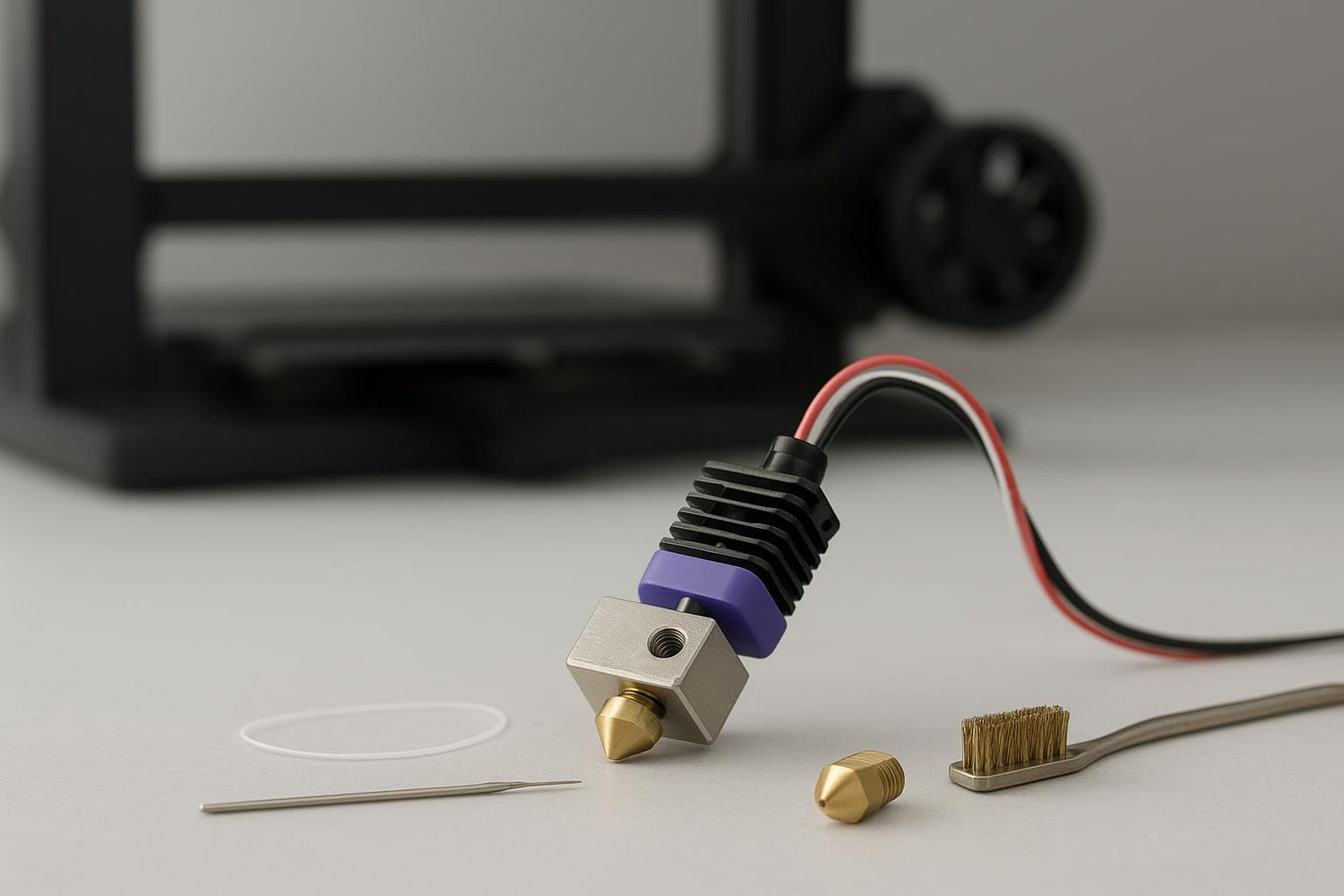
If the clog is right at the tip, heating the nozzle and carefully using a suitable needle can break up the blockage. This is best treated as a “clear the exit hole” step—not a complete cleaning strategy.
When to replace the nozzle
Replace the nozzle when:
- you’ve cleaned it multiple times and partial clogs return quickly,
- you’re printing abrasives on a soft brass nozzle,
- the nozzle tip is visibly damaged or the orifice seems irregular.
Nozzles are consumables. If your time is worth anything, don’t over-invest in resurrecting a $2 part.
A simple prevention routine that actually sticks
The most effective “anti-clog” routine isn’t complex—it’s consistent.
- Every spool change: purge a bit, and if you’re switching materials (especially from high-temp or filled filaments), do a cleaning step first.
- Every few long prints: inspect the hotend fan and heatsink for dust.
- Every 20–30 printing hours: do a proactive nozzle clean.
That last cadence isn’t arbitrary; Sovol’s own maintenance guide recommends cleaning on that kind of interval and after material switches in their 3D printer maintenance tips.
Where Sovol fits (light, neutral examples)
If you’re the kind of user who prints a lot of functional parts and you value modability and an open ecosystem, Sovol is one of the brands that leans into that space—open-source roots, community-driven designs, and large-format options.
The practical point here isn’t “buy X.” It’s that regardless of brand, repeat clogs go away when your setup has:
- stable hotend cooling,
- clean filament handling,
- and sane retraction/temperature choices.
Next steps
If you want a single internal checklist to keep handy, start with Sovol’s 3D printer maintenance tips and focus on the nozzle cleaning and cooling sections.
If you tell me three details—filament type, nozzle size, and when the clog happens (immediately vs. after time)—I can help you narrow this to one or two likely causes and the fastest test.
