
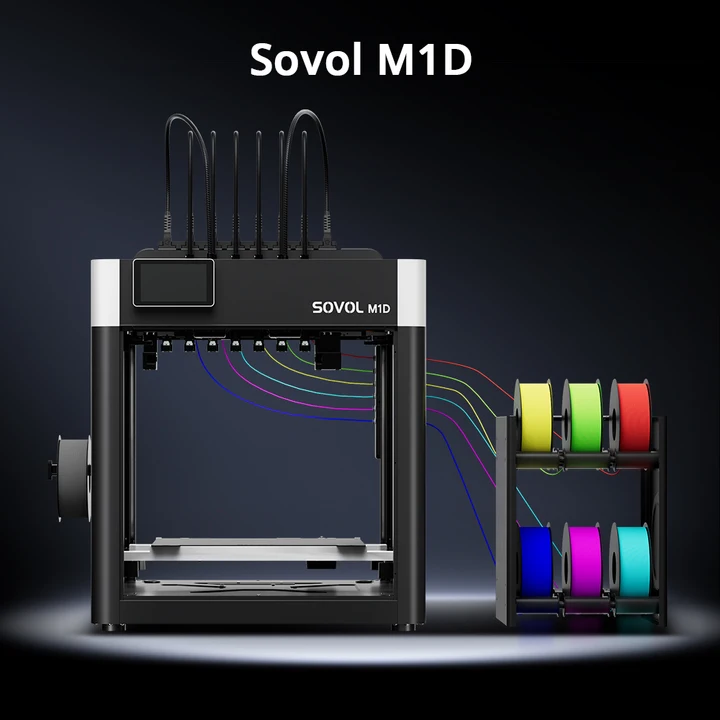
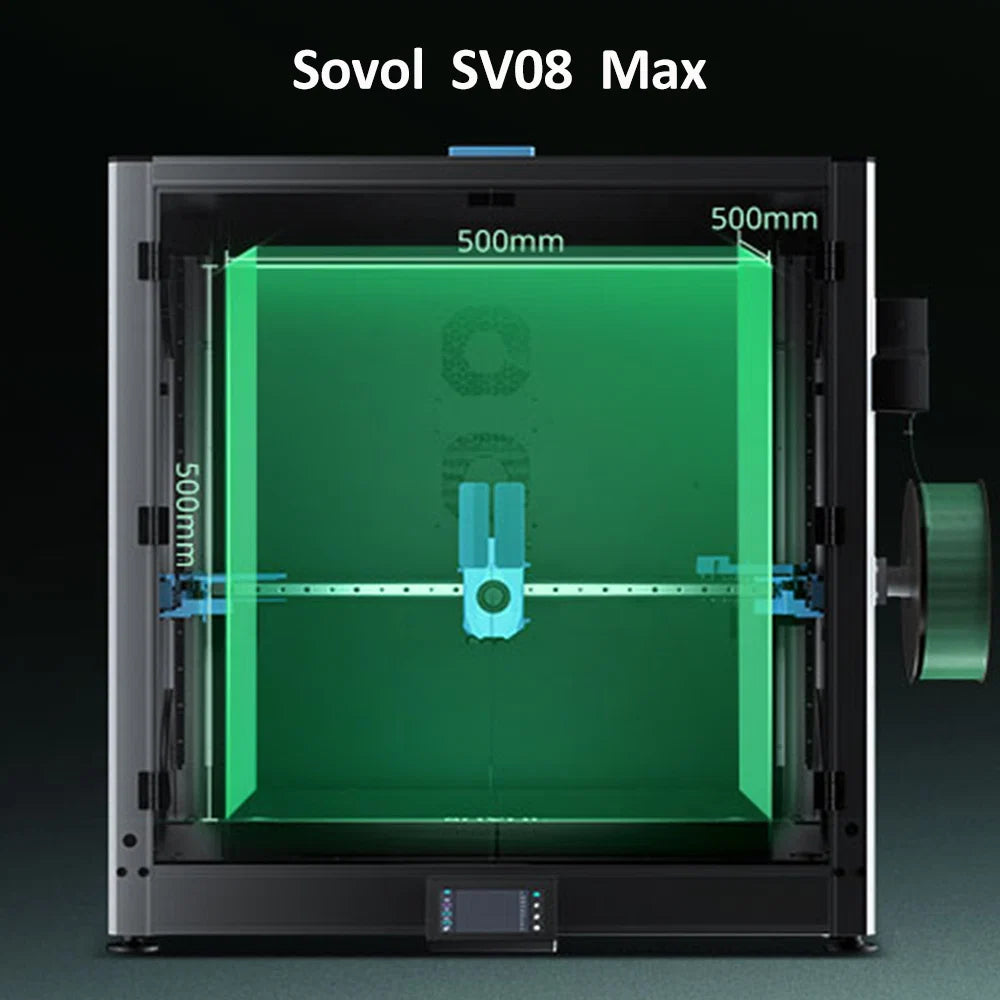
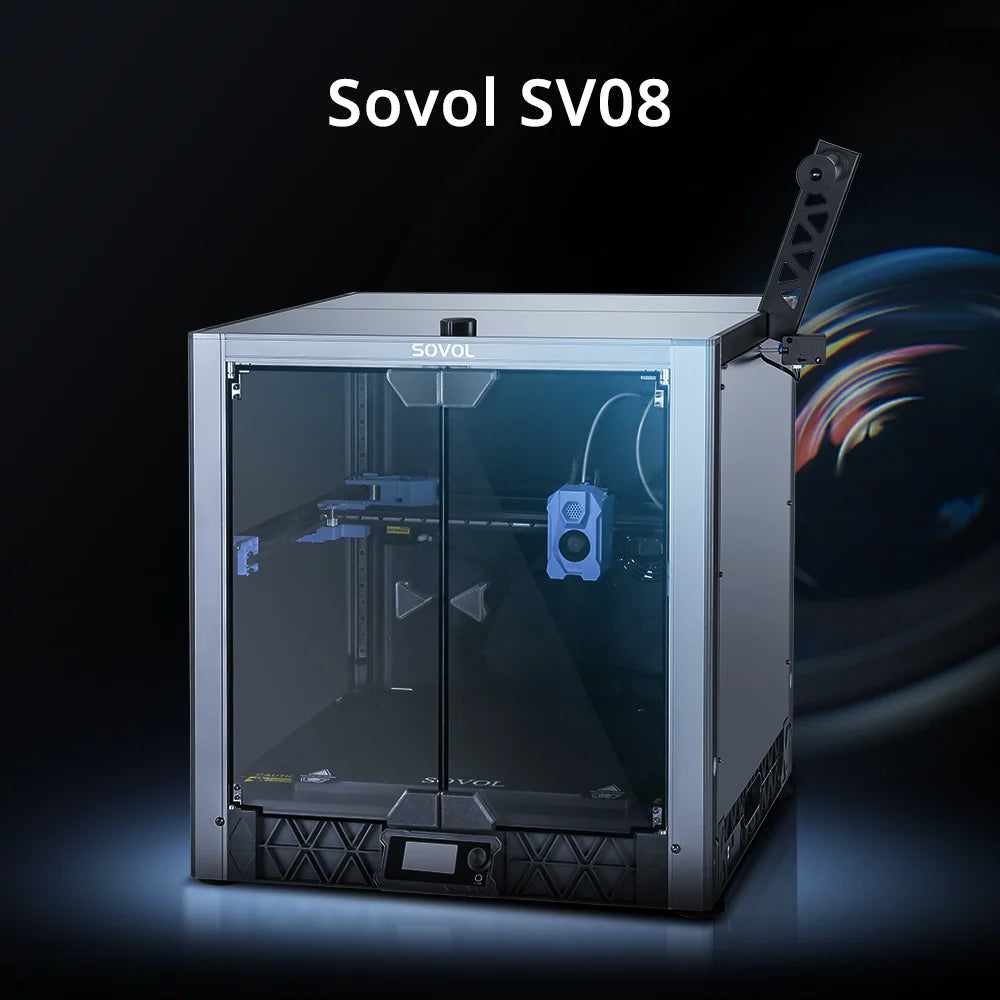






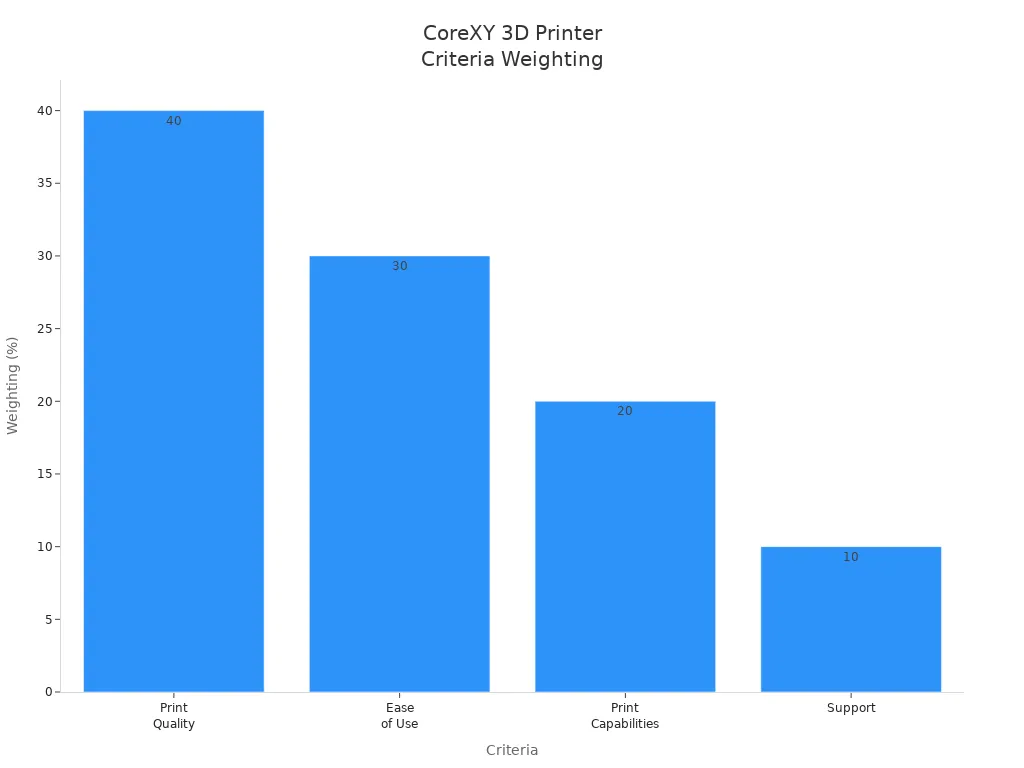
The most popular CoreXY 3D printer kits for hobbyists include Voron 2.4, Hevort, Ratrig V-Core 3, Tronxy X5SA Pro, TwoTrees Sapphire Plus, and Creality Ender 6. Many users value corexy designs for their speed, accuracy, and open-frame customization. Reviewers often compare these kits based on price, features, print quality, ease of assembly, and user experience. The following table shows how reviewers weigh each criterion:
|
Criteria |
Weighting (%) |
|---|---|
|
Print Quality |
40 |
|
Ease of Use |
30 |
|
Print Capabilities |
20 |
|
Support |
10 |
Corexy printers appeal to makers who want precise and fast results. The diy 3d printer corexy movement system gives hobbyists a flexible platform for upgrades and experimentation.
Key Takeaways
- CoreXY printers offer speed and accuracy, making them ideal for hobbyists who want high-quality prints.
- Consider build volume and assembly difficulty when choosing a printer kit; larger volumes allow for bigger projects.
- Community support is vital; many users share tips and modifications that help new builders troubleshoot and upgrade their printers.
- Budget-friendly options like Tronxy X5SA Pro and TwoTrees Sapphire Plus provide good performance without breaking the bank.
- Advanced users may prefer kits like Voron 2.4 or Ratrig V-Core 3 for their modular designs and upgrade potential.
Best CoreXY 3D Printers Overview
Quick Comparison Table
The table below compares the best corexy 3d printers for hobbyists. These kits stand out for their print quality, features, and user experience. Many experts and review sites recommend these models for their balance of price and performance.
|
Printer Kit |
Build Volume (mm) |
Assembly |
Key Features |
Print Quality |
|---|---|---|---|---|
|
Voron 2.4 |
250/300/350³ |
DIY |
High speed, open-source, strong community |
Excellent |
|
Hevort |
Customizable |
DIY |
Modular, robust frame, fast motion |
High |
|
Ratrig V-Core 3 |
300/400/500³ |
DIY |
Modular, upgradeable, premium components |
High |
|
Tronxy X5SA Pro |
330x330x400 |
Semi-assembled |
Affordable, large volume, touchscreen |
Good |
|
TwoTrees Sapphire Plus |
300x300x350 |
Semi-assembled |
Dual Z-axis, silent drivers, glass bed |
Good |
|
Creality Ender 6 |
250x250x400 |
Semi-assembled |
Enclosed design, easy setup, reliable |
Good |
Note: Some other corexy 3d printers like Voron Trident, SK-Tank, and Vivedino Troodon also receive frequent recommendations. These models offer features such as good documentation, easy enclosure, and genuine linear rails.
Top Picks Summary
Voron 2.4 leads the list of best corexy 3d printers for its excellent print quality and strong community support. Makers choose this printer for its open-source design and upgrade options. Hevort stands out for its modular frame and fast motion system. Users enjoy the assembly process and the flexibility to customize the printer for different needs.
Ratrig V-Core 3 offers a premium experience with high-quality components and a large build volume. This printer appeals to advanced users who want to experiment with upgrades. Tronxy X5SA Pro and TwoTrees Sapphire Plus provide affordable entry points into the corexy world. Both printers deliver good print quality and large build areas, making them popular among budget-conscious hobbyists.
Creality Ender 6 combines an enclosed design with easy assembly. Many users appreciate its reliability and consistent print results. Each of these corexy 3d printers gives hobbyists a solid platform for high-speed, high-quality 3d printing.
Why Choose CoreXY for DIY 3D Printing?
CoreXY Motion System Explained
The corexy motion system has become a favorite among diy 3d printer corexy builders. This system uses two stationary motors and long belts to move the print head. By keeping the motors in place, the printer reduces the moving mass. This design allows the diy 3d printer to reach higher speeds and maintain better surface accuracy than traditional Cartesian or Delta systems. The belts work together to move the print head smoothly across the build area. Many users notice that their diy 3d printer corexy projects show fewer vibrations and more stable prints.
The table below highlights how the corexy motion system improves print speed and accuracy for diy 3d printer users:
|
Benefit |
Description |
|---|---|
|
Improved Speed |
Corexy printers print faster than traditional Cartesian models due to efficient design and reduced moving mass. |
|
Enhanced Stability |
The design minimizes vibrations, leading to more stable prints. |
|
High Precision |
The unique kinematic system ensures consistent print quality. |
|
Efficient Space Usage |
The system allows for lighter construction and longer belts. |
|
Rapid Acceleration |
Stationary motors and parallel manipulator systems provide quicker movements. |
Benefits for DIY Enthusiasts
Many diy 3d printer corexy fans choose this system for its unique advantages. The corexy design lets users print at high speeds, which saves time on large 3d projects. The system also delivers smooth and precise prints, even when working with complex models. Features like auto bed leveling make the printer easy to use for both beginners and experienced makers.
Tip: Active online forums and communities support diy 3d printer corexy users with troubleshooting and upgrade advice. This strong community helps new builders solve problems quickly.
Corexy printers require less frequent maintenance than other 3d printer types. Users spend more time printing and less time fixing issues. The reliability of the diy 3d printer corexy platform makes it a top choice for hobbyists who want consistent results. Many diy 3d printer builders enjoy the flexibility to upgrade and experiment with their machines, making corexy a smart investment for anyone interested in 3d printing.
DIY 3D Printer CoreXY Kit Comparisons
Voron 2.4 Review
Voron 2.4 stands out among corexy 3d printers for its open-source design and strong community support. Builders can choose from three main build volumes: 250x250 mm, 300x300 mm, and 350x350 mm. The kit price ranges from $700 to over $1500, with popular options like the LDO kit costing around $1350.
|
Feature |
Price Range |
Build Volume Options |
|---|---|---|
|
Voron 2.4 Kit |
$700 - $1500+ |
250x250, 300x300, 350x350 mm |
Many users praise the print quality of this printer. The fixed bed and moving gantry design help reduce vibrations and improve stability. This leads to high accuracy and repeatability. However, some users report reliability issues, such as nozzle drift after warm-up, belt breakage, and burnt stepper drivers when pushing the machine to its limits. Maintenance can become a challenge for those who print often or use the printer at high speeds.
Pros:
- Excellent print quality and speed
- Strong community and upgrade options
- Multiple build volume choices
Cons:
- High cost compared to other 3d printer kits
- Reliability concerns with certain parts
- Complex assembly process
Hevort Review
Hevort offers a modular and robust frame, making it a favorite for diy builders who want to customize their corexy 3d printers. The kit allows for a wide range of build volumes, depending on the parts selected. Many users prefer buying a complete kit with all 3d printer parts included, as sourcing individual parts can be time-consuming.
Hevort delivers high print quality and fast motion. The modular design supports upgrades and experimentation. However, the assembly process can be challenging for beginners, and the cost can rise quickly with premium components.
Pros:
- Highly customizable build
- Strong frame for stability
- Good print quality and speed
Cons:
- Sourcing parts can be difficult
- Assembly requires experience
- Higher cost for full kits
Ratrig V-Core 3 Review
Ratrig V-Core 3 attracts advanced users who want a premium corexy experience. The kit supports build volumes of 300x300 mm, 400x400 mm, and 500x500 mm. The printer achieves daily print speeds of 200mm/s and can reach up to 300mm/s with further adjustments.
Users report high print quality and reliability, thanks to premium components and a modular design. The printer supports upgrades and modifications, making it ideal for those who want to experiment with different 3d printer parts.
Pros:
- Large build volume options
- Fast print speeds
- High-quality components
Cons:
- Higher cost than entry-level kits
- Assembly can be complex
- Not ideal for beginners
Tronxy X5SA Pro Review
Tronxy X5SA Pro provides an affordable entry into the world of corexy 3d printers. The kit features a build volume of 330x330x400 mm and comes semi-assembled. Users enjoy a straightforward interface and high printing accuracy. The corexy design reduces errors and supports silent operation.
|
Feature |
Tronxy X5SA Pro |
|---|---|
|
Print Quality |
High-quality printing experience |
|
User Interface |
Straightforward |
|
Printing Accuracy |
High |
|
Structural Design |
CoreXY design reduces errors |
|
Suitability for Beginners |
More suited for experienced users |
|
Printing Volume |
Decent for small and medium projects |
|
Additional Features |
Silent motherboard, filament detector |
Some users report problems with bed adhesion, uneven prints, and mechanical slop in the movement system. These issues can affect print quality and reliability, especially for those new to diy 3d printer kits.
Pros:
- Affordable cost
- Large build volume
- Silent operation
Cons:
- Bed adhesion issues
- Mechanical slop
- Not ideal for beginners
TwoTrees Sapphire Plus Review
TwoTrees Sapphire Plus (SP-5) offers a build volume of 300x300x350 mm and a price of $394 USD. This kit appeals to budget-conscious hobbyists who want a large build area without a high cost. The printer includes features like dual Z-axis, silent drivers, and a glass bed.
|
Feature |
TwoTrees Sapphire Plus (SP-5) |
|---|---|
|
Build Volume |
300 x 300 x 350 mm |
|
Price |
$394 USD |
Users find the print quality good for the price, and the printer supports most diy 3d projects. Assembly is easier than fully diy kits, but some users still face challenges with alignment and setup.
Pros:
- Low cost for large build volume
- Silent operation
- Good print quality for the price
Cons:
- Some assembly challenges
- Occasional alignment issues
- Fewer upgrade options
Creality Ender 6 Review
Creality Ender 6 combines an enclosed design with easy assembly. The printer offers a build volume of 250x250x400 mm and comes semi-assembled. Many users appreciate its reliability and consistent print quality. The enclosure helps maintain temperature and reduces warping, which is important for high-quality 3d prints.
The Ender 6 is suitable for beginners and those who want a reliable corexy 3d printer without a complex build process. The cost is competitive with other mid-range 3d printer kits.
Pros:
- Enclosed design for better print quality
- Easy assembly
- Reliable performance
Cons:
- Smaller build volume than some competitors
- Limited upgrade options
- Not as customizable as other corexy printers
Price and Value
The price of corexy 3d printer kits varies widely. Entry-level kits like TwoTrees Sapphire Plus start around $394 USD, while premium options like Voron 2.4 and Ratrig V-Core 3 can exceed $1000. The following chart compares prices for popular kits:
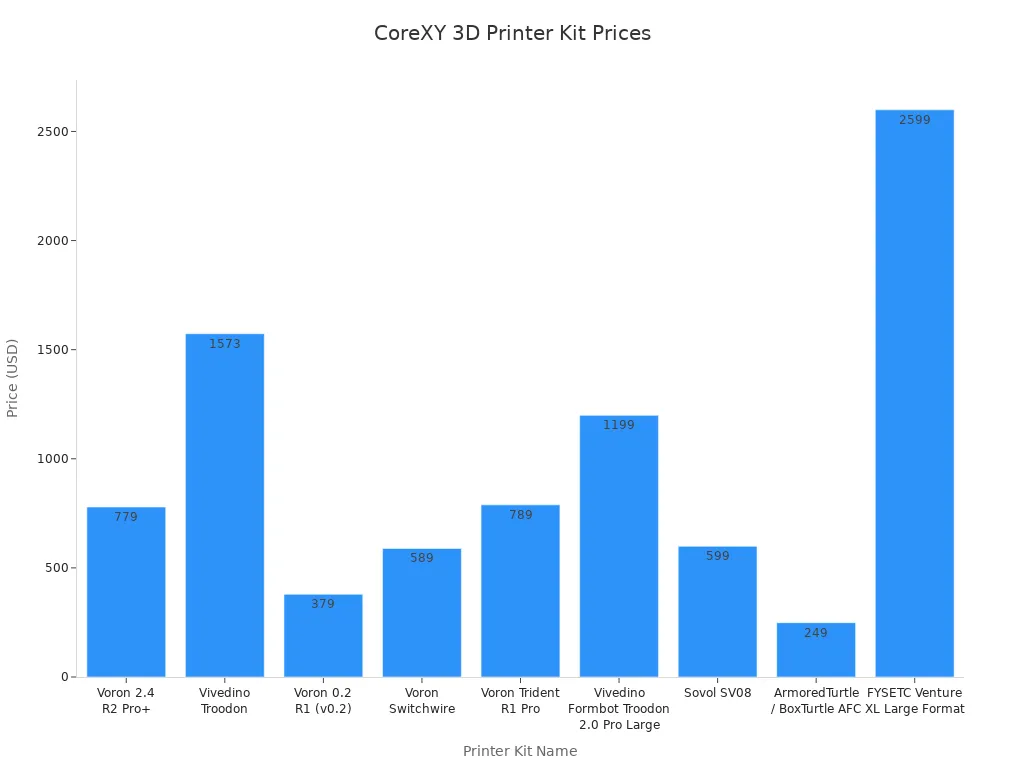
Buyers should consider both the initial cost and the value offered by each kit. Kits with higher prices often include better 3d printer parts, larger build volumes, and more advanced features. Budget kits provide a good starting point for diy projects but may require upgrades over time.
Build Volume and Speed
Build volume determines the maximum size of 3d prints. Voron 2.4, Ratrig V-Core 3, and Tronxy X5SA Pro offer large build areas suitable for big projects. TwoTrees Sapphire Plus also provides a generous build volume at a lower cost. Ratrig V-Core 3 leads in print speed, reaching up to 300mm/s with proper tuning. Voron 2.4 and Hevort also support high speeds, while Creality Ender 6 focuses on reliability and ease of use.
Print Quality and Reliability
Print quality remains a top priority for most users. Voron 2.4 and Ratrig V-Core 3 deliver excellent results, thanks to their stable frames and advanced motion systems. Hevort and TwoTrees Sapphire Plus also produce good quality prints, especially after careful assembly. Tronxy X5SA Pro offers high print quality but may require adjustments to address bed adhesion and mechanical issues. Creality Ender 6 provides consistent results, making it a reliable choice for everyday 3d printing.
Many corexy printers use features like dual-Z or linear rails to improve accuracy and repeatability. These enhancements help maintain high print quality across different projects.
Assembly and Ease of Use
Assembly difficulty varies between kits. Fully diy kits like Voron 2.4, Hevort, and Ratrig V-Core 3 require more time and skill. Users must organize many parts and follow detailed instructions. Common challenges include aligning guide rods, setting belt tension, and ensuring correct pulley orientation. Semi-assembled kits like Tronxy X5SA Pro, TwoTrees Sapphire Plus, and Creality Ender 6 are easier to build and set up.
|
Assembly Challenge |
Description |
|---|---|
|
Toothed Pulleys Orientation |
Ensuring correct orientation can be tricky |
|
Belt Tension Settings |
Users must adjust tension to recommended frequencies |
|
Adequate Workspace |
Ample space is needed to manage all parts |
|
Component Alignment |
Parallel Y guide rods are important for accuracy |
|
Clarity of Instructions |
Some instructions lack detail, making assembly harder |
Pros and Cons
The main advantages of corexy 3d printers include space-saving design, less shaking during prints, better accuracy, and faster printing. Fixed motors and efficient motion systems help achieve high print quality. However, these printers can be harder to set up and may require more maintenance than simpler designs.
|
Advantage |
Description |
|---|---|
|
Space-Saving Design |
Prints large objects without taking much space |
|
Less Shaking |
Reduces vibrations for smoother prints |
|
Better Accuracy |
Fixed motors improve movement precision |
|
Faster Printing |
Two motors enable quicker, error-free movement |
|
Feature |
CoreXY Benefits |
Cartesian Drawbacks |
|---|---|---|
|
Print Speed |
Fast prints, high quality |
Slower, heavier moving parts |
|
Design Efficiency |
Compact, large build area |
Needs more space for same volume |
|
Print Quality |
Smooth, less shaking |
More shaking, lower quality |
|
Setup Complexity |
Harder to set up, better output |
Easier setup, less efficient |
Corexy 3d printers offer a flexible platform for diy enthusiasts. They support upgrades and experimentation with different 3d printer parts. Users should match their choice to their skill level, budget, and project needs.
CoreXY 3D Printers: Pros and Cons
Main Advantages
Corexy 3d printers offer several advantages for hobbyists and makers. The unique motion system allows the printer to move quickly and accurately. Many users notice that corexy printers produce better print quality than traditional designs. The fixed motors and lightweight gantry help reduce vibrations during printing. This leads to smoother surfaces and fewer print defects.
A corexy printer often features a compact frame. This design saves space while still providing a large build area. Makers can build bigger 3d models without needing a large workspace. The efficient movement system also supports faster print speeds. Users can finish projects more quickly, which is helpful for both prototyping and production.
Corexy printers support upgrades and modifications. Builders can add features like auto bed leveling or improved hotends. The open-source nature of many corexy kits encourages experimentation. Affordable entry-level corexy kits give beginners a way to explore advanced printing without a huge investment. These printers also require less frequent maintenance, which means more time for printing and less time for repairs.
Tip: Many affordable corexy printers come with silent stepper drivers. This feature makes the 3d printing process much quieter, which is ideal for home workshops.
Main Disadvantages
Corexy 3d printers also have some disadvantages that users should consider. The following table highlights the most significant challenges:
|
Higher initial cost |
|
Steeper learning curve |
|
More complex assembly and maintenance |
|
Limited options compared to Cartesian printers |
Many affordable 3d printer kits use the Cartesian system, so corexy options remain fewer. Builders often face a more complex setup process. Proper belt tensioning is crucial for optimal performance. If the belts are too loose or too tight, the printer may produce poor print quality. Misalignment during assembly can lead to print defects. The build process requires careful attention to detail, especially for entry-level users.
- Proper belt tensioning is crucial for optimal performance.
- Misalignment can lead to print defects.
- The setup process requires more attention compared to simpler designs.
Entry-level builders may find the assembly process challenging. Affordable corexy kits sometimes lack detailed instructions, which can slow down the build. Maintenance and troubleshooting also require more skill than with other 3d printer types. Despite these challenges, many users believe the benefits of corexy printers outweigh the drawbacks, especially for those who want high print quality and upgrade potential.
How to Choose the Best CoreXY 3D Printer Kit
Key Buying Factors
Selecting the right corexy 3d printer kit depends on several important factors. Hobbyists should first consider the build volume. Larger build volumes allow users to print bigger 3d models, but they also increase material costs and require more workspace. The frame material and rigidity play a big role in print quality. Metal frames provide better stability than plastic or wood, which helps prevent layer shifting during long prints.
Assembly difficulty can affect the overall experience. Some kits include detailed instructions and support, while others expect users to have experience with diy 3d printer assembly. Firmware and software compatibility matter as well. Open-source firmware gives users more control and makes it easier to add upgrades or new features. The hotend and nozzle type determine which materials the printer can handle. Standard nozzles work for most filaments, but hardened tips are better for abrasive materials.
Quality belts and a reliable motion system improve print performance. Linear rails and strong belts help maintain accuracy and reduce maintenance. Builders should also check if the kit supports upgrades, such as auto bed leveling or improved extruders. The table below summarizes these key factors:
|
Factor |
Description |
|---|---|
|
Build Volume |
Maximum size of 3d prints; affects project scale and material use. |
|
Frame Material and Rigidity |
Metal frames offer better stability and print quality. |
|
Assembly Difficulty Level |
Varies by kit; look for clear instructions and community support. |
|
Firmware and Software |
Open-source options allow more upgrades and control. |
|
Hotend and Nozzle Type |
Impacts material compatibility and durability. |
|
Belt and Motion System |
High-quality parts improve accuracy and reduce maintenance. |
Matching Kits to Your Needs
Every hobbyist has different goals for their corexy 3d printer. Beginners often want a kit that is easy to assemble and comes with clear instructions. The Creality Ender 6 and TwoTrees Sapphire Plus both offer semi-assembled builds and reliable performance. These printers help new users start printing quickly.
Advanced users may prefer kits that support more upgrades and custom parts. The Voron 2.4 and Ratrig V-Core 3 stand out for their modular designs and large build volumes. These printers allow builders to experiment with new features and push print performance. The Hevort kit also appeals to those who want to customize every part of their diy 3d printer.
Budget-conscious makers can look at the Tronxy X5SA Pro or TwoTrees Sapphire Plus. These kits provide a good balance of build volume, print quality, and price. Premium users who want the best print quality and most upgrades should consider the Voron 2.4 or Ratrig V-Core 3. These printers use high-quality parts and support advanced features.
Note: Builders should match the kit to their skill level, budget, and plans for future upgrades. A well-chosen corexy kit can grow with the user’s skills and project needs.
This comparison shows that CoreXY 3D printer kits offer strong print quality, speed, and upgrade options. Each kit fits different needs.
- Beginners may prefer Creality Ender 6 or TwoTrees Sapphire Plus.
- Advanced users often choose Voron 2.4 or Ratrig V-Core 3.
- Budget-focused makers can look at Tronxy X5SA Pro.
Tip: Readers should match their choice to their skill level, budget, and project goals. For more details, visit online forums or official kit communities.
FAQ
What makes CoreXY printers popular among hobbyists?
Many hobbyists choose CoreXY printers for their speed, accuracy, and upgrade potential. The community values the open-source nature and flexibility. Builders often share tips and modifications, which helps new users learn quickly.
How does the CoreXY motion system improve 3D printing quality?
The CoreXY motion system uses stationary motors and lightweight gantries. This setup reduces vibrations and increases precision. Users often see smoother surfaces and fewer print defects, which improves 3d printing quality.
What are important CoreXY design considerations before buying a kit?
Buyers should check frame rigidity, belt quality, and available build volume. CoreXY design considerations also include assembly difficulty and upgrade options. The community recommends researching each kit’s documentation and support resources.
How does the community help with troubleshooting and upgrades?
The community provides guides, troubleshooting tips, and upgrade ideas. Many users join forums or chat groups. Community support helps builders solve problems faster and share successful modifications.
What are the main CoreXY advantages compared to Cartesian printers?
CoreXY advantages include faster print speeds, better accuracy, and a compact frame. The community often highlights these benefits. Many users prefer CoreXY for large projects and frequent upgrades.
