






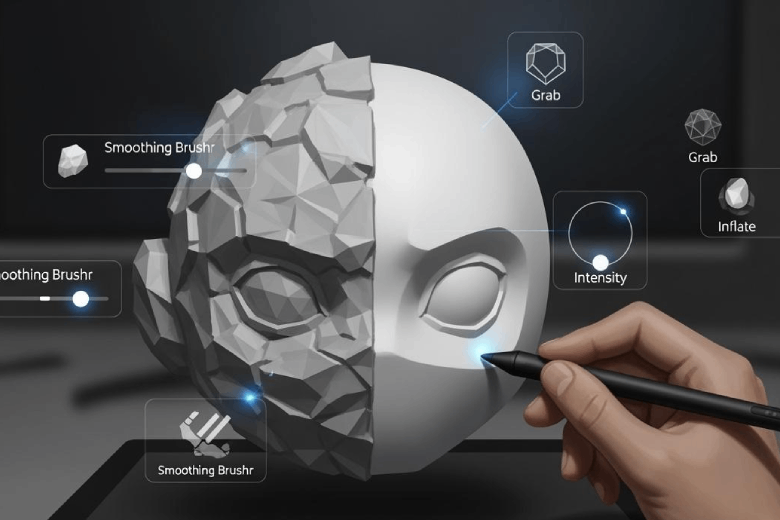
Achieving a smooth surface on a 3d model enhances both the aesthetic appearance and the function of 3d printed parts. Smoothing methods range from digital techniques, like mesh adjustments in Blender or slicer settings for 3d printing, to physical processes such as sanding, vapor treatment, coatings, drum polishing, or using a heat gun. A smooth finish improves the surface quality, increases durability, and creates a more professional, aesthetic result.
Key Takeaways
- Digital smoothing techniques, like Blender's Remesh Modifier, help refine 3D models before physical finishing. Experiment with settings to balance smoothness and feature preservation.
- Sanding is a cost-effective method for achieving smooth surfaces. Start with coarse grit sandpaper and progress to finer grits for the best results.
- Vapor smoothing creates a glossy finish for ABS parts but requires careful handling of solvents. Always prioritize safety and ventilation when using this method.
- Coatings like epoxy resin provide a durable, high-gloss finish. Proper surface preparation is crucial for achieving the best adhesion and appearance.
- Choosing the right smoothing method depends on material type, part geometry, and desired finish. Test methods on sample parts to find the best approach.
Digital Smoothing for 3D Models
Digital smoothing methods allow designers to refine 3d models before moving to physical finishing steps. These techniques help achieve a smooth surface and preserve important features, especially for 3d printed parts.
Blender Remesh Modifier
Blender offers several tools for smoothing 3d models. The Remesh Modifier stands out for its ability to rebuild mesh topology and create a more uniform surface. Users can follow these steps:
- Open the 3d model in Blender.
- Select the object and navigate to the Modifiers tab.
- Add the Remesh Modifier.
- Adjust the "Voxel Size" or "Octree Depth" to control the level of detail.
- Apply the modifier to finalize the smoothing process.
Designers should experiment with settings to balance smoothness and feature preservation. The Remesh Modifier works well for organic shapes but may reduce sharp edges. For advanced smoothing, algorithms like HC and Optimized HC-SDU provide excellent results with minimal volume shrinkage and high feature retention.
|
Smoothing Technique |
Volume Shrinkage |
Feature Preservation |
Computational Efficiency |
|---|---|---|---|
|
Classic Laplacian |
High (25%) |
Poor |
Moderate |
|
Taubin’s Algorithm |
Moderate (25%) |
Poor |
Fast |
|
HC Algorithm |
Negligible |
Good |
Fast |
|
Optimized HC-SDU |
None |
Excellent |
Fast |
The Optimized HC-SDU algorithm maintains the initial volume and preserves features better than Taubin’s algorithm, which often reduces hole sizes in 3d models.
Slicer Polygon Subdivision
Slicer software plays a crucial role in preparing 3d models for 3d printing. Increasing polygon subdivision enhances smooth curves and surfaces by creating a higher resolution mesh. The process involves:
- Import the 3d model into the slicer.
- Locate the mesh refinement or subdivision settings.
- Increase the subdivision level to improve smoothness.
- Preview the model to check for smoother surfaces.
- Slice and export the file for 3d printing.
Increasing polygon subdivision in slicer software enhances the smoothness of 3d models by providing a higher resolution mesh that better approximates curves and surfaces. However, this can also lead to increased print time due to the larger file size and more complex calculations required for slicing.
Designers should consider the trade-off between smooth surfaces and longer print times. For functional 3d printed parts, balancing subdivision and efficiency ensures optimal results.
Sanding for Smooth Surfaces
Choosing Sandpaper
Selecting the right sandpaper is essential for effective smoothing of 3d printed parts. The process typically starts with a coarse grit to remove visible defects and imperfections. For most 3d printing surface materials, such as ABS, PLA, and VeroBlack, a grit range from 100 to 600 works best. The table below outlines recommended grit ranges for common materials:
|
Material |
Grit Range |
|---|---|
|
ABS |
100 to 600 |
|
VeroBlack |
100 to 600 |
|
PLA |
100 to 600 |
Sanding Steps
To achieve a smooth surface on 3d models, follow these steps:
- Begin with coarse sandpaper (100-200 grit) to eliminate noticeable defects.
- Switch to finer sandpaper (400-600 grit) for further smoothing.
- Finish with very fine sandpaper (1000 grit or higher) for a silky-smooth finish.
- Optionally, apply a polishing compound for an ultra-smooth result.
Manual sanding remains one of the most accessible smoothing methods for 3d printed parts. The average time required to sand a standard-sized PLA print to a smooth finish is about 29 minutes, not including drying time.
Sanding Tips
- Use a sanding block to prevent uneven wear on the 3d printing surface.
- For detailed areas, utilize files or specialized tools for precision sanding.
- Sand gently to avoid damaging the model.
- Progress gradually through grit levels to prevent deep scratches.
- Wet sand with fine grits to achieve a more even surface and avoid clogging the paper.
- Operate rotary tools at low speed to prevent overheating and melting the plastic.
Sanding Pros and Cons
|
Advantages |
Disadvantages |
|---|---|
|
Removes surface imperfections |
Time-consuming |
|
Requires a range of sandpaper grits |
|
|
Can create a more even surface texture |
Electric sanders can damage parts |
|
Suitable for prototypes and non-cosmetic parts |
Uneven pressure can alter part geometry |
Sanding offers a reliable way to smooth 3d printed parts and correct surface defects. However, users should remain aware of the time investment and the need for careful technique to avoid damaging the model.
Vapor Smoothing 3D Prints
Vapor Smoothing Process
Vapor smoothing offers a reliable method for improving the surface quality of 3d printed parts. This technique uses chemical smoothing to create a glossy, uniform finish. The process involves several steps:
- Vapor generation begins when the smoothing solvent, such as acetone, heats inside a sealed chamber. The chamber fills with vapor.
- The operator places the 3d printed part in the vapor chamber. Solvent molecules condense on the part’s surface, partially dissolving the outer polymer layer. The softened layer flows under surface tension, smoothing the surface.
- After a controlled exposure, the operator removes the part or vents the chamber. The solvent evaporates, and the surface solidifies into a smoother, glossier finish.
- The part dries and cures, ensuring all solvent residues evaporate and the material hardens.
Vapor smoothing works best for ABS and similar materials. PLA requires specialized solvents and may not respond as well.
Safety Tips
Operators must follow strict safety guidelines when performing vapor smoothing 3d prints. Acetone and other solvents present fire and health risks.
- Fire Safety Precautions: Remove ignition sources, keep a Class B fire extinguisher nearby, and work outdoors or in a well-ventilated area.
- Ventilation Requirements: Ensure at least 10 air changes per hour, use exhaust fans, and avoid enclosed spaces.
- Personal Protective Equipment (PPE): Use organic vapor respirators, nitrile gloves, and chemical splash goggles.
Acetone is highly flammable, with a flash point of -20°C. Its vapors are heavier than air and can accumulate at floor level, increasing the risk of ignition. Operators should always wear gloves to minimize skin exposure and ensure the workspace remains safe.
Vapor Smoothing Pros and Cons
|
Material |
Pros |
Cons |
|---|---|---|
|
ABS |
Produces a smooth, glossy surface |
Requires flammable solvents |
|
PLA |
Some improvement with specialized solvents |
Limited effectiveness, risk of warping |
|
Other Plastics |
May respond to vapor smoothing |
Results vary, may damage surface |
Vapor smoothing delivers a professional finish for 3d printed parts. The process reduces visible layer lines and improves surface appearance. However, it requires careful handling of chemicals and may not suit every 3d printing material. Sanding remains a safer alternative for those who prefer mechanical methods.
Coatings and Paints for Smoothing
Types of Coatings
Several coatings and paints can help achieve a smooth surface on 3d printed models. Epoxy resin coatings provide a high-gloss, durable finish and significantly reduce surface roughness. For example, applying epoxy to PLA prints with a 0.06 mm layer thickness can reduce surface roughness by over 95%. Polyurethane coatings offer UV resistance and quick drying, while spray coatings add color and finish with easy application. Plasti Dip coatings add grip and flexibility, making them suitable for outdoor or high-use parts. UV-resistant coatings protect against sunlight and preserve color.
Application Steps
A professional finish requires careful preparation and application. The following steps ensure optimal results:
- Surface Preparation: Sand the 3d model with progressively finer grits to remove irregularities and layer lines.
- Apply Primer Coat: Use a primer designed for plastic to fill micro-gaps and improve paint adhesion.
- Paint Application: After the primer dries, apply the finish coat of spray paint or brush-on coating, ensuring even coverage.
- Let it Dry: Allow the model to dry completely before handling or further processing.
Coating Tips
- Acrylic paints dry quickly and allow for easy layering.
- Spray primers provide even coverage, especially on intricate 3d surfaces.
- Techniques like dry brushing and weathering can add realistic effects.
- Always work in a well-ventilated area and wear gloves when handling resins or solvents.
- Proper sanding before coating ensures a smoother final surface.
Surface preparation remains crucial for achieving a professional look. Skipping sanding or primer can lead to uneven finishes and poor adhesion.
Coating Pros and Cons
|
Coating Type |
Pros |
Cons |
|---|---|---|
|
Spray Coating |
Easy to apply, adds color and finish, affordable. |
Limited durability, may not provide full waterproofing, tricky to get even coverage on complex shapes. |
|
Epoxy Resin Coating |
Durable, waterproof, high-gloss finish; adds strength. |
Longer application and curing time; requires careful handling and ventilation. |
|
Polyurethane Coating |
Durable, UV-resistant, quick drying. |
Not as glossy as resin, may require multiple coats. |
|
Plasti Dip Coating |
Adds grip and flexibility, removable, good for outdoor use. |
Limited finish options, may not be as durable as resin or polyurethane. |
|
UV-Resistant Coating |
Protects against UV damage, easy to apply, preserves color. |
Limited to clear finish, may need reapplication for full protection. |
Coatings and paints enhance both the appearance and function of 3d prints. A smooth, well-coated surface improves durability, reduces friction, and makes post-processing easier.
Drum Polishing for 3D Prints
Drum Polishing Process
Drum polishing offers an automated approach to smoothing the surface of 3d printed parts. This process uses a rotating drum filled with abrasive media, such as ceramic or plastic pellets. Operators place the 3d prints inside the drum, which then rotates at a controlled speed. The abrasive media gently grinds against the parts, removing layer lines and creating a smooth finish. Drum polishing works best for small parts with simple shapes. The process can handle multiple pieces at once, making it efficient for batch production. Unlike vapor or sanding methods, drum polishing requires minimal manual effort.
Drum Polishing Tips
To achieve the best results, users should select the correct abrasive media for the material and desired surface finish. Softer media suits delicate 3d prints, while harder media removes rougher imperfections. Operators should monitor the process to avoid over-polishing, which can round off sharp details. Cleaning the parts before polishing prevents debris from scratching the surface. For optimal smoothness, users can combine drum polishing with other methods, such as sanding or coatings. Regular maintenance of the drum and media ensures consistent smoothing performance.
Tip: Always test the process on a sample part before running a full batch to fine-tune the polishing time and media choice.
Drum Polishing Pros and Cons
Drum polishing stands out for its automation and efficiency, especially for small 3d printed parts. The table below summarizes the main advantages and disadvantages compared to other smoothing methods:
|
Advantages of Drum Polishing |
Disadvantages of Drum Polishing |
|---|---|
|
Completely automates the finishing process. |
Limited for complex geometries or very large pieces. |
|
Can process multiple pieces simultaneously. |
Requires investment in specialised equipment. |
|
Ideal for small 3D printed parts with simple geometries. |
N/A |
Drum polishing provides a reliable way to smooth the surface of 3d prints with minimal labor. However, it may not suit intricate or oversized models. Users should weigh the initial equipment cost against the benefits of automation and batch processing.
Heat Gun Smoothing
Heat Gun Process
A heat gun provides a fast and accessible method for smoothing the surface of 3d printed parts. Operators use the tool to apply controlled heat, which softens the outer layer of the print. This process allows the material to flow slightly, reducing visible layer lines and creating a smoother finish. The key to success lies in careful temperature management. For PLA, the glass transition temperature is 65 °C (149 °F), while ABS requires 105 °C (221 °F). The table below summarizes these values:
|
Material |
Glass Transition Temperature |
Printing (~Melting) Temperature |
|---|---|---|
|
PLA |
65 °C (149 °F) |
215 °C (419 °F) |
|
ABS |
105 °C (221 °F) |
255 °C (491 °F) |
To achieve the best results, operators should follow these steps:
- Use the heat gun carefully to avoid melting the 3d print.
- Apply just enough heat to smooth out lines and inconsistencies.
- Monitor the object closely to prevent damage or deformation.
Heat Gun Tips
Operators must prioritize safety and technique when using a heat gun for smoothing. The following tips help ensure a successful outcome:
- Set the heat gun on low to avoid overheating the 3d model.
- Keep the heat gun moving to prevent deformation of the surface.
- Practice on a test piece before working on the final print.
Heat Gun Pros and Cons
Heat gun smoothing offers several advantages, but it also presents challenges. The main benefits include speed and minimal equipment requirements. However, the risk of distortion remains high, and results depend heavily on operator skill.
Pros:
- Fast and requires few tools.
- Suitable for quick touch-ups on small 3d prints.
Cons:
- High risk of distortion or warping.
- Results vary with operator control.
- Not ideal for large or intricate models.
Heat gun smoothing works best for users seeking a quick way to improve the surface of simple 3d prints. Careful handling and practice can help achieve a smooth finish without damaging the part.
Choosing the Best Smoothing Method
Factors to Consider
Selecting the optimal smoothing technique for a 3d model depends on several critical factors. The type of material determines which finishing techniques will deliver a smooth and uniform finish. Geometry plays a role, as intricate shapes may limit certain smoothing options. The desired surface finish guides the choice between a glossy or matte appearance. Post-processing can impact the final dimensions and properties of the part. The table below outlines these considerations:
|
Factor |
Description |
|---|---|
|
Type of Material |
Different materials require different smoothing methods due to their unique properties. |
|
Geometry of the Part |
The shape and complexity of the part influence the choice of smoothing technique. |
|
Desired Surface Finish |
The level of smoothness required will dictate the appropriate post-processing methods. |
|
Impact of Post-Processing |
Various techniques can alter dimensions and properties, affecting the final outcome of the part. |
Comparing Methods
A comparison of common finishing techniques helps users identify the best approach for their 3d project. Each method offers distinct advantages in terms of surface finish, durability, and cost. The table below provides a clear overview:
|
Post-Processing Method |
Surface Finish |
Durability |
Cost Level |
|---|---|---|---|
|
Sanding & Grinding |
Surface smoothing, dimensional correction |
Low |
Low |
|
Vapor Smoothing |
Smooth glossy finish, reduce porosity |
Medium |
Medium |
|
Heat Treatment / Annealing |
Stress relief, strength & thermal resistance |
High |
Medium–High |
|
Mirror Polishing |
High-reflective finish, reduce friction |
High |
High |
|
Painting & Dyeing |
Aesthetics, branding, surface protection |
Low |
Low–Medium |
Users should match the method to their priorities, such as achieving a uniform finish or maximizing durability.
Practical Advice
Professionals recommend starting with the simplest smoothing options for basic 3d prints. Sanding suits prototypes and low-cost projects. Vapor smoothing creates a uniform, glossy surface for ABS parts. Heat treatment and mirror polishing work best for high-performance applications. For complex geometries, combine multiple finishing techniques to achieve a smooth and uniform result. Always test the chosen method on a sample before applying it to the final 3d model.
Consistent evaluation and experimentation lead to the best surface quality and project outcomes.
Professionals use several methods to achieve smooth surfaces on a 3d model. Manual sanding removes imperfections and improves the aesthetic appearance. Vapor smoothing creates a glossy finish and enhances durability. Polishing and coatings boost the smooth and aesthetic qualities of 3d prints. Each technique improves appearance and corrects imperfections. Users should select the best smoothing method based on project needs and available tools. Experimenting with different approaches often produces the most aesthetic results.
Consistent effort leads to professional-quality 3d models with outstanding smooth surfaces.
FAQ
What is the fastest way to smooth a 3D printed part?
A heat gun provides the quickest method for smoothing small 3D prints. Operators must use low heat and keep the tool moving to avoid warping the model.
Can vapor smoothing work on PLA prints?
Vapor smoothing works best on ABS. PLA requires specialized solvents and may not achieve the same glossy finish. Users should test on a sample before applying this method.
Does sanding affect the dimensions of a 3D model?
Sanding removes material from the surface. Excessive sanding can alter the dimensions and shape. Operators should use gentle pressure and check measurements during the process.
Which coating offers the most durable finish?
Epoxy resin coatings provide the highest durability and a glossy finish. They resist water and wear, making them suitable for functional and display models.
Is drum polishing suitable for complex geometries?
Drum polishing works best for simple shapes and small parts. Intricate models may lose detail or experience uneven smoothing. Operators should consider manual methods for complex designs.
