






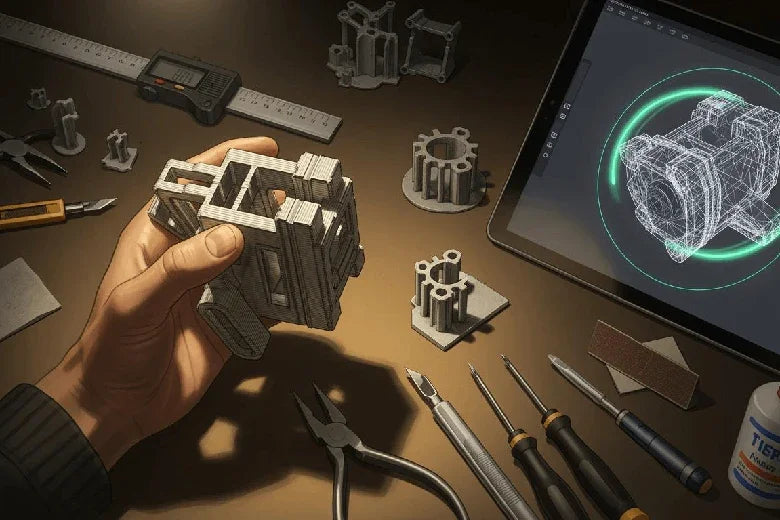
Have you ever wondered why some 3d prints fail while others come out perfectly? The most important 3d printing considerations start with how you approach modeling for 3d printing. Your design choices can make or break print success, function, and efficiency. For example, changing model orientation can triple the number of objects you print at once, but vertical printing may take nearly 40% longer. Thin models under 2 mm often lose accuracy and strength. The right design for 3d printing depends on your printer’s abilities, your chosen material, and your project’s purpose. By following proven design guidelines, you set yourself up for fewer failed prints and better results.
Key Takeaways
- Choose the right wall thickness for your 3D model. A minimum of 1.5 mm enhances strength and durability.
- Select materials based on your project's needs. Consider properties like strength, flexibility, and heat resistance for better results.
- Design for overhangs and supports wisely. Keep angles below 45 degrees to minimize the need for additional support structures.
- Optimize your 3D model file size. Balance detail with file size to ensure efficient slicing and printing.
- Iterate through prototyping. Test your designs in real-world conditions and refine them based on feedback for improved outcomes.
3d printing considerations and technology
3d printing methods overview
You have many options when choosing a 3d printing method. Each method offers unique strengths and works best for certain projects. Industrial printers led the market in 2023, making up 76% of global use. These printers serve industries like automotive and aerospace, where high-volume production matters most.
Here is a quick look at popular 3d printing technologies:
|
Technology Type |
Market Share Description |
|---|---|
|
Stereolithography (SLA) |
High growth potential due to precision and versatility, ideal for healthcare, dental, and jewelry industries. |
|
Powder Bed Fusion (PBF) |
Largest market share, used in aerospace, automotive, and healthcare for producing complex, high-strength parts. |
You should match your 3d model and design needs to the right technology. For example, SLA gives you fine details and smooth surfaces. PBF works well for strong, complex parts.
Material selection for 3d model
Your choice of material shapes the quality and function of your 3d model. Different 3d printing technologies support different materials. Some printers work best with plastics, while others use metals or resins. You need to think about strength, flexibility, heat resistance, and cost.
Here is a table to help you compare common materials:
|
Material Type |
Key Properties |
Applications |
|---|---|---|
|
Resin |
High detail, smooth finish |
Intricate models, prototypes |
|
Nylon |
Strength, durability, heat resistance |
Functional parts |
|
Plastic |
Versatility, affordability |
Rapid prototyping, low-cost production |
|
Stainless Steel |
Strength, corrosion resistance |
Durable end-use parts |
When you follow material guidelines, you improve your print’s success and durability.
Adapting design for material properties
You must adapt your 3d model design to fit the chosen material. The mechanical properties of each material, like tensile strength and flexibility, affect how your part will perform. For example, a strong material lets you use thinner walls, while a flexible material may need thicker sections for support.
Print settings, such as infill density and orientation, also change the final strength of your 3d model. If you need flexibility, choose a material with a high modulus of elasticity. For rigid parts, select a material with high tensile strength. Always test your design with your chosen material to make sure it meets your needs.
Tip: Understanding your printer’s limitations and the strengths of each material helps you avoid failed prints and wasted resources.
Design for 3d printing: core principles
Wall thickness and perimeters
Wall thickness is one of the most important design rules for 3d printing. If you choose the right thickness, your 3d model will have better strength and durability. Thicker walls provide more support and reduce the risk of breakage. Thin walls can make your print fragile and more likely to fail. You should always check the minimum recommended thickness for your chosen material. For example, PLA works best with a minimum thickness of 1.5 mm. Gray Resin or Mammoth Resin needs at least 1 mm, but thicker sections like 2 mm or 3 mm improve safety and handling. If you want extra strength, add up to 5 mm thickness. Avoid making parts thinner than 1.5 mm because they can break during shipping or finishing.
- Thicker walls increase rigidity and reduce deformation.
- Thin walls may save material but often lead to weak prints.
- Wall thickness affects print time, material use, and final quality.
You should also consider the number of perimeters in your slicer settings. More perimeters mean stronger walls. Always use gradual transitions between thin and thick sections to improve layer bonding.
Overhangs, supports, and bridges
Overhangs and bridges challenge many 3d printing projects. If your 3d model has steep overhangs, you may need support structures. Supports add time and material, so you should design to minimize their use. Overhangs with angles less than 45 degrees usually print well without supports. Bridges under 5 mm also print without extra help. You can improve overhang performance by changing the orientation of your 3d model or by using gradual overhangs that increase angle slowly.
|
Strategy |
Description |
|---|---|
|
Supports not needed for angles < 45° or bridges < 5 mm |
|
|
Topology Optimization |
Distribute material efficiently for strength and less support |
|
Multi-objective Optimization |
Adjust layer thickness and infill for better properties and less mass |
- Adjust print settings like temperature and layer height to improve adhesion.
- Use slicer software to add supports only where needed.
- Increase cooling for better overhang results.
- Modify your design to reduce steep overhangs and use bridge mode when possible.
Rounded corners and surface design
Rounded corners improve both the look and function of your 3d model. Sharp corners can break easily and may even cause safety issues, especially with rigid materials. Rounded corners help prevent damage during handling and make your prints safer to use. They also distribute stress more evenly, which lowers the chance of cracks or failures. This is important for parts made with SLA 3d printing, where sharp edges can create weak points.
- Rounded corners enhance appearance and durability.
- They reduce the risk of injury and damage.
- Smoother surfaces are easier to finish and require less post-processing.
If you want a smoother finish, use thinner layers in your print settings. Thinner layers give better detail and reduce visible stepping on curves, but they may increase print time.
Balancing detail and file size
You need to balance the level of detail in your 3d model with the file size. Higher resolution models look smoother and more accurate, but they create larger files. Large files take longer to process and slice. Most 3d printing files range from 1 to 30 MB. The number of triangles in your mesh affects both detail and file size. More triangles mean higher detail but also bigger files.
- Higher resolution gives smoother models but increases file size.
- Too many details can slow down slicing and printing.
- Optimize textures and compress them to save memory.
- Adjust layer thickness and infill density for the best balance.
Try to keep your file size manageable by reducing unnecessary details. Use texture atlases to combine textures and improve performance.
Minimizing print time and post-processing
You can save time and effort by designing your 3d model for faster printing and easier finishing. Increase print speed in your slicer settings for perimeters, infill, and supports. Adjust acceleration and jerk settings to find the best speed without losing quality. Choose faster infill patterns like rectilinear to reduce print time. Lower infill density and decrease wall thickness where possible to speed up the process.
- Increase print speed for faster results.
- Use efficient infill patterns and lower density.
- Reduce wall thickness if strength allows.
- Design with rounded corners and avoid large flat surfaces to make post-processing easier.
Following these design rules helps you create models that print faster and need less finishing work.
Note: The ASME Y14.46 standard gives you clear guidelines for 3d printing design documentation. Using this standard helps everyone involved in your project understand your design, which leads to better results and fewer mistakes.
|
Principle/Technique |
Description |
|---|---|
|
Layer Adhesion |
Align your model to match stress lines with layer direction |
|
Overhangs |
Use gradual overhangs that increase angle over height |
|
Infill Design |
Use variable infill density for high-stress areas |
|
Assembly |
Add interlocking features or alignment pins for easy assembly |
|
Topology Optimization |
Reduce material use while keeping strength |
|
Material-Specific Design |
Use thicker walls for flexible materials |
By following these core principles, you improve your 3d printing success rate and create stronger, more reliable models.
3d printing design tips: file and software prep
3d model software choices
Choosing the right 3d modeling software sets the foundation for your project. If you are just starting, Tinkercad offers a simple interface and free access. You can learn quickly with its tutorials and begin creating models almost immediately. As you gain experience, you might explore other 3d modeling software options that offer more advanced features. Selecting the right tool helps you avoid frustration and supports better results in 3d printing.
Exporting and optimizing files
Exporting your model in the correct file format is one of the most important 3d printing design tips. Different formats affect both print quality and compatibility with slicing software. The table below compares common file types:
|
File Format |
Compatibility |
Print Quality Impact |
|---|---|---|
|
STL |
Limited |
Poor color/material representation |
|
3MF |
Broad |
Enhanced metadata support, better quality |
|
OBJ |
Moderate |
Good for complex models |
|
AMF |
High |
Supports advanced features like color and material properties |
You should choose a format that matches your printer and project needs. Optimizing your file by reducing unnecessary details can also speed up slicing and printing.
Checking for non-manifold geometry
Non-manifold geometry can cause failed prints. You need to check your 3d model for these common issues:
- Self-intersecting faces confuse the printer.
- Separate objects, like floating parts, create errors.
- Holes in the model act like leaks in a balloon.
- Inner faces add dead ends that disrupt printing.
- Overlapping geometry leads to major print problems.
Many 3d modeling software tools include automatic checks for these errors. Fixing them before slicing is one of the best 3d printing design tips.
Slicing and print orientation
Slicing software prepares your model for 3d printing. Print orientation affects both strength and surface finish. You should consider these factors:
- Parts are strongest along the X and Y axes, weaker along the Z-axis.
- Aligning your model with expected loads increases durability.
- 3d printed parts show anisotropic properties, so strength varies by direction.
- Upward-facing surfaces look smoother, while those on supports may need extra finishing.
By planning orientation early, you follow smart 3d printing design tips and improve your final results.
Functional 3d model and assembly
Designing for assembly
When you design a 3d model for assembly, you must plan how each part fits together. You need to think about wall thickness, support structures, and 3d printing tolerances. Proper tolerances help you achieve a successful print and make sure parts fit without forcing or gaps. You should always check the dimensions of each part and allow for clearances between moving components. The table below shows important design considerations for assembly:
|
Design Consideration |
Description |
|---|---|
|
Wall Thickness |
Make walls thick enough for strength, especially in hollow models. |
|
Support Structures |
Design parts to reduce supports, which improves print quality and saves time. |
|
Tolerances |
Add tolerances between parts to ensure smooth assembly and function. |
|
Material Selection |
Pick materials that match the stress and use of your model. |
You can also use these tips:
- Segment assemblies to create printable parts.
- Avoid supports when possible to reduce post-processing.
- Understand how each part will be used and finished.
Joints, snap-fits, and fasteners
You can use joints, snap-fits, and fasteners to connect parts in your 3d printing project. When you design snap-fit joints, you must consider material properties and manufacturing methods. Rounded corners and proper tolerances make joints stronger and easier to assemble. You should always check the dimensions and clearances to avoid tight fits or loose connections. Follow these best practices for snap-fit design:
- Keep a minimum thickness of 1 mm in snap-fit elements.
- Round corners and remove sharp edges to improve strength.
- Set tolerances between snap-fit and other elements, starting at +- 0.2 mm.
- Work with production engineers to optimize part orientation for function.
You can also:
- Taper designs to reduce stress.
- Fillet the base of cantilevers to spread out stress.
- Increase clip width for added strength.
- Make sure deflection happens only during assembly.
- Consider build direction to avoid weak vertical cantilevers.
- Add lugs for alignment and shear load transfer.
These steps help you achieve a successful print and improve print quality.
Multi-part 3d printing
Multi-part 3d printing lets you create complex models with better functionality. You can combine materials with different properties in one build. This approach helps you match the dimensions and tolerances needed for each part. The table below shows the benefits of multi-part printing:
|
Benefit |
Description |
|---|---|
|
Integration of Material Properties |
Combine rigid and flexible materials for advanced parts. |
|
Assembly-Free Complex Parts |
Manufacture complex parts with multiple functions in one build. |
|
Production of Intricate Structures |
Use soluble supports to print overhangs and internal cavities that single-part models cannot achieve. |
|
Cost and Time Efficiency |
Save costs, reduce lead times, and minimize waste with multi-material capabilities. |
You can print intricate structures with overhangs and internal cavities by using soluble supports. This method helps you reduce supports and improve print quality. Multi-part printing also allows you to control dimensions and clearances more precisely, which leads to better assembly and function.
Tip: Always measure the dimensions of each part and check tolerances before final assembly. This step helps you avoid fit issues and ensures a successful print.
Testing and troubleshooting 3d printing
Prototyping and iteration
You improve your 3d printing results by following a cycle of prototyping and iteration. Start by defining clear objectives and criteria for your model. Build your first prototype and test it in real-world conditions. This step helps you spot flaws in function, durability, or appearance. After testing, analyze feedback and make changes to your design. Repeat this cycle until your model meets all requirements.
- User testing and observation reveal practical issues.
- Stakeholder reviews and feedback highlight areas for improvement.
- Iterative design reviews and data-driven analysis guide your next steps.
Common print issues
You may face several common problems during 3d printing. Knowing the root causes helps you apply the right guidelines for troubleshooting. The table below lists frequent issues and their sources:
|
Print Issue |
Description |
Root Causes |
|---|---|---|
|
Oozing Filament and Poor Print Quality |
Thick, wide beads, bulging, oozing beads |
Nozzle temperature too high, slow print speed |
|
Blobs and Zits |
Blobs or zits on the surface |
Incorrect retraction settings |
|
Common Model Errors |
Self-intersecting faces cause print failure |
Intersecting solids in the model |
|
De-laminating Layers |
Thin object cracks or layer separation |
Poor material, low temperature, rapid cooling |
|
Separation Layers |
Support material damages the part |
Incorrect separation layer settings |
|
Stringing |
Fine strings between parts |
Bad retraction settings, temperature issues |
You can prevent many of these issues by following established guidelines for model design and printer setup.
Refining your 3d model
Refining your 3d model is a key part of the 3d printing process. Use feedback from testing and print results to guide your changes. Mesh-editing software helps you fix errors and smooth surfaces. For example, you can correct self-intersecting faces or optimize the STL file for better print quality. Customizing your model based on specific needs, such as anatomical replicas, improves accuracy and function.
- Use medical-imaging software for precise 3d reconstruction when needed.
- Apply mesh-editing tools to refine and smooth your model.
- Follow guidelines for error correction and optimization.
You can achieve successful 3d printing by focusing on essential modeling considerations. The table below highlights industry best practices:
|
Consideration |
Description |
|---|---|
|
Wall Thickness |
Design walls at least 0.75-1.00 mm thick to avoid warping and weak prints. |
|
Overhangs & Bridges |
Limit unsupported overhangs; use supports for angles over 45°. |
|
Warping Prevention |
Choose the right material and avoid large flat areas to reduce warping. |
Stay prepared with this checklist:
- Select the right filament and calibrate your printer.
- Use suitable design software and slice your model carefully.
- Monitor the print and keep tools ready.
- Remove and finish your model with care.
You should keep learning about new 3d printing standards like ASME Y14.46 and explore trends such as AI integration and sustainable materials. Regular planning, testing, and optimization will help you create reliable models and stay ahead in the world of 3d printing.
FAQ
What is the best wall thickness for 3D printed parts?
You should use a wall thickness of at least 1.5 mm for most materials. Thicker walls increase strength and durability. Always check your printer and material guidelines for the best results.
How do you avoid failed prints due to overhangs?
Design overhangs with angles less than 45 degrees. Use gradual slopes instead of sharp drops. Add supports only where needed. Adjust print orientation to reduce the need for supports.
Which file format should you use for 3D printing?
You can use STL for most basic prints. For advanced features like color or multiple materials, choose 3MF or AMF. Always check your printer’s compatibility before exporting your model.
How do you fix non-manifold geometry in your 3D model?
- Use your modeling software’s repair tools.
- Remove overlapping faces and close any holes.
- Check for floating parts or inner surfaces.
- Run an automatic mesh check before exporting.
