






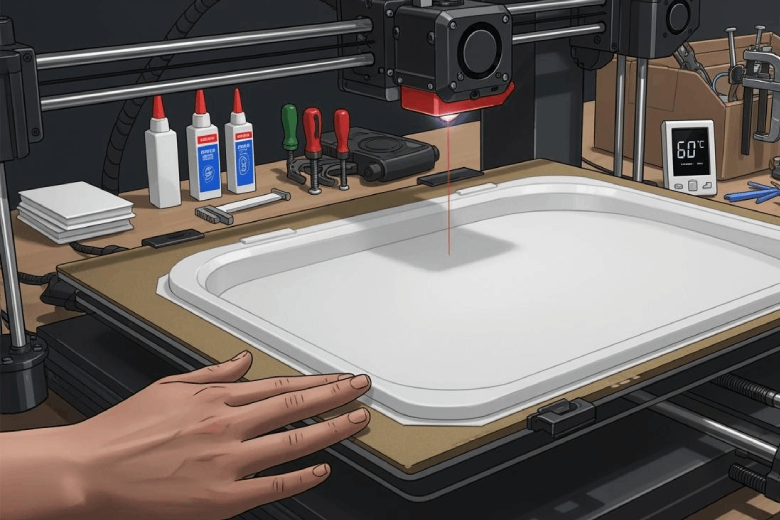
Anyone who prints large 3D models may notice that warping often appears as corners lifting or edges curling. Several factors cause this, including temperature differences between layers, thermal expansion, and poor part design. To prevent warping, users should use a brim for long prints, select materials like PLA, and ensure strong first-layer adhesion. Keeping the print bed clean, adjusting print settings, and avoiding drafts also help. Beginners often make mistakes such as improper bed preparation or neglecting environmental control. Warping happens to everyone, but with practice and the right steps, anyone can achieve flat, successful prints.
Key Takeaways
- Use a heated bed to improve adhesion and reduce warping. A warm bed helps the first layers stick better and cool more slowly.
- Choose the right filament material, like PLA or PETG, which are less prone to warping. Quality filament ensures consistent extrusion and better results.
- Maintain a clean and level print bed. Regular cleaning and proper bed leveling enhance adhesion and prevent prints from lifting.
- Control the printing environment by avoiding drafts and maintaining stable temperatures. A stable setup helps each layer bond well and reduces stress.
- Adjust slicer settings, such as print speed and first layer height, to improve adhesion and reduce the risk of warping during large prints.
Top Ways to Prevent Warping
Quick Prevention Checklist
Anyone who wants to prevent warping on large 3D prints can follow these proven steps:
- Improve bed adhesion by using adhesives, a heated bed, or textured surfaces.
- Optimize temperature control by setting the correct bed and nozzle temperatures.
- Choose the right filament material, such as PLA or PETG, which are less likely to warp.
- Control ambient conditions by keeping the printer in a stable environment and avoiding drafts.
- Fine-tune printer settings, including print speeds and initial layer adjustments.
Tip: Printing at higher ambient temperatures helps reduce warping. When the chamber temperature rises, the material relaxes more in the printed state. This process releases internal stresses and helps layers bond better. If the ambient temperature drops too low, new layers cool too quickly and do not bond well, which increases the risk of warping and delamination.
Why Prevention Matters
Preventing warping is essential for anyone who wants successful large prints. Warping can ruin hours of work and waste filament. Large prints are especially vulnerable because their size increases the chance of uneven cooling and stress buildup.
- Proper bed adhesion ensures the first layer sticks well. This step prevents slips or lifts that can cause the print to fail.
- A clean and level print bed is crucial for solid first layer adhesion.
- Adjusting nozzle distance and bed temperature can improve adhesion, which reduces the risk of wasted time and material.
When users prevent warping, they increase the success rate of their prints. They also save time and resources. Good preparation and attention to detail help reduce warping and improve print quality. By following these steps, anyone can avoid common problems like 3d print warping and achieve better results.
Understanding 3D Print Warping
What Is Warping?
3d print warping happens when the edges or corners of a print lift away from the bed. This problem often appears as curled or uneven surfaces. Warping usually results from temperature problems during the printing process. When the plastic cools too quickly, it shrinks and pulls on the lower layers. This shrinkage can cause the print to detach from the bed.
The impact of 3d print warping goes beyond appearance. It can affect the mechanical properties and dimensional accuracy of 3d printed parts. Some common effects include:
- Parts may not fit together as designed, which can ruin precise projects.
- Weak points and stress concentrations can form, making the part less strong.
- The surface may look rough or distorted, lowering the overall quality.
Note: Good bed adhesion helps prevent warping. A clean print bed and a solid first layer are important steps. Many users add a brim or increase bed temperature to keep the print warm and attached.
Why Large Prints Warp More
Large 3d printed parts face a higher risk of 3d print warping. Bigger prints have more surface area, which means more chances for uneven cooling. As the material leaves the nozzle, it starts to cool and shrink. All thermoplastics shrink as they cool, but the amount depends on the material and the shape of the print. Materials like ABS or nylon shrink more than PLA, which increases the risk for large objects.
- Large, rectangular shapes are especially tough to print without warping.
- Even with extra measures like brims or adhesives, large prints can still warp.
- The causes of warping in big prints often include rapid cooling and poor temperature control.
Temperature problems can make 3d print warping worse. If the print cools too fast, the edges pull up and the part loses its shape. This issue can lead to failed prints and wasted material.
Heated Bed and Enclosure Tips
Heated Bed Benefits
A heated build plate plays a key role in reducing warping, especially for large 3D prints. When the print bed stays warm, the first layers of filament stick better and cool more slowly. This process helps prevent the edges from lifting or curling. Different filaments need different bed temperatures for best results. The table below shows the recommended bed temperatures for common materials:
|
Filament |
|
|---|---|
|
PLA |
50 - 70 (60 recommended) |
|
ABS |
80 - 110 |
Setting the correct temperature for the heated build plate ensures the print stays flat and attached during the entire process.
Enclosure Advantages
A heated enclosure creates a stable environment for 3D printing. It traps heat and blocks drafts, which keeps the temperature around the print steady. This stability helps prevent sudden cooling that can cause warping or layer separation. Some key advantages include:
- Maintains a steady internal temperature, usually between 38°C and 42°C for materials like ABS.
- Reduces the risk of nozzle clogs by keeping the print surface warm.
- Improves layer adhesion and overall print quality.
Note: A heated enclosure is especially helpful for large prints or when using materials that shrink a lot as they cool.
Adjusting Bed Temperature
Adjusting the bed temperature helps prevent warping in large prints. Best practices include:
- Use a heated bed to keep the print at an even temperature.
- Print in an enclosed chamber to avoid drafts and temperature swings.
- Place the printer in a stable location, away from windows and doors.
- Turn off the material fan for the first few layers to help the bottom stick better.
- Improve bed adhesion with adhesives or a suitable surface.
- Adjust slicer settings, such as print speed and temperature, to reduce warping.
Following these steps helps users achieve better results and fewer failed prints.
Improve Bed Adhesion
Adhesion Methods
Good adhesion is the foundation of successful large 3D prints. Many users rely on several methods to improve adhesion and reduce warping. Adhesives like glue sticks, hairspray, or specialized products help the first layer stick to the bed. Some people choose build surfaces such as glass, PEI, or magnetic sheets. Each surface offers different levels of adhesion for various filament types. Proper bed leveling ensures the nozzle stays at the right distance from the bed, which increases adhesion. Adjusting the Z-offset also helps the filament bond to the surface. A clean print bed is essential for strong adhesion. Optimizing bed temperature for the chosen filament further improves adhesion and prevents warping.
Tip: Always check the manufacturer's recommendations for the best adhesion method for your filament.
Solving Bed Adhesion Issues
Large prints often face bed adhesion issues that can ruin a project. The most common problems and solutions include:
- Improper bed leveling: Level the bed before every print to ensure even adhesion.
- Incorrect Z-offset settings: Adjust the nozzle height so the filament presses gently onto the bed for better adhesion.
- Dirty print surfaces: Clean the bed before each print to remove dust and oils that weaken adhesion.
- Inadequate bed temperature: Set the bed temperature according to the filament type to maintain strong adhesion.
When users address these bed adhesion issues, they see fewer failed prints and less warping. Consistent adhesion throughout the print leads to better results.
Cleaning the Print Bed
Cleaning the print bed is a simple but powerful way to boost adhesion. For glass beds, wipe the surface with isopropyl alcohol (IPA, 90% or higher) before every print. PEI sheets also benefit from regular IPA cleaning. BuildTak or other adhesive surfaces require gentle cleaning with IPA only. Clean surfaces allow the filament to grip the bed, which increases adhesion and reduces the risk of warping. Regular cleaning keeps adhesion strong and helps every print start on the right foot.
Note: Never use harsh chemicals or rough tools on the print bed. Gentle cleaning protects the surface and maintains good adhesion.
Print Settings to Prevent Warping
Slicer Settings
Slicer software controls many factors that affect thermal deformation in large 3D prints. Users should focus on optimizing first layer height. A slightly lower first layer height increases surface contact, improving adhesion and reducing the risk of corners lifting. Adjusting print speed also helps. Slower speeds allow each layer to bond better and cool more evenly. Setting the right extrusion width and temperature prevents gaps and weak spots. These adjustments work together to reduce thermal deformation and increase print success.
Fan Speed Adjustments
Cooling fans play a big role in how quickly filament sets. High fan speeds can cause inconsistent bed temperature, which leads to warping. For the first few layers, users should lower or turn off the fan. This keeps the print warm and helps the material stick to the bed. After the base layers, increasing the fan speed can improve surface quality. Balancing fan speed prevents sudden cooling and supports maintaining a consistent bed temperature throughout the print.
Using Brims and Rafts
Brims and rafts are two common tools for improving adhesion and preventing warping.
- Rafts enhance adhesion for challenging prints, effectively reducing warping, especially with materials like ABS that shrink during cooling.
- Brims are recommended for materials prone to warping, providing additional adhesion without complicating post-processing.
Both options create a larger contact area with the bed. This extra support keeps the edges flat and attached during printing. Many users find that brims are easier to remove and clean up after the print finishes.
Reducing Infill and Solid Layers
Large prints often warp because of internal stress. By lowering the infill percentage, the internal pressure and contraction of the filament during curing are minimized. This reduction can alleviate the strain on the outer layers of the print, which is a key factor in preventing warping, especially in larger 3D prints. Fewer solid layers also mean less material pulling against itself as it cools. These changes in print settings help keep the print stable and reduce the chance of failure.
Tip: Small adjustments in slicer settings can make a big difference in print quality and success.
Design Tips for 3D Printed Parts
Adding Fillets and Chamfers
Designers often improve the durability of 3d printed parts by adding fillets and chamfers to their models. Fillets create smooth, rounded transitions between surfaces. This design choice helps distribute mechanical loads over a wider area. As a result, stress concentrations decrease, which lowers the risk of cracks forming in large 3d printed parts. Fillets also enhance fatigue resistance and impact strength, making them valuable for load-bearing components. Chamfers, which cut off sharp corners at an angle, remove points where stress can build up. While chamfers do not spread loads as effectively as fillets, they still help reduce the chance of warping and failure. By including these features, designers can make 3d printed parts more reliable and less likely to warp during or after printing.
Tip: Rounded corners and smooth transitions not only improve strength but also make 3d printed parts easier to remove from the print bed.
Optimizing Contact Area
A strong connection between the part and the print bed is essential for minimizing warping. Designers use several strategies to increase the contact area of 3d printed parts. The table below shows common methods and their benefits:
|
Strategy |
Description |
|---|---|
|
Greater surface area on the print bed minimizes the need for supports and improves bed adhesion. |
|
|
Add larger bases or rounded edges |
Increasing contact area improves adhesion and prevents warping. Rounded transitions relieve internal stress. |
|
Use brim, raft, or skirt |
These techniques increase the stability of the part and promote edge adhesion, reducing warping risk. |
- Maximize bed contact by orienting the largest face of the part on the print bed.
- Add larger bases or rounded bottom edges to increase the area that touches the bed.
- Use a brim, raft, or skirt to stabilize the part and improve edge adhesion.
These design strategies help keep large 3d printed parts flat and secure during printing. When designers focus on contact area, they reduce the risk of warping and improve the overall quality of their 3d printed parts.
Filament Quality and Storage
Choosing Quality Filament
High-quality filament plays a major role in reducing warping during large 3D prints. Manufacturers produce premium filaments with consistent diameter and fewer impurities. This consistency allows the printer to extrude material smoothly. When the filament diameter varies, the printer may deliver too much or too little plastic. These changes can cause uneven cooling and increase the risk of warping.
Users should check for reputable brands that offer good reviews and reliable quality control. Many brands provide technical data sheets that list recommended print temperatures and material properties. These sheets help users select the right filament for their project. Filaments like PLA and PETG often resist warping better than ABS or nylon. Choosing the correct material for the print size and shape also helps prevent problems.
Tip: Always inspect filament for signs of brittleness, uneven color, or tangles before loading it into the printer.
Storing Filament Properly
Proper filament storage prevents moisture from affecting print quality. Filament absorbs water from the air if left exposed. Moisture changes the way filament melts and extrudes. This can lead to inconsistent extrusion and a higher chance of warping, especially in large prints.
- Improper storage leads to moisture absorption.
- Moisture affects filament properties, causing inconsistent extrusion.
- Inconsistent extrusion increases the likelihood of warping.
To keep filament dry, users should store it in a sealed container with low humidity. The best practice is to keep humidity at 20% or less after opening the spool. Many people use dry boxes with mini dehumidifiers to maintain these conditions. A hydrometer helps track humidity levels and costs very little.
- Store filament in a sealed environment at 20% humidity or less after opening.
- Use a dry box with a mini dehumidifier to maintain low moisture levels.
- Track humidity levels with a hydrometer, which is inexpensive.
By choosing quality filament and storing it correctly, users can reduce warping and improve the success of large 3D prints.
Printer Location and Setup
Avoiding Drafts
Drafts can cause major problems for large 3D prints. When air moves across the printer, it cools the print unevenly. This uneven cooling often leads to symptoms such as corners lifting off the bed, curling at the edges, or even layer separation. Sometimes, the print stops sticking after only a few layers. These issues happen more often in rooms with open windows, air conditioning, or fans running nearby.
- Drafts can lower the temperature on one side of the print bed.
- Sudden changes in air movement can cause cracks or warping.
- Printers placed near doors or vents face a higher risk of failed prints.
A good practice is to set up the printer in a room with little foot traffic. Closing windows and doors during printing helps keep the air still. Some users place barriers around the printer to block drafts. These simple steps help maintain a steady temperature and reduce the risk of warping.
Note: Drafts and ambient temperature fluctuations can ruin even the best print settings. Always check the area for possible sources of moving air before starting a large print.
Stable Environment
A stable environment supports successful large 3D prints. Consistent temperature around the printer helps each layer bond well. When the environment stays steady, the print cools at the right speed, which prevents stress and cracking.
To create a stable environment, users can:
- Place the printer away from windows, doors, and vents.
- Use an enclosure to keep heat inside and block outside air.
- Keep the room temperature steady during the entire print.
- Set the heated bed and nozzle to the correct temperatures for the chosen filament.
- Slow down print speeds for better layer bonding.
These steps help the printer maintain even heat and reduce the chance of warping. A stable setup also makes troubleshooting easier if problems arise. When users control the environment, they see more reliable results and higher print quality.
Large 3D prints succeed when users focus on strong bed adhesion, stable temperatures, and careful design. Trying different techniques, such as adjusting slicer settings or using brims, helps with fixing pla warping and learning how to keep large abs prints from warping. Studies show that patience and practice with 3D printing lead to better accuracy, faster results, and improved outcomes. Many users see shorter print times and fewer errors when they refine their approach. Anyone can reduce warping and achieve high-quality prints by staying persistent and open to new methods. Start experimenting today and watch your 3D prints improve.
FAQ
Why does warping happen more often on large prints?
Large prints cool unevenly. The edges shrink faster than the center. The bed may not stay at a consistent temperature across its surface. This uneven cooling causes corners to lift. A heated bed helps reduce this problem.
How can someone improve bed adhesion for large 3D prints?
A clean bed increases adhesion. Users apply glue sticks or hairspray to the bed. Leveling the bed before each print helps. Adjusting the nozzle height so filament presses onto the bed also improves adhesion. Using a brim or raft increases contact with the bed.
What is the best way to clean the print bed?
Isopropyl alcohol cleans most beds. Users wipe the bed before every print. For PEI beds, gentle cleaning works best. Avoid harsh chemicals. A clean bed prevents oils and dust from weakening adhesion. Regular cleaning keeps the bed ready for large prints.
How does bed temperature affect warping?
Bed temperature controls how well the first layer sticks. A warm bed keeps filament soft longer. This helps layers bond and reduces warping. Each filament needs a specific bed temperature. Users check the filament’s guidelines for the best bed temperature.
Which bed surface works best for preventing warping?
Glass beds offer a smooth surface. PEI beds provide strong adhesion. Magnetic beds allow easy removal. The choice depends on the filament and print size. Users test different beds to find what works best. A good bed surface helps keep prints flat.
