







Beaucoup de gens se demandent si les imprimantes 3D consomment beaucoup d'électricité. La plupart des modèles de bureau consomment entre 50 et 200 watts, Les imprimantes à résine consomment encore moins d'énergie. Le coût d'utilisation d'une imprimante 3D se situe généralement entre : 0,01 $ à 0,03 $ l'heure. Un amateur d'impression 3D typique dépense seulement 15 à 65 $ par an Concernant l'énergie, comprendre sa consommation permet de mieux gérer ses dépenses et de réduire son empreinte énergétique.
| Type d'imprimante | Consommation en watts (W) |
|---|---|
| Imprimantes FDM de bureau | 50-200 |
| Imprimantes FDM grand format | 200-500 |
| Imprimantes 3D à résine | 30-150 |
Points clés à retenir
- La plupart des imprimantes 3D de bureau consomment entre 50 et 200 watts, ce qui est moins que de nombreux appareils électroménagers comme les fours à micro-ondes et les ordinateurs de bureau.
- L'utilisation d'une imprimante 3D ne coûte généralement que 0,01 à 0,05 dollar par heure, ce qui en fait un loisir abordable pour la plupart des utilisateurs.
- Vous pouvez réduire votre consommation d'électricité en optimisant les paramètres d'impression, par exemple en augmentant la hauteur des couches et en diminuant les pourcentages de remplissage.
- Choisir des modèles d'imprimantes 3D économes en énergie peut réduire considérablement la consommation d'électricité et les coûts à long terme.
- Un entretien régulier, comme le nettoyage et la lubrification des pièces, permet de maintenir le bon fonctionnement des imprimantes 3D et de réduire leur consommation d'énergie.
Consommation électrique des imprimantes 3D
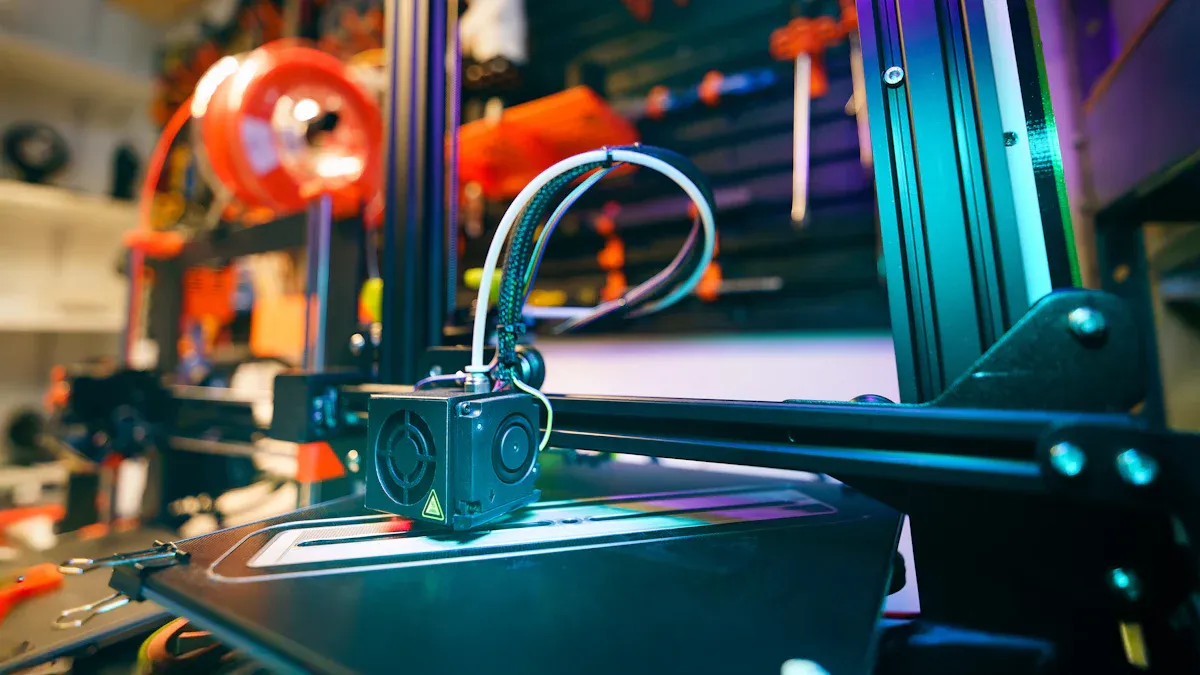
Consommation électrique moyenne
Les imprimantes 3D utilisent l'électricité pour chauffer leur plateau et leurs buses, actionner les moteurs et faire fonctionner les ventilateurs. La consommation électrique moyenne de la plupart des imprimantes 3D de bureau se situe entre 50 et 150 watts en utilisation normale. Les modèles d'entrée et de milieu de gamme consomment généralement moins d'électricité. environ 50 à 70 watts par heure. Certaines machines professionnelles ou imprimantes grand format peuvent imprimer davantage, mais la plupart des utilisateurs à domicile constatent des chiffres inférieurs.
L'alimentation électrique dans un imprimante 3D elle fonctionne le plus intensément pendant la phase de chauffe initiale. À ce stade, l'imprimante peut atteindre une température de fonctionnement maximale. consommation électrique de pointe de 150 à 300 watts. Après la phase de préchauffage, la consommation électrique moyenne diminue à mesure que l'imprimante maintient sa température et déplace les pièces. Le tableau ci-dessous illustre l'évolution de la consommation électrique lors des différentes étapes de l'impression 3D :
| Composant/Scénario | Consommation électrique (watts) | Description |
|---|---|---|
| Chauffe initiale | 150 - 300 | Consommation électrique maximale pendant le chauffage du plateau et de la buse. |
| Impression moyenne | 50 - 150 | Consommation électrique moyenne pendant l'impression. |
La plupart des imprimantes 3D de bureau consomment moins d'électricité qu'on ne le pense. Leur alimentation ne consomme beaucoup que pendant de courtes périodes. Sur une impression complète, la consommation électrique d'une imprimante 3D reste faible comparée à celle de nombreux autres appareils. Par exemple, une impression classique d'une heure coûte environ 0,01 $ à 0,05 $, selon le tarif de l'électricité local.
Remarque : La puissance nominale d’une imprimante 3D ne correspond pas à sa consommation énergétique réelle. Celle-ci dépend des paramètres d’impression, du matériau et du type d’imprimante.
Consommation d'électricité comparée à celle d'autres appareils
De nombreuses personnes souhaitent savoir comment la consommation électrique d'une imprimante 3D se compare à celle des appareils électroménagers courants.La réponse pourrait les surprendre. La plupart des imprimantes 3D consomment moins d'énergie qu'un four à micro-ondes ou un ordinateur de bureau. Le tableau ci-dessous indique la consommation électrique moyenne de chaque appareil :
| Appareils électroménagers | Consommation d'énergie (watts) |
|---|---|
| Imprimante 3D | 50-150 |
| Micro-ondes | 700-1 400 |
| PC de bureau | 300-600 |
| Réfrigérateur | 100-200 |
Une imprimante 3D consomme moins d'électricité qu'un four à micro-ondes, dont la puissance peut dépasser 1 000 watts. Même un ordinateur de bureau consomme souvent plus d'énergie qu'une imprimante 3D. Seul un réfrigérateur s'approche de la consommation moyenne d'une imprimante 3D, mais il fonctionne en continu, tandis que les imprimantes 3D ne fonctionnent généralement que quelques heures d'affilée.
La consommation électrique des imprimantes 3D reste faible car l'alimentation n'a besoin de chauffer que de petites pièces et de faire fonctionner des moteurs légers. La consommation d'énergie ne connaît pas de pics, sauf si l'imprimante chauffe rapidement ou imprime des objets très volumineux. La plupart des imprimantes 3D sont efficaces, ce qui les rend pratiques pour un usage domestique.
Conseil : Il est possible de réduire la consommation d’électricité en choisissant des modèles économes en énergie et en ajustant les paramètres d’impression. Des températures de plateau plus basses et des temps d’impression plus courts contribuent à diminuer la consommation d’énergie.
Facteurs influençant la consommation d'électricité
Type et technologie de l'imprimante
Le type d'imprimante 3D et sa technologie jouent un rôle majeur dans la consommation d'énergie. Différentes machines consomment des quantités d'énergie variables selon leur conception et leur application. Par exemple, les imprimantes 3D de bureau FDM consomment généralement entre 60 et 250 watts, Les imprimantes FDM industrielles peuvent atteindre 800 watts. Les imprimantes SLA et DLP fonctionnent à une puissance inférieure, généralement comprise entre 40 et 150 watts. Les imprimantes SLS consomment beaucoup plus d'énergie, parfois entre 1 000 et 5 000 watts, en raison de leurs lasers haute puissance. Les technologies d'impression 3D métal, comme le DMLS ou le SLM, sont les plus énergivores, pouvant atteindre 10 000 watts.
| Technologie | Consommation électrique moyenne (W) | Exemple d'utilisation |
|---|---|---|
| FDM (ordinateur de bureau) | 60–250 | |
| FDM (industriel) | 300–800 | Pièces fonctionnelles, outillage |
| SLA/DLP | 40–150 | dentaire, bijoux, miniatures |
| SLS | 1 000 à 5 000 | |
| DMLS/SLM (métal) | 2 000 à 10 000 | Aérospatiale, outillage |
Les imprimantes FDM montrent impact environnemental le plus important Parmi les technologies d'impression 3D courantes, les machines SLS consomment une quantité d'énergie intermédiaire, principalement en raison de l'électricité produite à partir de combustibles fossiles. Les imprimantes SLA se distinguent par leur efficacité et leur faible consommation d'énergie.
Paramètres et matériaux d'impression
Les paramètres d'impression et le choix des matériaux influent également sur la consommation électrique. Ajuster la hauteur des couches et le taux de remplissage permet de réduire la consommation d'énergie. Des couches plus épaisses et un taux de remplissage plus faible se traduisent par des impressions plus rapides et une consommation d'énergie moindre.L'utilisation de matériaux basse température comme le PLA au lieu de l'ABS permet de réduire la consommation d'énergie, car l'imprimante n'a pas besoin de maintenir des températures élevées du plateau ou de la chambre.
- Des pourcentages de remplissage plus faibles permettent d'économiser des matériaux et de l'énergie.
- L'augmentation de la hauteur des couches permet des impressions plus rapides et une consommation d'énergie réduite.
- L'optimisation des paramètres de découpe permet de réduire le temps d'impression et la consommation d'énergie.
- Choisir le PLA plutôt que l'ABS permet de réduire la température requise et la consommation d'énergie.
L’arrêt des imprimantes inactives et l’utilisation d’enceintes isolées permettent de minimiser davantage la consommation d’énergie inutile.
Durée et taille d'impression
La durée d'une impression 3D et la taille de l'objet ont un impact direct sur la consommation énergétique totale. Plus la durée d'impression est longue, plus l'imprimante consomme d'énergie pendant des heures, ce qui augmente les coûts d'électricité. Par exemple, une imprimante 3D qui consomme 0,1 kWh par heure et fonctionne pendant 5 heures consommera 0,5 kWh. Si le prix de l'électricité est de 0,12 $ par kWh, Le coût total de cette impression atteint 0,06 $.. Les objets plus grands nécessitent plus de filament, ce qui augmente la consommation d'énergie spécifique et la consommation d'énergie globale.
Remarque : Des temps d'impression plus courts et des objets plus petits contribuent à réduire la consommation d'énergie.
Coûts d'électricité des imprimantes 3D
Comment calculer les coûts
Calculer le coût d'utilisation d'une imprimante 3D permet de mieux comprendre sa consommation d'électricité et de maîtriser ses dépenses. Ce calcul repose sur des opérations mathématiques simples et des informations relatives à la consommation électrique de l'imprimante et aux tarifs d'électricité locaux. Chacun peut suivre ces étapes pour estimer le coût de chaque impression ou pour une utilisation à long terme.
- Déterminez la consommation électrique moyenne de l'imprimante 3D en watts. La plupart des modèles de bureau consomment entre 50 et 150 watts pendant l'impression.
- Estimez la durée totale d'impression en heures. Par exemple, un projet d'impression 3D classique peut prendre 4 heures.
- Multipliez la consommation électrique par le nombre d'heures pour obtenir le total en wattheures.
- Convertissez les wattheures en kilowattheures en divisant par 1 000. Les factures d’électricité utilisent le kilowattheure comme unité standard.
- Vérifiez le tarif local de l'électricité. Dans la plupart des régions, le prix se situe entre 0,10 $ et 0,20 $ par kilowattheure.
- Multipliez le nombre total de kilowattheures par le tarif local pour connaître le coût de l'électricité pour l'impression.
Exemple:
Une imprimante 3D consomme 100 watts pour une impression de 5 heures.
100 watts × 5 heures = 500 wattheures
500 wattheures ÷ 1 000 = 0,5 kilowattheures
Si le tarif local est de 0,15 $ par kilowattheure :
0,5 × 0,15 $ = 0,075 $ pour l'impression
Cette méthode est compatible avec toutes les imprimantes 3D. Il suffit de connaître la puissance nominale, la durée d'impression et le tarif de l'électricité. Le suivi de ces données permet de maîtriser la consommation d'énergie et le budget des projets d'impression 3D.
Exemple de tableau des coûts
Le tableau ci-dessous présente des exemples de coûts d'électricité pour différents scénarios d'impression 3D. Il utilise des puissances nominales et des durées d'impression courantes pour aider les utilisateurs à estimer leurs dépenses.
| Puissance de l'imprimante (watts) | Durée d'impression (heures) | Énergie totale (kWh) | Tarif de l'électricité ($/kWh) | Coût par impression ($) |
|---|---|---|---|---|
| 60 | 2 | 0,12 | 0,12 | 0,014 |
| 100 | 5 | 0,50 | 0,15 | 0.075 |
| 150 | 8 | 1.20 | 0,18 | 0,216 |
| 200 | 10 | 2.00 | 0,20 | 0,400 |
Une petite imprimante 3D de bureau consomme seulement 0,12 kilowattheure d'électricité pendant deux heures. Le coût reste faible, même pour des impressions plus longues. Les imprimantes plus grandes ou les impressions plus longues augmentent la consommation d'énergie et les dépenses totales. En comparant ces chiffres à ceux d'autres appareils, on constate que l'impression 3D demeure abordable pour la plupart des foyers.
Conseil:
Le suivi de la consommation d'électricité au fil du temps permet aux utilisateurs de repérer les tendances et de réduire la consommation d'énergie inutile. Le choix de paramètres et de matériaux d'impression efficaces contribue également à réduire les coûts énergétiques.
Les imprimantes 3D offrent des solutions pratiques et économiques aux amateurs comme aux professionnels. La connaissance des coûts d'électricité permet aux utilisateurs de faire des choix éclairés et d'optimiser leur expérience d'impression 3D.
Réduire la consommation d'énergie des imprimantes 3D
Optimiser les paramètres d'impression
Les utilisateurs peuvent réduire la consommation d'électricité en ajustant les paramètres d'impression. Augmenter l'épaisseur de la couche à 0,35 mm Régler la vitesse d'impression à 40 mm/s permet de réduire la consommation d'énergie jusqu'à 72 % par rapport à des réglages moins efficaces. Ces modifications préservent une excellente qualité d'impression, avec une résistance à la traction supérieure à 50 MPa. De nombreux modèles d'imprimantes 3D, tels que les Ender-2, Ender-3 et Ender-5, l'ont démontré. réductions de la consommation d'énergie Avec des paramètres optimisés, le rendement se situe entre 29,2 % et 39,2 %. L'isolation du plateau, de la buse et de l'enceinte contribue également à retenir la chaleur, ce qui réduit la consommation d'énergie. L'utilisation de PLA expansé et la réduction de la largeur de ligne à 0,4 mm améliorent encore l'efficacité.
Conseil : Des temps d’impression plus courts et des pourcentages de remplissage plus faibles permettent de réduire la consommation d’énergie totale sans sacrifier la qualité d’impression.
Choisissez des modèles efficaces
Choisir une imprimante 3D écoénergétique permet de réduire considérablement la consommation d'électricité. Les modèles récents intègrent souvent des innovations en matière d'économie d'énergie, comme des composants isolés et un contrôle précis de la température. Ces fonctionnalités contribuent à diminuer la consommation électrique pendant le chauffage et l'impression. Comparer la puissance des différentes machines avant l'achat permet de faire le choix le plus économe. Les imprimantes à faible consommation et dotées d'un mode veille intelligent consomment moins d'électricité sur le long terme.
| Modèle | Puissance (Watts) | Fonctionnalités d'économie d'énergie |
|---|---|---|
| Ender-3 V2 | 120 | Lit isolé, mode éco |
| Prusa Mini | 60 | Faible consommation en veille, compact |
| Anycubic Kobra | 110 | Chauffage rapide, isolation |
Choisir la bonne imprimante 3D permet de réduire la consommation énergétique totale et de faire baisser les factures d'électricité.
Conseils d'entretien
Un entretien régulier garantit le bon fonctionnement des imprimantes 3D. Nettoyez les ventilateurs et lubrifiez les pièces mobiles pour réduire les frottements et la consommation d'énergie inutile. Vérifiez les mises à jour du micrologiciel afin d'améliorer l'efficacité énergétique. Remplacez les composants usés, tels que les buses et les courroies, pour éviter que l'imprimante ne surchauffe. Des machines bien entretenues consomment moins d'électricité et durent plus longtemps.
Remarque : Le suivi de la consommation électrique à l'aide d'une prise intelligente permet aux utilisateurs de contrôler leur consommation et d'identifier les points à améliorer.
Des gestes simples, comme éteindre l'imprimante lorsqu'elle n'est pas utilisée, contribuent également à réduire la facture énergétique. Ces mesures favorisent à la fois les économies et la responsabilité environnementale dans l'impression 3D.
Les imprimantes 3D affichent une consommation d'électricité efficace comparée à de nombreux appareils ménagers. La plupart des modèles consomment moins d'énergie que les fours à micro-ondes ou les ordinateurs, mais une utilisation fréquente augmente la facture énergétique totale. Les utilisateurs peuvent réduire leur facture d'électricité en choisissant… machines plus petites, L'optimisation des paramètres d'impression et l'isolation des buses permettent de réduire la consommation d'énergie. Ajuster la densité de remplissage et la vitesse d'impression contribue également à cette réduction. L'impression 3D crée moins de déchets matériels, Cependant, les températures de fonctionnement élevées augmentent la consommation d'énergie. Il est donc important de prendre en compte à la fois le coût de l'électricité et l'impact environnemental lors du choix d'une imprimante 3D pour un usage domestique ou professionnel.
FAQ
Quelle quantité d'électricité une imprimante 3D consomme-t-elle par heure ?
Une imprimante 3D classique consomme entre 50 et 150 watts par heure, soit environ la même énergie qu'un ordinateur de bureau. La plupart des utilisateurs constatent que le coût d'utilisation d'une imprimante 3D pendant une heure ne dépasse pas quelques centimes.
Est-ce que faire fonctionner une imprimante 3D toute la nuit peut augmenter ma facture d'électricité ?
Faire fonctionner une imprimante 3D toute la nuit peut faire grimper la facture d'électricité. Le coût total dépend de la durée d'impression et de la puissance de l'imprimante. Il est conseillé aux utilisateurs de consulter les tarifs locaux et de multiplier par le nombre d'heures d'utilisation pour estimer le surcoût.
Les imprimantes 3D consomment-elles plus d'énergie que les autres appareils ménagers ?
Une imprimante 3D consomme généralement moins d'énergie qu'un four à micro-ondes ou un climatiseur. La plupart des imprimantes 3D consomment moins d'énergie qu'un ordinateur de bureau. Elles ne consomment plus d'énergie que de petits appareils comme des lampes ou des chargeurs de téléphone.
Le type de filament a-t-il une incidence sur la consommation d'énergie d'une imprimante 3D ?
Oui, le type de filament influe sur la consommation d'énergie. L'impression avec du PLA nécessite des températures plus basses, ce qui réduit la consommation électrique de l'imprimante 3D. L'ABS et les autres filaments haute température requièrent davantage de chaleur, augmentant ainsi la consommation d'électricité lors de l'impression 3D.
Est-il sans danger de laisser une imprimante 3D allumée lorsqu'on n'est pas à la maison ?
Laisser une imprimante 3D fonctionner sans surveillance est dangereux. Un incendie peut se déclarer en cas de défaillance ou de surchauffe d'une pièce. Il est impératif de surveiller l'imprimante 3D pendant les impressions de longue durée afin de prévenir les accidents et de protéger votre domicile.
