






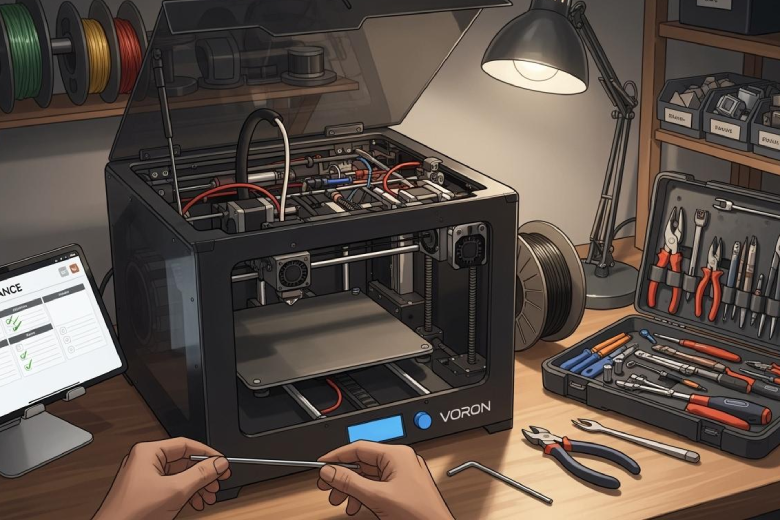
Regular printer maintenance ensures smooth operation of any voron 3d printer. Users who pay attention to key components prevent many issues before they start. Dialing in print settings before a printer build helps achieve better results and lowers the chance of mechanical failures. Many beginners maintain their printer with simple routines and avoid common mistakes, such as:
- Misaligned components, which can cause print quality problems. Checking frame alignment with tools like 1-2-3 blocks helps.
- Loose or incorrectly crimped wires. Reviewing connections and testing with a multimeter improves reliability.
- Unevenly tightened screws. Tightening screws evenly keeps the voron 2.4 printer stable during operation.
Careful measurement during build and routine maintenance allow users to maintain any 3d printer with confidence.
Key Takeaways
- Regular maintenance is key to keeping your Voron 3D printer running smoothly. Schedule routine checks to prevent issues.
- Clean linear rails and the print surface after each use. This practice enhances print quality and prevents jams.
- Check belt tension and wiring daily. Proper tension ensures accurate prints and prevents mechanical failures.
- Calibrate print settings before assembly. Accurate settings lead to better results and reduce troubleshooting time.
- Join the Voron community for support and tips. Engaging with others can improve your printing experience and knowledge.
Daily Care for Voron 3D printer
Clean Linear Rails and Print Surface
A clean printer operates with greater reliability. Dust and debris often collect on linear rails and the print surface, which can reduce print quality. Users should clean the outside of the printer and wash the printing bed after each use. A soft cloth and isopropyl alcohol remove residue from the bed's surface without damaging it. Harsh chemicals may harm sensitive components, so they should be avoided.
- Remove dust and debris from rails and bed after every print.
- Wipe the print surface gently to maintain optimal performance.
- Keep the workspace tidy to avoid contamination.
Check Belts and Wiring
Belts and wiring play a critical role in the daily operation of a voron 3d printer. Loose belts can cause layer shifting and poor accuracy. Users should check tightness and ensure proper belt tension to maintain smooth movement. Wiring must remain secure to prevent connection failures or intermittent errors.
Note: Tighten up belts and inspect wires for wear or loose connections.
- Examine belts for correct tension and signs of wear.
- Inspect wiring for secure connections and possible damage.
- Clear dust from extruder feeder wheels to prevent jams.
Inspect X Carriage and Connectors
The X carriage and connectors require regular attention. Fasteners may loosen over time, affecting stability and print quality. Users should check tightness of nuts and bolts and look for any deformed or overheated printed parts.
Reminder: Inspect connectors and carriage components to ensure reliable operation.
- Check for loose nuts and bolts on the X carriage.
- Look for signs of overheating or deformation in printed parts.
- Replace any damaged connectors to maintain consistent performance.
Calibration and Print Settings
Dial in Print Settings Before Assembly
Proper calibration forms the foundation for reliable performance in any voron 3d printer. Before starting a new build, users should focus on dialing in print settings to ensure consistent results. They measure filament feed and adjust steps per millimeter for precise extrusion. Setting nozzle and bed temperatures based on filament type and confirming with test prints helps avoid common issues. Calibration cubes and temperature towers allow users to check accuracy and find optimal temperature settings.
Tip: Early calibration reduces troubleshooting time and improves first-layer adhesion.
- Adjust print speeds for detail or size.
- Tweak retraction settings to minimize stringing.
- Modify flow rate to prevent over- or under-extrusion.
Attach Build Plate During Calibration
Attaching the build plate during calibration ensures accurate measurements and reliable print quality. The build plate affects bed leveling and first-layer consistency. Users should secure the plate before running any calibration routines. This step helps maintain proper nozzle distance and prevents warping or uneven prints. A stable build plate supports better adhesion and reduces the risk of failed prints.
- Confirm the build plate is clean and free from debris.
- Secure the plate tightly to avoid movement during calibration.
- Use test prints to verify bed leveling and surface accuracy.
Prevent Over-Extrusion Issues
Over-extrusion leads to messy prints and dimensional inaccuracies. Users can prevent these problems by adjusting extruder settings, including rotation distance and gear ratio. Proper calibration of the extruder matches actual filament output to software expectations. Monitoring and adjusting pressure advance settings also helps control extrusion flow.
- Adjust extruder rotation distance and gear ratio.
- Calibrate extruder to match filament output.
- Monitor pressure advance settings for optimal results.
Note: Regular calibration and monitoring keep extrusion consistent and print quality high.
Periodic Hardware Checks
Retighten Screws After 200+ Hours
Every Voron 3D printer experiences vibration and movement during operation. Over time, these forces can loosen screws and bolts. After 200 hours of printing, users should perform a detailed check of all fasteners. This step prevents unexpected failures and keeps the machine stable.
Tip: Use a quality hex wrench to check the tightness of each screw. Start with the frame, then move to the motion system and toolhead.
- Begin with the main frame screws.
- Check the tightness of screws on the X, Y, and Z axes.
- Inspect the extruder assembly and bed mounts.
- Mark screws with a paint pen after tightening to track progress.
A regular schedule for retightening helps maintain print quality and extends the life of the printer.
Inspect Frame and Fasteners
A strong frame forms the backbone of reliable printing. Users should inspect the frame and all fasteners during each maintenance cycle. Look for any signs of shifting, bent metal, or cracked printed parts.
Note: A detailed check of the frame ensures that the printer remains square and rigid.
- Examine all corners and joints for movement.
- Test the tightness of brackets and supports.
- Replace any stripped or damaged fasteners.
- Check for visible wear or corrosion on metal parts.
A stable frame reduces vibration and helps maintain accurate prints. Regular inspection also prevents small issues from becoming major problems.
Lubricate Rails and Bearings
Smooth motion depends on clean and well-lubricated rails and bearings. Proper lubrication reduces friction and wear, which supports long-term reliability. Before installation, lithium soap-based grease works best for Voron 3D printer rails and bearings. After installation, users should reapply lubricant every 100 kilometers of travel.
Tip: For speeds under 60 meters per minute, grease provides the right balance of protection and smoothness. For higher speeds, a high-viscosity oil between 30 and 150 cSt is more effective.
- Avoid greases with solid additives like molybdenum disulfide or Teflon, as these do not suit bearings in this application.
- Wipe rails clean before applying new lubricant.
- Apply a thin, even layer to each rail and bearing.
- Move the axes by hand to distribute the lubricant.
Printer maintenance routines that include lubrication help maintain smooth movement and prevent premature wear. A detailed check of the rails and bearings during each cycle ensures the printer operates at peak performance.
Troubleshooting Voron 3D printer Issues
Solve Print Quality Problems
Many users encounter print quality issues with their voron 3d printer. These problems often appear as gaps between layers, stringing, or warping. Users can address these issues by following a systematic approach:
- Check for under extrusion by measuring filament diameter and adjusting the extrusion multiplier. A clogged nozzle can also cause gaps between lines.
- Reduce stringing by lowering the extruder temperature by 5-10 degrees and increasing travel speed. Adjust retraction settings for better results.
- Prevent warping by using a heated bed and adding an enclosure to maintain a stable temperature.
|
Issue |
Description |
Causes |
Solutions |
|---|---|---|---|
|
Under extrusion |
Gaps between extrusion lines or layers |
Incorrect filament size, low temperature, clog |
Measure filament, increase temp, clear nozzle |
Fix Bed Leveling and Adhesion
Bed leveling and adhesion problems can lead to failed prints and poor first layers. Users should verify that the build plate sits flat and secure. Manual or automatic bed leveling routines help maintain proper nozzle distance. Cleaning the print surface with isopropyl alcohol removes oils and dust that interfere with adhesion. For persistent issues, users may need to adjust Z offset or inspect for warped build plates.
- Confirm bed is level and free from debris.
- Adjust Z offset for optimal first layer height.
- Use adhesives or textured surfaces for challenging materials.
Address Extruder and Hotend Errors
Extruder and hotend issues can cause inconsistent extrusion, ripples, or failed prints. Mechanical problems, such as a bad bearing in the stepper motor, may create random ripples on the Y axis. Users have resolved swirly ripples by switching to the Galileo 2 Extruder, which improves gear meshing at high flow rates. Hotend issues may also result from clogs or temperature fluctuations. Regular inspection of the extruder, hotend, and belt alignment ensures smooth operation.
- Replace faulty bearings in the stepper motor to eliminate print artifacts.
- Upgrade to a more reliable extruder if persistent swirly ripples occur.
- Clear hotend clogs and verify stable temperature during printing.
- Check belt alignment to prevent mechanical artifacts.
Sourcing Parts and Upgrades
Find Reliable Replacement Components
Selecting high-quality replacement components ensures consistent performance and longevity for any printer. Users often choose suppliers based on reliability and product reputation. The following table highlights trusted sources for Voron 3D printer parts:
|
Supplier |
Reliability |
Recommendation for Sourcing |
|---|---|---|
|
BigTreeTech/BIQU |
High |
Electronics and kits |
|
LDO Motors |
High |
Motors and motion systems |
|
Trianglelab |
Above Average |
Accessories and hotends |
|
Formbot |
Mixed |
Use with caution; quality varies |
|
FYSETC |
Mixed |
Use with caution; risk of lower quality |
BigTreeTech and BIQU offer innovative electronics and extruders, often with certifications. Trianglelab provides aftermarket parts with strong machining quality. Formbot and FYSETC supply popular kits, but users report inconsistent quality.
Recommended Vendors and Resources
Experienced builders rely on reputable vendors for sourcing panels, beds, heaters, and adhesives. The table below lists recommended vendors and direct links for essential Voron 2.4 printer upgrades:
|
Item Name |
Vendor Link |
|---|---|
|
Aluminum Composite Panel Set |
|
|
Clear Acrylic Panel Set |
|
|
MIC6 5/16″ Plate – 12″x12″ |
|
|
Keenovo Silicone AC Heater w/ thermistor |
|
|
High Temp Adhesive Magnet |
|
|
Ultistik 310mm Spring Steel PEI Sheet |
|
|
RTV Compound |
Printed Solid and Mandala Roseworks consistently deliver high-quality panels and beds. Keenovo specializes in reliable heating solutions. Amazon offers spring steel sheets and adhesives for easy upgrades.
Evaluate Upgrade Options
Upgrading a printer can improve speed, reliability, and print quality. Users often select upgrades based on their specific needs and desired performance gains. Popular options include:
- Modular hotend systems for quick nozzle changes and material versatility.
- Enhanced cooling strategies to prevent warping and improve layer adhesion.
- Linear rail upgrades that reduce noise and increase stability.
- Heated bed modifications for better first layer adhesion and easier print removal.
- Advanced hotends, such as E3D V6, for higher temperature printing and consistent extrusion.
- Custom enclosures to maintain stable environments for temperature-sensitive materials.
Performance metrics show that upgrades to the X and Y axes can increase speed from 18k to 24k and 14k to 20k, respectively. These improvements help users achieve smoother operation and higher-quality results with their Voron 2.4 printer.
Best Practices for Reliability
Update Firmware and Software
Firmware and software updates play a vital role in maintaining peak performance. Developers release updates to fix bugs and add new features. Users should check for updates regularly and install them as soon as possible. Updated firmware improves compatibility with new materials and hardware. Software upgrades often enhance slicing capabilities and user interface. A printer with current firmware and software operates more efficiently and avoids many common issues.
Tip: Always back up configuration files before updating to prevent data loss.
Document Maintenance Tasks
Consistent documentation helps users track maintenance and identify patterns. They should record each inspection and repair in a dedicated logbook or spreadsheet. This habit ensures that no task gets overlooked and supports long-term reliability. The following checklist covers essential maintenance actions:
- Inspect hardware components for secure fastening and signs of stress.
- Check the X carriage for stability and proper attachment.
- Ensure the PTFE tube remains properly seated and not loose.
- Verify that the hotend stays secure and does not wiggle.
- Monitor belt tension and adjust when necessary.
- Clean the extruder to prevent filament obstructions.
- Replace consumables such as PTFE tubes and nozzles on a scheduled basis.
A well-maintained printer delivers consistent results and reduces downtime.
Join the Voron Community
The Voron community offers valuable support for users at every skill level. Members share innovative solutions for common issues and provide troubleshooting advice. Collaboration within the group leads to improved print profiles and maintenance techniques. The open-source environment encourages sharing of designs and peer support. Users benefit from continuous improvements and customization, which enhance printer performance. Participation in this network fosters a culture of innovation and reliability.
Note: Engaging with the community helps users stay informed about best practices and new developments.
Routine maintenance keeps any voron 3d printer running smoothly. Users should schedule regular check-ups, lubricate moving parts, and verify belt tension. Cleaning the printer and inspecting electrical connections prevent common issues. Proactive troubleshooting, such as checking for layer shifting or filament jams, helps maintain consistent print quality. Sourcing high-quality parts, like Gates belts and reliable motors, improves reliability. With these habits, users enjoy dependable 3d printer performance and achieve high-quality results.
FAQ
How often should users lubricate the linear rails on a Voron 3D printer?
Lubricate linear rails every 100 kilometers of travel or after heavy use. Regular lubrication prevents wear and ensures smooth movement. Always clean rails before applying new grease or oil.
What are the most common signs of belt tension issues?
- Layer shifting
- Inconsistent print dimensions
- Unusual noises during movement
Users should check belt tension if any of these issues appear.
Can beginners perform firmware updates safely?
Yes. Beginners can update firmware by following official guides and backing up configuration files first. Most updates require only a USB cable and basic computer skills.
Which upgrades improve print quality the most?
|
Upgrade Type |
Benefit |
|---|---|
|
Linear Rails |
Smoother motion |
|
Advanced Hotend |
Better extrusion control |
|
Enclosure |
Stable print environment |
Choose upgrades based on print goals and budget.
