






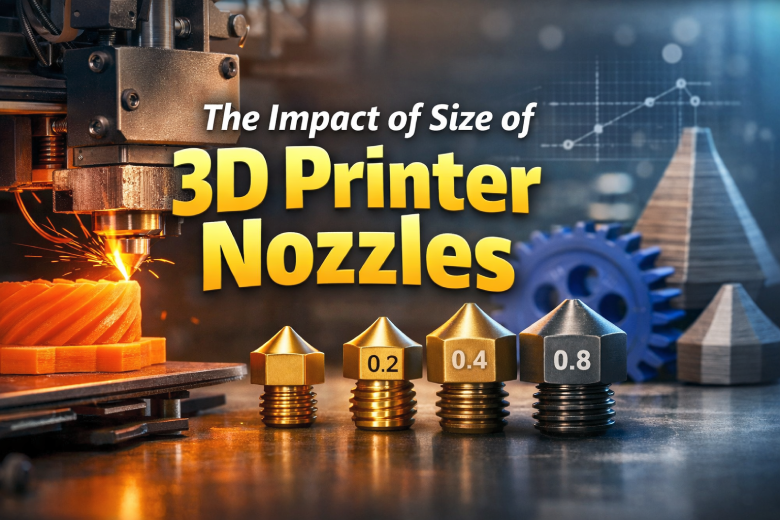
Die Düsengröße beeinflusst fast jeden FDM-Druck: Detailgrad, Druckzeit, Layerhaftung, mögliche Schichthöhe und sogar die Materialauswahl. Trotzdem bleibt die 0,4-mm-Düse oft einfach installiert, obwohl eine 0,6- oder 0,8-mm-Düse für das Projekt deutlich sinnvoller wäre.
Dieser Guide vergleicht 0,2, 0,4, 0,6 und 0,8 mm und zeigt dir, welche Düse zu Miniaturen, Funktionsteilen, großen Modellen und abrasiven Filamenten passt.
3D-Drucker-Düsengrößen im Schnellvergleich
| Düse | Typische Stärke | Sinnvolle Schichthöhe | Trade-off |
|---|---|---|---|
| 0,2 mm | Sehr feine Details und kleine Schrift | ca. 0,06–0,16 mm | Langsam, verstopft leichter |
| 0,4 mm | Allrounder für die meisten Drucke | ca. 0,12–0,28 mm | Nicht maximal schnell oder maximal detailliert |
| 0,6 mm | Funktionsteile und große Modelle | ca. 0,20–0,42 mm | Feine Details werden gröber |
| 0,8 mm | Sehr große, robuste Teile | ca. 0,28–0,56 mm | Deutlich sichtbare Layer und breite Ecken |
Die Bereiche sind praxisnahe Startpunkte. Hotend, Slicer, Material und gewünschte Qualität können die sinnvolle Schichthöhe begrenzen.
0,2-mm-Düse: für Details statt Tempo
Eine 0,2-mm-Düse erzeugt schmale Linien und kann feine Konturen, kleine Texte und filigrane Oberflächen besser abbilden. Sie eignet sich für Miniaturen, kleine Dekoteile und Modelle, bei denen Details wichtiger sind als Druckzeit.
Der Nachteil ist der geringe Materialdurchsatz. Drucke dauern deutlich länger, und Partikel oder gefüllte Filamente können die kleine Öffnung schneller verstopfen. Verwende sauberes Filament, reduziere Geschwindigkeit und kontrolliere den First Layer besonders sorgfältig.
0,4-mm-Düse: der verlässliche Standard
Die 0,4-mm-Düse bietet einen guten Kompromiss aus Detail, Geschwindigkeit und einfacher Profilwahl. Fast jeder Slicer enthält erprobte Startprofile, weshalb diese Größe für Einsteiger und gemischte Projekte sinnvoll bleibt.
Wenn du hauptsächlich PLA-Modelle, normale Funktionsteile und Alltagsobjekte druckst, musst du nicht automatisch wechseln. Eine andere Düse lohnt sich, sobald dein Projekt klar in Richtung „kleiner und feiner“ oder „größer und schneller“ geht.
0,6-mm-Düse: oft das beste Upgrade für Funktionsteile
Eine 0,6-mm-Düse trägt pro Linie mehr Material auf. Dadurch kannst du größere Schichthöhen und breitere Wände nutzen. Große Modelle werden schneller fertig, und funktionale Bauteile erreichen mit wenigen Perimetern eine solide Wandstärke.
Für Halterungen, Gehäuse, Werkstattteile und großformatige Drucke ist 0,6 mm häufig der attraktivste Mittelweg. Feine Schrift und kleine Bohrungen verlieren etwas Präzision, bleiben bei einem gut kalibrierten Profil aber brauchbar.
0,8-mm-Düse: maximaler Durchsatz für große Teile
Mit 0,8 mm lassen sich breite Linien und hohe Schichten drucken. Das reduziert die Zahl der Bahnen und Layer deutlich. Besonders große Vasen, Cosplay-Teile, Formen und robuste Prototypen profitieren davon.
Die Düse fordert jedoch viel vom Hotend. Wenn die Schmelzleistung nicht ausreicht, entsteht trotz großer Öffnung Unterextrusion. Reduziere dann Geschwindigkeit oder Temperatur nicht blind, sondern prüfe den maximalen Volumenstrom deines Materials und Hotends.
Warum eine größere Düse Druckzeit spart
Die Zeitersparnis kommt nicht allein von höherer Bewegungsgeschwindigkeit. Eine größere Düse erlaubt:
- breitere Extrusionslinien
- größere Schichthöhen
- weniger Perimeter für dieselbe Wandstärke
- weniger Layer für dieselbe Modellhöhe
Bei kleinen Modellen mit vielen kurzen Bewegungen kann der Unterschied gering sein. Bei großen, einfachen Geometrien ist die Zeitersparnis dagegen erheblich.
Düsengröße und Bauteilfestigkeit
Breitere Linien können stabile Wände und eine große Kontaktfläche zwischen benachbarten Bahnen erzeugen. Das kann Funktionsteile belastbarer machen. Eine größere Düse garantiert jedoch nicht automatisch ein stärkeres Bauteil.
Material, Drucktemperatur, Layerhaftung, Modellorientierung, Wandzahl und Geometrie bleiben entscheidend. Für Festigkeit solltest du zuerst ausreichend Wände und eine passende Ausrichtung wählen, statt ausschließlich die Infill-Dichte zu erhöhen.
Weitere Hinweise zur inneren Struktur findest du im Guide Infill-Muster im 3D-Druck.
Welche Düse für welches Filament?
| Filament | Empfohlene Größe | Material der Düse |
|---|---|---|
| PLA / PETG | 0,4–0,6 mm | Messing für normale Varianten |
| TPU | 0,4–0,6 mm | Messing oder verschleißfeste Düse |
| Holz-, Glow- oder Partikel-Filament | mindestens 0,6 mm empfohlen | Je nach Füllstoff verschleißfest |
| Carbon- oder Glasfaser-verstärkt | 0,4–0,6 mm nach Herstellerangabe | Gehärteter Stahl oder geeignete Hartdüse |
Abrasive Filamente können weiche Messingdüsen schnell aufweiten. Die Öffnung wird dadurch ungenau, obwohl die Düse äußerlich noch normal aussieht. Verwende für solche Materialien eine gehärtete oder ausdrücklich verschleißfeste Düse.
Linienbreite und Schichthöhe richtig einstellen
Nach dem Düsenwechsel reicht es nicht, nur den Durchmesser im Slicer zu ändern. Kontrolliere auch Linienbreite, Schichthöhe, Flow und Geschwindigkeiten.
- Linienbreite liegt häufig ungefähr beim Düsendurchmesser oder leicht darüber.
- Sehr kleine Schichthöhen bringen mit einer großen Düse nicht automatisch mehr Detail.
- Zu hohe Schichten können die Bahnen schlecht zusammendrücken und die Layerhaftung verschlechtern.
- Breite Linien erhöhen den Volumenstrom und können das Hotend limitieren.
Volumenstrom: das versteckte Limit großer Düsen
Der benötigte Volumenstrom ergibt sich vereinfacht aus Linienbreite × Schichthöhe × Druckgeschwindigkeit. Verdoppelst du Düsengröße und Schichthöhe, steigt der Materialbedarf pro Sekunde stark an.
Wenn das Hotend nicht schnell genug schmilzt, siehst du matte oder dünne Linien, Lücken und schwache Layer. Reduziere zunächst die Geschwindigkeit und teste den maximal stabilen Durchsatz, bevor du Flow oder Temperatur in großen Sprüngen veränderst.
Düse wechseln: sicherer Ablauf
- Entlade das Filament nach Herstelleranleitung.
- Heize das Hotend auf eine geeignete Wechseltemperatur.
- Halte den Heizblock mit passendem Werkzeug fest.
- Löse die Düse vorsichtig, ohne Kabel oder Heatbreak zu verdrehen.
- Montiere die neue, kompatible Düse und ziehe sie nach Herstellervorgabe heiß an.
- Aktualisiere den Düsendurchmesser im Slicer.
- Kalibriere Z-Offset, Flow und bei Bedarf Pressure Advance neu.
Verbrennungsgefahr: Hotend, Heizblock und Düse sind beim Wechsel sehr heiß. Nutze geeignetes Werkzeug und folge immer der Anleitung deines Druckermodells.
Typische Fehler nach dem Düsenwechsel
| Problem | Wahrscheinliche Ursache | Erster Test |
|---|---|---|
| Unterextrusion | Volumenstrom zu hoch oder Teilverstopfung | Geschwindigkeit reduzieren |
| Filament tritt am Heizblock aus | Düse nicht korrekt gegen Heatbreak abgedichtet | Druck stoppen und Montage prüfen |
| Erste Schicht falsch | Z-Offset nach Wechsel verändert | Z-Offset neu kalibrieren |
| Maße stimmen nicht | Falscher Düsendurchmesser im Slicer | Druckerprofil kontrollieren |
| Ecken oder Nähte unsauber | Flow oder Pressure Advance nicht angepasst | Kleinen Kalibrierungstest drucken |
Welche Düsengröße solltest du wählen?
- Miniaturen und kleine Schrift: 0,2 mm
- Ein Profil für fast alles: 0,4 mm
- Funktionsteile und große Modelle: 0,6 mm
- Sehr große, robuste Drucke: 0,8 mm
Wenn du unsicher bist, bleibe bei 0,4 mm. Wenn große Projekte regelmäßig viele Stunden dauern, ist 0,6 mm meist das sinnvollste erste Upgrade.
Fazit
Die richtige Düse hängt vom Projekt ab, nicht von einer allgemein „besten“ Größe. 0,2 mm priorisiert Details, 0,4 mm bleibt der Allrounder, 0,6 mm verbindet Tempo und brauchbare Präzision, und 0,8 mm maximiert den Durchsatz für große Teile.
Nach jedem Wechsel müssen Slicerprofil, Z-Offset und Materialfluss geprüft werden. Bei abrasiven Filamenten ist zusätzlich das Düsenmaterial entscheidend.
Die passende Düse für dein Sovol-Projekt
Entdecke 0,2-, 0,4-, 0,6- und 0,8-mm-Düsen für SV08 und T300 – passend für feine Details, schnelle Funktionsteile und große Drucke.
