



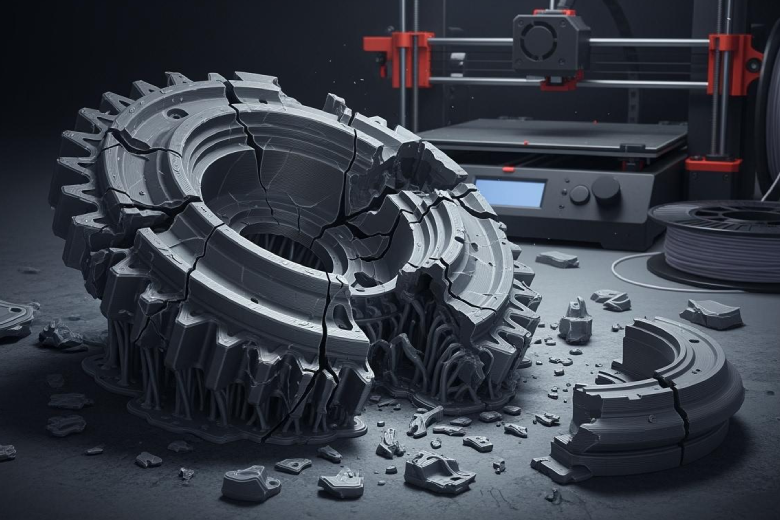
3D-Druckmaterialien brechen oder werden aufgrund mehrerer Schlüsselfaktoren häufig spröde. Viele Anwender berichten, dass unsachgemäße Lagerung, Insbesondere Feuchtigkeit schwächt 3D-Druckfilament. Hohe Temperaturen und direkte Sonneneinstrahlung können ebenfalls zu Versprödung führen. Manchmal produzieren Hersteller Filamente mit Defekten, die zum Bruch führen. Anwender haben festgestellt, dass das Verständnis dieser Probleme ihnen hilft, bessere Druckergebnisse zu erzielen.
- Unsachgemäße Lagerung, insbesondere Einwirkung von Feuchtigkeit
- Filament von schlechter Qualität
- Probleme mit der Betthaftung
- Slicing-Fehler
- Hardwareausfälle
Wichtigste Erkenntnisse
- Feuchtigkeit ist die Hauptursache für Filamentbruch. Lagern Sie das Filament in luftdichten Behältern mit Trockenmittel, um es trocken zu halten.
- Hohe Temperaturen und direkte Sonneneinstrahlung können Filamente schwächen. Bewahren Sie Ihre Materialien an einem kühlen, dunklen Ort auf, um Sprödigkeit zu vermeiden.
- Herstellungsfehler können zu Bruch führen. Wählen Sie immer hochwertiges Filament um eine gleichbleibende Leistung zu gewährleisten.
- Die regelmäßige Wartung Ihres Druckers ist unerlässlich. Reinigen Sie den Extruder und überprüfen Sie die Einstellungen, um Probleme beim Drucken zu vermeiden.
- Passen Sie die Druckeinstellungen wie Temperatur und Schichthöhe an, um stabilere Drucke zu erhalten.
Pro Die Einstellungen verbessern die Haftung und verringern die Bruchgefahr.
Häufige Ursachen für Glühfadenbrüche
Feuchtigkeit und Auswirkungen der Luftfeuchtigkeit
Feuchtigkeit zählt zu den häufigsten Ursachen für Filamentbrüche beim 3D-Druck. Viele Anwender bemerken, dass selbst geringe Mengen Feuchtigkeit zu sprödem PLA-Filament und anderen Materialfehlern führen können. Nimmt das Filament Wasser aus der Luft auf, verliert es an Festigkeit und bricht während des Druckvorgangs leichter. Diese Feuchtigkeitsaufnahme verursacht oft Knallgeräusche, eine schlechte Oberflächenqualität und schwache Druckergebnisse.
Tipp: Filamente sollten stets in luftdichten Behältern mit Trockenmittelbeuteln aufbewahrt werden, um Feuchtigkeitsprobleme zu vermeiden.
Die folgende Tabelle zeigt, wie sich Feuchtigkeit auf verschiedene Filamente auswirkt:
| Beweisart | Beschreibung |
|---|---|
| Einfluss von Feuchtigkeit auf ABS | Ein erhöhter Feuchtigkeitsgehalt in ABS führt zu verringerte Zugfestigkeit. |
| Oberflächenqualität | Ein höherer Feuchtigkeitsgehalt führt zu raueren Oberflächen und weniger sichtbaren Filamentverläufen. |
| Kriechphänomen | Hohe Luftfeuchtigkeit und hohe Temperaturen können zu dauerhaften Verformungen von ABS-Produkten führen. |
| Hydrolyseeffekt | Feuchtigkeit kann Polymerketten aufbrechen, wodurch die Materialzähigkeit abnimmt und Sprödigkeit entsteht. |
Forscher haben herausgefunden, dass hohe Luftfeuchtigkeit die Feuchtigkeitsaufnahme von ABS und PLA erhöht, was zu Filamentbrüchen führt. Schon kurze Zeit übermäßiger Feuchtigkeit kann PLA-Filamente spröde machen. Studien zeigen, dass PLA-Filamentbrüche häufiger auftreten, wenn das Material Wasser aufnimmt. Dies ist eine der Hauptursachen für sprödes PLA. Nylon absorbiert sogar noch mehr Wasser als PLA, und seine Festigkeit kann in feuchter Umgebung innerhalb einer Woche um bis zu 60 % sinken. Diese Fakten verdeutlichen, warum die Feuchtigkeitskontrolle für alle, die Filamentbrüche vermeiden wollen, so wichtig ist.
Hitzeeinwirkung und Sonnenlicht
Hitze und Sonnenlicht zählen ebenfalls zu den häufigsten Ursachen für Filamentbrüche. Direkte Sonneneinstrahlung kann die Bindungen im 3D-Druckmaterial schwächen und so die Bruchgefahr von Bauteilen erhöhen. PLA und Standard-ABS beginnen bereits bei niedrigeren Temperaturen zu erweichen und reagieren daher empfindlicher auf Hitze als Hochleistungsmaterialien wie PEI oder PEEK.
- Direkte Sonneneinstrahlung kann PLA-Filament spröde machen. und zu Rissen oder Verformungen führen.
- Hohe Temperaturen können Filamente weich und leicht verformbar machen, was das Bruchrisiko erhöht.
- Für Drucke im Außenbereich sollten Anwender ein hochwertiges Filament mit UV-Beständigkeit wählen.
Wenn Filament in der Nähe eines Fensters oder in einem warmen Raum gelagert wird, kann es spröde werden und beim Drucken brechen. Dies ist ein weiterer Grund, warum die richtige Lagerung und Handhabung wichtig sind, um Filamentbrüche zu vermeiden.
Fertigungsungenauigkeiten
Fertigungsungenauigkeiten sind ein weiterer wichtiger Faktor für Filamentbrüche. Minderwertiges Filament weist oft einen ungleichmäßigen Durchmesser, Blasen oder Verunreinigungen auf. Diese Mängel können zu Verstopfungen, Schwachstellen und plötzlichem Bruch während des Druckvorgangs führen.
Zu den häufigsten Produktionsproblemen gehören:
- Filamentdickenabweichung (uneinheitlicher Durchmesser)
- Polymerabbau
- Materialverunreinigung
- Löcher oder Blasen im Filament
- Schmutz im Extruder
Pro Mängel am Aufziehmechanismus
Schwankungen im Filamentdurchmesser beeinflussen die mechanische Belastbarkeit. Dünnere Abschnitte brechen leichter, während dickere Abschnitte den Drucker verstopfen und zu mehr Brüchen führen können. Hochwertiges Filament Diese Risiken werden durch strenge Qualitätskontrollen minimiert. Anwender sollten minderwertige Materialien vermeiden, um häufige Ursachen für Filamentbrüche zu verhindern.
Alterung und Mikrorisse
Gealtertes Filament wird mit der Zeit spröder, insbesondere bei Einwirkung von Luft, UV-Licht oder Feuchtigkeit. Es entstehen Mikrorisse im Material, wodurch es anfällig für plötzliche Brüche wird. Dies ist eine der Hauptursachen für sprödes PLA-Filament.
Die folgende Tabelle zeigt wie Alterung und UV-Strahlung Filamente beeinflussen:
| Dauer der UV-Bestrahlung | Bruchflächeneigenschaften | Beobachtungen |
|---|---|---|
| Keine UV-Degradation | Glatte, saubere Kanten, zusammenhängend | Homogene Struktur ohne Beschädigungen |
| 4 Wochen | Rauhere Oberfläche, Mikrorisse | Geringere Stabilität, sichtbare Verschlechterung |
| 12 Wochen | Hochporös, zahlreiche Hohlräume | Sehr spröde, erhebliche Beschädigungen, instabile Oberfläche |
Die Bruchrate von PLA-Filamenten steigt oft nach 1–2 Jahren an. Bei Kontakt mit Luft können ABS und PETG zwar länger halten, aber auch sie zersetzen sich bei unsachgemäßer Lagerung. Hochwertiges Filament, das luftdicht und trocken gelagert wird, ist deutlich haltbarer und widerstandsfähiger gegen Mikrorisse. Anwender sollten stets auf Anzeichen von Alterung, wie Verfärbungen oder raue Oberfläche, achten, um materialbedingte Brüche zu vermeiden.
Notiz:
Durch das Verständnis dieser häufigen Ursachen für Filamentbrüche – Feuchtigkeit, Hitze, Fertigungsungenauigkeiten und Alterung – können Anwender Maßnahmen ergreifen, um ihr 3D-Druckmaterial robust und zuverlässig zu halten.
Lagerung und Handhabung von 3D-Druckmaterialien
Unsachgemäße Lagerbedingungen
Unsachgemäße Lagerbedingungen können schnell ruinieren 3D-Druckfilament. Die meisten in der 3D-Drucktechnik verwendeten Thermoplaste sind hygroskopisch. Sie nehmen Feuchtigkeit aus der Luft auf, wenn sie ungeschützt gelagert werden. Selbst eine Spule über Nacht draußen liegen lassen kann am nächsten Tag zu ungleichmäßigem Druckergebnis führen.Feuchtigkeit führt zu erhöhter Sprödigkeit, Filamentzerstörung und manchmal zu Blasenbildung oder Zischen am Hotend. Diese Probleme führen häufig zu minderwertigen Drucken.
Feuchtigkeit ist die Hauptursache für Sprödigkeit., Daher müssen Anwender das Filament trocken und vor Feuchtigkeit geschützt aufbewahren. Am besten eignet sich dafür ein luftdichter Behälter oder ein Vakuumbeutel.
- Halten Sie sich an die Empfehlungen des Herstellers.
- Das Filament trocken halten.
- Vermeiden Sie Hitze und Licht.
- Sorgen Sie für eine saubere Lagerumgebung.
Manche Anwender verwenden zusätzlich wiederverschließbare Beutel mit Silicagel-Päckchen oder Trockenboxen für extra Schutz. Die Überwachung der Luftfeuchtigkeit mit einem Hygrometer und der gegebenenfalls notwendige Austausch der Trockenmittel können die Ergebnisse weiter verbessern.
Physische Beschädigung während der Handhabung
Auch physische Beschädigungen beim Umgang mit Filamenten können zu Brüchen führen. Beim Richten von aufgewickeltem Filament wird oft zu viel Druck ausgeübt. Dies kann zu Rissen oder Mikrofrakturen führen. Mit der Zeit verliert das Filament an Flexibilität, wodurch das Bruchrisiko beim Umgang steigt. Restspannungen aus der Fertigung können das Filament ebenfalls mit der Zeit schwächen.
| Beschreibung der Beweismittel | Wichtigste Punkte |
|---|---|
| Verlust der Flexibilität aufgrund des Alterns | Das Filament wird spröde, wenn es Weichmacher verliert, was bei der Handhabung zu Mikrorissen führt. |
| Mechanische Belastung durch Richten | Das Richten von aufgewickeltem Filament erzeugt eine Spannung, die die Flexibilität überschreiten und zu Rissen führen kann. |
| Eigenspannungen aus der Fertigung | Interne Spannungen, die beim Extrusionsprozess entstehen, führen dazu, dass das Filament mit der Zeit an Qualität verliert. |
Umweltschwankungen
Umweltbedingte Schwankungen von Temperatur und Luftfeuchtigkeit können die Haltbarkeit von Filamenten verkürzen. Hohe Luftfeuchtigkeit kann dazu führen, dass hygroskopische Filamente Feuchtigkeit aufnehmen. bis zu 2 % ihres Gewichts an Feuchtigkeit. Dies führt zu Druckfehlern wie Blasenbildung und schwacher Schichthaftung.
- Das Filament sollte an einem kühlen, trockenen und dunklen Ort aufbewahrt werden.
- Vermeiden Sie die Lagerung von Filamenten in der Nähe von Fenstern oder Heizkörpern.
- Für die Langzeitlagerung eignen sich Vakuumbeutel.
Durch die Einhaltung geeigneter Lagerungs- und Handhabungsmethoden können Anwender ihr Filament vor Feuchtigkeit und Umwelteinflüssen schützen. Dies gewährleistet eine bessere Druckqualität und eine längere Lebensdauer des Filaments.
Druckereinstellungen und Hardware-Ausfallfaktoren
Falsche Extrudertemperatur
Eine falsche Extrudertemperatur führt häufig zu Filamentbruch beim 3D-Druck. Bei zu hoher oder zu niedriger Temperatur kann das Filament strukturelle Schäden erleiden. Ist die Temperatur zu niedrig, schmilzt das Filament möglicherweise nicht vollständig. Dies führt zu schlechter Schichthaftung und erhöht das Bruchrisiko. Andererseits kann eine zu hohe Drucktemperatur die Polymerketten schädigen. Das Filament verliert an Festigkeit und wird spröde. PLA und ähnliche Materialien benötigen eine präzise Temperaturkontrolle, um ihre Stabilität zu gewährleisten. Anwender sollten daher stets die Herstellerangaben zu den optimalen Temperatureinstellungen beachten.
Das Drucken bei der falschen Temperatur kann zu schwachen Ausdrucken und häufigem Filamentbruch führen.
Schlechte Betthaftung
Schlechte Haftung auf dem Druckbett verursacht verschiedene Probleme beim 3D-Druck. Unzureichende Haftung ermöglicht es dem Druckobjekt, sich während des Druckvorgangs zu verschieben, wodurch die Gefahr von Filamentbrüchen steigt. Haftet das Druckobjekt zu fest, kann das Entfernen es beschädigen und ebenfalls zu Brüchen führen. Die Nivellierung des Druckbetts spielt daher eine entscheidende Rolle bei der Vermeidung dieser Probleme. Ein schlecht nivelliertes Druckbett führt zu schwachen ersten Schichten, Ablösung des Materials oder Verzug. Die Verwendung eines Randes kann die erste Schicht stabilisieren, eine korrekte Nivellierung ist jedoch unerlässlich.
- Unzureichende Haftung erhöht das Risiko von Druckfehlern.
- Übermäßige Haftung kann beim Entfernen zu Schäden führen.
- Eine mangelhafte Bettnivellierung führt zu schwacher Haftung und Distanzierung.
- Ein Rand stabilisiert die erste Schicht, aber die Nivellierung der Plattform ist entscheidend.
Abgenutzte oder verstopfte Düse
Eine verschlissene oder verstopfte Düse beeinträchtigt die mechanische Stabilität der gedruckten Teile. Die Düse kann ungleichmäßig extrudieren, was zu brüchigen Strukturen und Lücken zwischen den Fülllinien führt. Unterextrusion resultiert in Teilen mit geringer Festigkeit und Ungenauigkeit. Die Druckqualität nimmt ab und es zeigen sich raue Oberflächen und sichtbare Defekte. Sichtbare Beschädigungen oder Verformungen der Düsenspitze signalisieren die Notwendigkeit eines Austauschs.
| Auswirkungen auf die mechanische Integrität | Beschreibung |
|---|---|
| Ungleichmäßige Extrusion | Dies führt zu schwachen oder brüchigen Strukturen, dünnen Außenwänden und Lücken zwischen den Fülllinien. |
| Unterextrusion | Das Ergebnis sind fragile Teile, denen es an Festigkeit und Genauigkeit mangelt. |
| Abnehmende Druckqualität | Verursacht raue Oberflächen, ungleichmäßige Texturen und sichtbare Defekte an den gedruckten Objekten. |
| Sichtbare Beschädigung oder Verformung | Zeigt an, dass die Düsenspitze aufgrund von Verschleiß oder Formveränderungen ausgetauscht werden muss. |
Auch Hardwareprobleme des Druckers, wie z. B. zu hohe Spannung im Extruder, altersbedingter Verschleiß und minderwertiges Filament, tragen zum Filamentbruch bei. Feuchtigkeitsaufnahme und falsche Temperatureinstellungen Das Risiko erhöht sich dadurch weiter. Regelmäßige Wartung und sorgfältige Anpassung der Druckereinstellungen helfen, Ausfälle zu vermeiden und die Druckzuverlässigkeit zu verbessern.
Slicer-Einstellungen und Druckqualität
Schichthöhe und Wandstärke
Schichthöhe und Wandstärke spielen eine wichtige Rolle für die Festigkeit und Sprödigkeit von 3D-gedruckte Objekte. Bei einer geringeren Schichthöhe erzielen Benutzer feinere Details, müssen aber unter Umständen auf Stabilität verzichten. Dickere Schichten führen oft zu stabileren Drucken, da sie die Haftung der Schichten verbessern. Auch die Wandstärke ist für die strukturelle Integrität wichtig. Sind die Wände zu dünn, können die Teile leicht brechen. Die meisten Experten empfehlen eine Schichthöhe von … Mindestwandstärke von 1 mm für alltägliche Drucke.
| Stärke-Einschlag | Anmerkungen | |
|---|---|---|
| 0,05 | Untere | Sehr dünn, kann die Festigkeit beeinträchtigen |
| 0.1 | Mäßig | Ausgewogenheit zwischen Detailgenauigkeit und Stärke |
| 0,15 | Mäßig | Gut geeignet für Details und Stärke |
| 0,2 | Höher | Norm für Festigkeit |
| 0,3 | Höher | Weniger Details, mehr Stärke |
| 0,4 | Kompromittiert | Überschreitung der empfohlenen Grenzwerte |
Eine dickere Wandstärke beugt Sprödigkeit vor, insbesondere bei geringeren Schichthöhen. Durch die Anpassung der Wandstärke an die Schichthöhe wird sichergestellt, dass der Druck stabil und langlebig bleibt.
Druckgeschwindigkeit und Kühlung
Druckgeschwindigkeit und Kühleinstellungen beeinflussen sowohl die Druckqualität als auch die Materialfestigkeit. Bei zu hoher Druckgeschwindigkeit haftet das Filament möglicherweise nicht optimal zwischen den Schichten. Dies kann zu Schwachstellen führen und das Bruchrisiko erhöhen. Langsamere Geschwindigkeiten ermöglichen eine bessere Haftung und glattere Oberflächen. Kühlventilatoren tragen zur Aushärtung der einzelnen Schichten bei, jedoch kann zu starke Kühlung das Material spröde machen. Anwender sollten daher ein ausgewogenes Verhältnis zwischen Geschwindigkeit und Kühlung finden, um Defekte zu vermeiden.
- Schichthöhe für Qualität und Geschwindigkeit optimieren.
- Feinabstimmung der Rückzugseinstellungen zur Reduzierung von Fadenbildung.
- Implementieren Sie Z-Hop, um ein Schleifen der Düse zu verhindern.
- Verwenden Sie einen Rand oder ein Floß für bessere Haftung.
Fülldichte
Die Fülldichte bestimmt die innere Struktur eines 3D-gedruckten Bauteils. Höhere Füllstoffdichten erhöhen die Festigkeit und Haltbarkeit. Geringere Dichten führen zu leichteren Bauteilen, können aber Flexibilität und Sprödigkeit mit sich bringen. Auch die Wahl des Füllmusters beeinflusst die Kraftverteilung im Objekt.
- Die Füllung sorgt für strukturelle Integrität und hilft den Bauteilen, mechanische Belastungen zu bewältigen.
- Unterschiedliche Füllmuster gewährleisten Stabilität und Widerstandsfähigkeit je nach Verwendungszweck des Objekts.
- Durch die Anpassung der Fülldichte lassen sich Flexibilität und Gewicht steuern.
Die meisten Anwender wählen eine Füllung von etwa 20 %, um ein ausgewogenes Verhältnis zwischen Festigkeit und Materialausnutzung zu erzielen. Bei Bauteilen, die besonders robust sein müssen, kann eine höhere Fülldichte und die Wahl eines stabilen Musters Brüche verhindern und die Lebensdauer verlängern.
Verhindern Sie Filamentbruch und Sprödigkeit
Bewährte Lagerpraktiken
| Speichermethode | Empfehlungen |
|---|---|
| Verwenden Sie Plastik-Müslibehälter, Aufbewahrungsboxen mit Dichtung oder Vakuumbeutel. | |
| Trockenmittel einschließen | Verwenden Sie Silicagel-Päckchen, vorzugsweise solche mit Farbumschlag, um die Wirksamkeit zu überwachen. |
| Überwachen Sie die Luftfeuchtigkeit | Bei den meisten Filamenten sollte die Luftfeuchtigkeit mithilfe von Hygrometern unter 20 % gehalten werden. |
| An einem kühlen, dunklen Ort aufbewahren. | Vermeiden Sie direkte Sonneneinstrahlung und Temperaturschwankungen. |
| Filamenttrockner verwenden | Insbesondere bei feuchtigkeitsempfindlichen Materialien wie Nylon oder PVA. |
| In wiederverschließbaren Beuteln aufbewahren. | Empfohlen für UltiMaker-Filamente mit Kieselgel-Trockenmittel. |
| Bestimmte Temperaturbereiche einhalten | ABS: 15 °C bis 25 °C, PVA: 10 °C bis 30 °C bei einer Luftfeuchtigkeit unter 50 %. |
| Verwenden Sie trockene Aufbewahrungsboxen für Filamente. | Sie bieten niedrige Luftfeuchtigkeit, schützen vor Staub und ermöglichen eine geordnete Aufbewahrung. |
| DIY-Trockenboxlösungen | Zur Überwachung sollten große Kunststoffbehälter mit Dichtungen, Spulenhaltern und Hygrometern verwendet werden. |
Regelmäßige Wartung
Regelmäßige Wartung beugt Filamentbrüchen vor und sorgt für einen reibungslosen Druckerbetrieb. Benutzer sollten ihre Drucker je nach Nutzung überprüfen:
- Für intensive Nutzung Wöchentlich oder zweiwöchentlich Wartungsarbeiten durchführen.
- Bei mäßiger Nutzung monatlich prüfen.
- In staubigen Umgebungen sollten vierteljährlich eingehende Überprüfungen durchgeführt werden.
Durch regelmäßiges Reinigen von Extruder, Düse und Druckbett werden Staub und Ablagerungen entfernt, die zu Filamentbrüchen führen können. Eine Umgebung ohne übermäßige Feuchtigkeit beugt zudem sprödem PLA-Filament vor und verlängert die Lebensdauer des 3D-Druckmaterials.
Druckeinstellungen optimieren
Die Optimierung der Druckeinstellungen spielt eine entscheidende Rolle bei der Reduzierung von Filamentbrüchen und der Vorbeugung zukünftiger Brüche. Branchenexperten empfehlen folgende Anpassungen:
- Extrudertemperatur anpassen um dem Filamenttyp zu entsprechen. Dies verhindert sprödes PLA-Filament und verbessert die Schichthaftung.
- Kalibrieren Sie die Druckgeschwindigkeit. Langsamere Geschwindigkeiten verbessern die Haftung und reduzieren Filamentbrüche.
- Erhöhen Sie die Wandstärke und passen Sie die Schichthöhe an, um stabilere Drucke zu erhalten.
- Durch die Verwendung einer Einhausung zur Kontrolle von Temperatur und Feuchtigkeit kann ein stabiles Klima gewährleistet werden.
- Verwenden Sie Luftentfeuchter in Bereichen mit hoher Luftfeuchtigkeit, um verhindern sprödes Plastik und brüchiges PLA-Filament wiederherstellen.
Stabiler Haltedruck, Eine optimale Einspritzgeschwindigkeit und eine mehrstufige Druckregelung während des Druckvorgangs beugen Filamentbrüchen vor. Die Kontrolle der Abkühlrate und eine gleichmäßige Kühlung verhindern Spannungen und Risse. Die Überwachung von Umgebungsfaktoren wie Feuchtigkeit und Temperatur gewährleistet eine gleichbleibende Druckqualität und beugt sprödem PLA vor.
Durch die Einhaltung dieser bewährten Lagerungspraktiken, die Durchführung regelmäßiger Wartungsarbeiten und die Optimierung der Druckeinstellungen können Anwender Filamentbrüche und sprödes PLA verhindern sowie ihr 3D-Druckmaterial vor Feuchtigkeitsschäden schützen. So gewährleisten sie zuverlässige Druckergebnisse und beugen zukünftigen Ausfällen vor.
| Beschreibung der Beweismittel | Auswirkungen auf Druckfehler |
|---|---|
| Überwachungsstrategien | Deutliche Reduzierung der Druckfehler und Materialabfälle |
| Echtzeitbenachrichtigungen und Datenanalyse | Verbesserte Leistung und weniger Ausfälle |
| Verbessertes Ressourcenmanagement | Geringere Kosten im Zusammenhang mit Material und Abfall |
Feuchtigkeitskontrolle, sachgemäße Lagerung und regelmäßige Pflege gewährleisten die Zuverlässigkeit von Filamenten. Fallstudien bestätigen, dass trockenes, gut gelagertes Filament bessere Druckergebnisse liefert.
Häufig gestellte Fragen
Was führt dazu, dass 3D-Druckfilament spröde wird?
Das Filament wird spröde, wenn es Feuchtigkeit aufnimmt, altert oder starker Hitze ausgesetzt ist. Auch unsachgemäße Lagerung und Herstellungsfehler schwächen das Material. Regelmäßige Kontrollen und trockene Lagerung beugen der Sprödigkeit vor.
Woran können Anwender erkennen, ob Filament Feuchtigkeit aufgenommen hat?
Feuchtes Filament verursacht beim Drucken oft knallende Geräusche. Die Oberfläche kann rau aussehen oder Blasen aufweisen. Die Drucke können leicht brechen. Ein Filamenttrockner kann die Qualität verbessern.
Wie lagert man 3D-Druckmaterial am besten?
Luftdichte Behälter mit Trockenmittelbeuteln eignen sich am besten. Das Filament sollte vor Sonnenlicht und Hitze geschützt werden. Die Überwachung der Luftfeuchtigkeit trägt zur Erhaltung der Materialqualität bei.
Kann altes Filament noch zum Drucken verwendet werden?
Altes Filament kann bei guter Lagerung noch funktionieren. Allerdings wird es oft spröde oder schwach. Ein Testdruck hilft, den Zustand des Filaments vor einem größeren Projekt zu überprüfen.
Warum gehen Ausdrucke manchmal nach dem Fertigstellen kaputt?
Drucke brechen aufgrund schwacher Schichthaftung, geringer Füllung oder unzureichender Kühlung. Falsche Druckereinstellungen oder Verwendung minderwertiger Druckerqualität können ebenfalls die Ursache sein. 3D-Druckmaterial erhöht auch das Bruchrisiko.
