



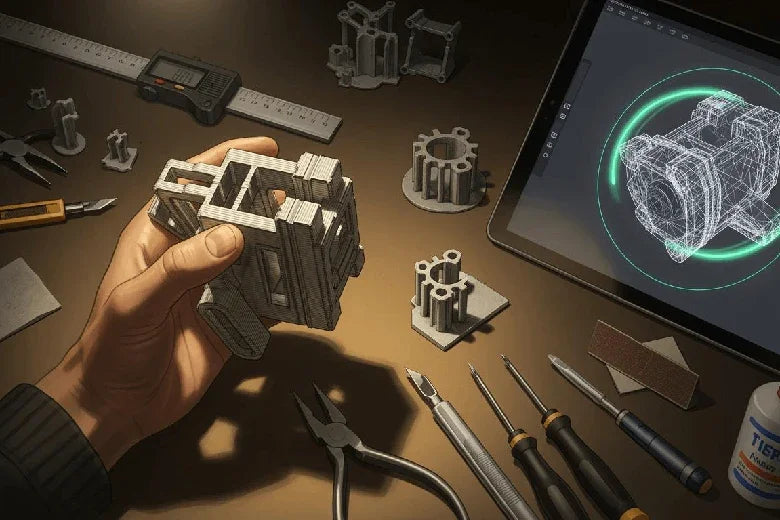
Haben Sie sich jemals gefragt, warum manche 3D-Drucke misslingen, während andere perfekt gelingen? Die wichtigsten Aspekte beim 3D-Druck beginnen mit der Herangehensweise an die Modellierung. Ihre Designentscheidungen können über Erfolg, Funktion und Effizienz des Drucks entscheiden. Beispielsweise kann die Änderung der Modellausrichtung zu Problemen führen. die Anzahl der Objekte verdreifachen Sie drucken zwar sofort, aber der vertikale Druck kann fast 40 % länger dauern. Dünne Modelle unter 2 mm verlieren oft an Genauigkeit und Stabilität. Das richtige Design für den 3D-Druck hängt von den Fähigkeiten Ihres Druckers, dem gewählten Material und dem Zweck Ihres Projekts ab. Indem Sie bewährte Designrichtlinien befolgen, erhöhen Sie die Wahrscheinlichkeit von Fehldrucken und erzielen bessere Ergebnisse.
Wichtigste Erkenntnisse
- Wählen Sie die richtige Wandstärke für Ihr 3D-Modell. Eine Mindestwandstärke von 1,5 mm erhöht die Festigkeit und Haltbarkeit.
- Wählen Sie die Materialien entsprechend den Anforderungen Ihres Projekts. Berücksichtigen Sie Eigenschaften wie Festigkeit, Flexibilität und Hitzebeständigkeit für bessere Ergebnisse.
- Bei der Planung von Überhängen und Stützkonstruktionen ist Vorsicht geboten. Winkel sollten unter 45 Grad gehalten werden, um den Bedarf an zusätzlichen Stützkonstruktionen zu minimieren.
- Optimieren Sie die Dateigröße Ihres 3D-Modells. Achten Sie auf ein ausgewogenes Verhältnis zwischen Detailgenauigkeit und Dateigröße, um ein effizientes Slicen und Drucken zu gewährleisten.
- Arbeiten Sie iterativ mit Prototypen. Testen Sie Ihre Entwürfe unter realen Bedingungen und optimieren Sie sie anhand des Feedbacks, um bessere Ergebnisse zu erzielen.
Überlegungen und Technologie zum 3D-Druck
Überblick über 3D-Druckverfahren
Bei der Wahl des 3D-Druckverfahrens stehen Ihnen viele Optionen zur Verfügung. Jedes Verfahren bietet einzigartige Vorteile und eignet sich am besten für bestimmte Projekte. Industriedrucker waren marktführend. im Jahr 2023, was 76 % der weltweiten Nutzung. Diese Drucker kommen in Branchen wie der Automobil- und Luftfahrtindustrie zum Einsatz, wo die Produktion großer Stückzahlen von größter Bedeutung ist.
Hier ein kurzer Überblick über gängige 3D-Drucktechnologien:
| Technologieart | Beschreibung des Marktanteils |
|---|---|
| Stereolithographie (SLA) | Hohes Wachstumspotenzial dank Präzision und Vielseitigkeit, ideal für die Bereiche Gesundheitswesen, Zahnmedizin und Schmuck. |
| Pulverbettfusion (PBF) | Größter Marktanteil, eingesetzt in der Luft- und Raumfahrt, der Automobilindustrie und im Gesundheitswesen zur Herstellung komplexer, hochfester Bauteile. |
Sie sollten die passende Technologie für Ihre 3D-Modell- und Designanforderungen wählen. SLA beispielsweise ermöglicht die Herstellung feiner Details und glatter Oberflächen. PBF eignet sich gut für robuste, komplexe Bauteile.
Materialauswahl für das 3D-Modell
Die Materialwahl beeinflusst Qualität und Funktion Ihres 3D-Modells. Verschiedene 3D-Drucktechnologien eignen sich für unterschiedliche Materialien. Manche Drucker verarbeiten am besten Kunststoffe, andere Metalle oder Harze. Sie sollten Festigkeit, Flexibilität, Hitzebeständigkeit und Kosten berücksichtigen.
Hier ist eine Tabelle, die Ihnen hilft, gängige Materialien zu vergleichen:
| Materialart | Schlüssel | Anwendungen |
|---|---|---|
| Harz | Detailgenauigkeit, glatte Oberfläche | Komplexe Modelle, Prototypen |
| Nylon | Festigkeit, Haltbarkeit, Hitzebeständigkeit | Funktionsteile |
| Plastik | Vielseitigkeit, Erschwinglichkeit | Schnelles Prototyping, kostengünstige Produktion |
| Edelstahl | Festigkeit, Korrosionsbeständigkeit | Langlebige Endprodukte |
Wenn Sie die Materialrichtlinien befolgen, verbessern Sie den Erfolg und die Haltbarkeit Ihres Drucks.
Anpassung des Designs an die Materialeigenschaften
Sie müssen Ihr 3D-Modelldesign an das gewählte Material anpassen. Die mechanischen Eigenschaften jedes Materials, wie zum Beispiel Zugfestigkeit Eigenschaften und Flexibilität beeinflussen die Leistungsfähigkeit Ihres Bauteils. Beispielsweise ermöglicht ein robustes Material dünnere Wandstärken, während ein flexibles Material zur Stabilisierung dickere Abschnitte benötigt.
Druckeinstellungen wie Fülldichte und Ausrichtung beeinflussen die endgültige Festigkeit Ihres 3D-Modells. Für flexible Bauteile wählen Sie ein Material mit hohem Elastizitätsmodul. Für starre Teile eignet sich ein Material mit hoher Zugfestigkeit. Testen Sie Ihr Design immer mit dem gewählten Material, um sicherzustellen, dass es Ihren Anforderungen entspricht.
Tipp: Wenn Sie die Grenzen Ihres Druckers und die Stärken der einzelnen Materialien kennen, können Sie Fehldrucke und Ressourcenverschwendung vermeiden.
Design für den 3D-Druck: Grundprinzipien
Wandstärke und Umfang
Die Wandstärke ist eine der wichtigsten Konstruktionsregeln für den 3D-Druck. Mit der richtigen Wandstärke erzielt Ihr 3D-Modell eine höhere Festigkeit und Haltbarkeit. Dickere Wände bieten mehr Stabilität und verringern Sie das Bruchrisiko. Dünne Wände können Ihren Druck zerbrechlich machen und die Wahrscheinlichkeit eines Fehldrucks erhöhen. Überprüfen Sie daher immer die empfohlene Mindestdicke für Ihr gewähltes Material. PLA beispielsweise erzielt die besten Ergebnisse mit einer Wandstärke von … Mindestdicke von 1,5 mm. Graues Harz oder Mammoth Resin benötigen mindestens 1 mm Wandstärke, dickere Abschnitte von 2 mm oder 3 mm verbessern jedoch die Sicherheit und Handhabung. Für zusätzliche Stabilität können Sie die Wandstärke auf bis zu 5 mm erhöhen. Vermeiden Sie Teile mit einer Wandstärke von weniger als 1,5 mm, da diese beim Transport oder der Endbearbeitung brechen können.
- Dickere Wände erhöhen die Steifigkeit und verringern die Verformung.
- Dünne Wände sparen zwar Material, führen aber oft zu schwachen Drucken.
- Die Wandstärke beeinflusst Druckzeit, Materialverbrauch und Endqualität.
Berücksichtigen Sie auch die Anzahl der Perimeter in Ihren Slicer-Einstellungen. Mehr Perimeter bedeuten stabilere Wände. Verwenden Sie stets sanfte Übergänge zwischen dünnen und dicken Abschnitten, um die Schichthaftung zu verbessern.
Überhänge, Stützen und Brücken
Überhänge und Brücken stellen viele 3D-Druckprojekte vor Herausforderungen. Bei steilen Überhängen Ihres 3D-Modells sind Stützstrukturen erforderlich. Da Stützen Zeit und Material kosten, sollten Sie deren Verwendung minimieren. Überhänge mit Winkeln unter 45 Grad lassen sich in der Regel ohne Stützen drucken. Auch Brücken unter 5 mm Breite können ohne zusätzliche Unterstützung gedruckt werden. Sie können die Performance bei Überhängen verbessern, indem Sie die Ausrichtung Ihres 3D-Modells ändern oder sanft ansteigende Überhänge verwenden.
| Strategie | Beschreibung |
|---|---|
| Für Winkel werden keine Stützen benötigt. < 45° oder Brücken < 5 mm | |
| Topologieoptimierung | Material effizient verteilen für mehr Festigkeit und weniger Unterstützung |
| Mehrzieloptimierung | Für bessere Eigenschaften und geringere Masse die Schichtdicke und die Füllung anpassen. |
- Passen Sie die Druckeinstellungen wie Temperatur und Schichthöhe an, um die Haftung zu verbessern.
- Verwenden Sie die Slicer-Software, um Stützstrukturen nur dort hinzuzufügen, wo sie benötigt werden.
- Für bessere Ergebnisse mit Überhängen wird die Kühlung erhöht.
- Passen Sie Ihre Konstruktion an, um steile Überhänge zu reduzieren und verwenden Sie nach Möglichkeit den Brückenmodus.
Abgerundete Ecken und Oberflächengestaltung
Abgerundete Ecken verbessern sowohl das Aussehen als auch die Funktion Ihres 3D-Modells. Scharfe Ecken können leicht brechen und insbesondere bei starren Materialien sogar Sicherheitsrisiken bergen. Abgerundete Ecken beugen Beschädigungen beim Handling vor und erhöhen die Sicherheit Ihrer Drucke. Zudem verteilen sie die Belastung gleichmäßiger, wodurch die Wahrscheinlichkeit von Rissen oder Ausfällen sinkt. Dies ist besonders wichtig für Teile, die im SLA-3D-Druckverfahren hergestellt werden, da scharfe Kanten hier Schwachstellen darstellen können.
- Abgerundete Ecken verbessern Aussehen und Haltbarkeit.
- Sie verringern das Risiko von Verletzungen und Schäden.
- Glattere Oberflächen lassen sich leichter bearbeiten und erfordern weniger Nachbearbeitung.
Für ein glatteres Ergebnis sollten Sie in den Druckeinstellungen dünnere Schichten verwenden. Dünnere Schichten sorgen für mehr Details und reduzieren sichtbare Stufenbildung an Kurven, können aber die Druckzeit verlängern.
Ausgewogenheit zwischen Detailgenauigkeit und Dateigröße
Sie müssen den Detailgrad Ihres 3D-Modells mit der Dateigröße in Einklang bringen. Modelle mit höherer Auflösung wirken glatter und präziser, erzeugen aber größere Dateien. Große Dateien benötigen mehr Zeit zum Verarbeiten und Schneiden. Die meisten 3D-Druckdateien Die Größe reicht von 1 bis 30 MB.. Die Anzahl der Dreiecke in Ihrem Netz beeinflusst sowohl den Detailgrad als auch die Dateigröße. Mehr Dreiecke bedeuten einen höheren Detailgrad, aber auch größere Dateien.
- Höhere Auflösungen führen zu glatteren Modellen, erhöhen aber die Dateigröße.
- Zu viele Details können das Slicen und Drucken verlangsamen.
- Optimieren Sie die Texturen und komprimieren Sie sie, um Speicherplatz zu sparen.
- Passen Sie die Schichtdicke und die Fülldichte für ein optimales Verhältnis an.
Versuchen Sie, die Dateigröße durch Reduzierung unnötiger Details überschaubar zu halten. Verwenden Sie Texturatlanten, um Texturen zu kombinieren und die Leistung zu verbessern.
Minimierung der Druckzeit und der Nachbearbeitung
Sie können Zeit und Aufwand sparen, indem Sie Ihr 3D-Modell für schnelleres Drucken und einfachere Nachbearbeitung optimieren. Erhöhen Sie die Druckgeschwindigkeit in den Slicer-Einstellungen für Perimeter, Füllung und Stützstrukturen. Passen Sie Beschleunigung und Ruck an, um die optimale Geschwindigkeit ohne Qualitätsverlust zu finden. Wählen Sie schnellere Füllmuster wie geradlinige, um die Druckzeit zu verkürzen. Reduzieren Sie die Fülldichte und Wandstärke, wo möglich, um den Prozess zu beschleunigen.
- Erhöhen Sie die Druckgeschwindigkeit für schnellere Ergebnisse.
- Nutzen Sie effiziente Füllmuster und eine geringere Dichte.
- Reduzieren Sie die Wandstärke, sofern die Festigkeit dies zulässt.
- Um die Nachbearbeitung zu erleichtern, sollten Sie auf abgerundete Ecken achten und große, ebene Flächen vermeiden.
Die Einhaltung dieser Konstruktionsregeln hilft Ihnen dabei, Modelle zu erstellen, die schneller gedruckt werden und weniger Nachbearbeitung benötigen.
Hinweis: Die ASME Y14.46-Standard bietet Ihnen klare Richtlinien für die Dokumentation von 3D-Druckdesigns.Die Anwendung dieses Standards hilft allen Projektbeteiligten, Ihr Design zu verstehen, was zu besseren Ergebnissen und weniger Fehlern führt.
| Prinzip/Technik | Beschreibung |
|---|---|
| Schichthaftung | Richten Sie Ihr Modell so aus, dass die Spannungslinien mit der Schichtrichtung übereinstimmen. |
| Überhänge | Verwenden Sie allmähliche Überhänge, die den Winkel im Verhältnis zur Höhe vergrößern. |
| Fülldesign | Verwenden Sie variable Fülldichte für hochbelastete Bereiche |
| Montage | Fügen Sie Verriegelungselemente oder Ausrichtungsstifte für eine einfache Montage hinzu. |
| Topologieoptimierung | Materialverbrauch reduzieren bei gleichbleibender Festigkeit |
| Materialspezifisches Design | Verwenden Sie dickere Wände für flexible Materialien |
Indem Sie diesen Anweisungen folgen Kernprinzipien, Sie verbessern Ihre Erfolgsquote beim 3D-Druck und erstellen stabilere, zuverlässigere Modelle.
Tipps für 3D-Druckdesign: Datei- und Softwarevorbereitung
Auswahlmöglichkeiten für 3D-Modellierungssoftware
Die Wahl der richtigen 3D-Modellierungssoftware bildet die Grundlage für Ihr Projekt. Wenn Sie gerade erst anfangen, Tinkercad bietet eine einfache Benutzeroberfläche und ist kostenlos zugänglich. Dank der Tutorials lernen Sie schnell und können fast sofort mit der Modellerstellung beginnen. Mit zunehmender Erfahrung können Sie später andere 3D-Modellierungssoftware mit erweiterten Funktionen erkunden. Die Wahl des richtigen Werkzeugs hilft Ihnen, Frustration zu vermeiden und bessere Ergebnisse beim 3D-Druck zu erzielen.
Dateien exportieren und optimieren
Das Exportieren Ihres Modells im korrekten Dateiformat ist einer der wichtigsten Tipps für erfolgreiches 3D-Druckdesign. Unterschiedliche Formate beeinflussen sowohl die Druckqualität als auch die Kompatibilität mit Slicing-Software. Die folgende Tabelle vergleicht gängige Dateitypen:
| Dateiformat | Kompatibilität | Auswirkungen auf die Druckqualität |
|---|---|---|
| STL | Beschränkt | Mangelhafte Farb-/Materialdarstellung |
| 3MF | Breit | Verbesserte Metadatenunterstützung, bessere Qualität |
| OBJ | Mäßig | Gut geeignet für komplexe Modelle |
| AMF | Hoch | Unterstützt erweiterte Funktionen wie Farb- und Materialeigenschaften |
Wählen Sie ein Format, das zu Ihrem Drucker und den Anforderungen Ihres Projekts passt. Durch die Optimierung Ihrer Datei, indem Sie unnötige Details entfernen, können Sie außerdem das Slicen und Drucken beschleunigen.
Prüfung auf nicht-mannigfaltige Geometrie
Nicht-mannigfaltige Geometrien können zu Druckfehlern führen. Überprüfen Sie Ihr 3D-Modell daher sorgfältig. häufige Probleme:
- Sich selbst überschneidende Flächen verwirren den Drucker.
- Separate Objekte, wie z. B. schwebende Teile, erzeugen Fehler.
- Löcher im Modell wirken wie Lecks in einem Ballon.
- Innenflächen erzeugen Sackgassen, die den Druckvorgang stören.
- Überlappende Geometrien führen zu erheblichen Druckproblemen.
Viele 3D-Modellierungsprogramme beinhalten automatische Fehlerprüfungen. Diese Fehler vor dem Slicen zu beheben, ist einer der besten Tipps für erfolgreiches 3D-Druckdesign.
Schneiden und Drucken Ausrichtung
Slicing-Software bereitet Ihr Modell für den 3D-Druck vor. Die Druckausrichtung beeinflusst sowohl die Festigkeit als auch die Oberflächenbeschaffenheit. Folgende Faktoren sollten Sie berücksichtigen:
- Die Bauteile sind entlang der X- und Y-Achse am stärksten, entlang der Z-Achse schwächer.
- Die Anpassung Ihres Modells an die zu erwartenden Belastungen erhöht die Haltbarkeit.
- 3D-gedruckte Teile weisen anisotrope Eigenschaften auf, Die Stärke variiert also je nach Richtung.
- Nach oben gerichtete Oberflächen sehen glatter aus, Während die auf Stützen montierten Teile möglicherweise noch einer zusätzlichen Nachbearbeitung bedürfen.
Durch eine frühzeitige Planung der Ausrichtung befolgen Sie clevere Tipps für das 3D-Druckdesign und verbessern Ihre Endergebnisse.
Funktionsfähiges 3D-Modell und Montage
Konstruktion für die Montage
Beim Entwurf eines 3D-Modells für die Montage muss die Passgenauigkeit der einzelnen Teile geplant werden. Dabei sind Wandstärke, Stützstrukturen und die Toleranzen des 3D-Drucks zu berücksichtigen.
| Designüberlegungen | Beschreibung |
|---|---|
| Wandstärke | Die Wände müssen ausreichend dick sein, um Stabilität zu gewährleisten, insbesondere bei Hohlmodellen. |
| Stützstrukturen | Die Bauteile sollten so konstruiert sein, dass weniger Stützstrukturen benötigt werden. Dies verbessert die Druckqualität und spart Zeit. |
| Toleranzen | Durch das Hinzufügen von Toleranzen zwischen den Teilen wird eine reibungslose Montage und Funktion gewährleistet. |
| Materialauswahl | Wählen Sie Materialien, die der Belastung und dem Verwendungszweck Ihres Modells entsprechen. |
Sie können auch diese Tipps nutzen:
- Baugruppen in Segmente unterteilen, um druckbare Teile zu erstellen.
- Um den Nachbearbeitungsaufwand zu reduzieren, sollten Stützstrukturen nach Möglichkeit vermieden werden.
- Verstehen Sie, wie jedes Teil verwendet und fertiggestellt wird.
Gelenke, Schnappverbindungen und Befestigungselemente
Sie können Gelenke, Schnappverbindungen und Befestigungselemente verwenden, um Teile in Ihrem 3D-Druckprojekt zu verbinden. Beim Konstruieren von Schnappverbindungen müssen Sie Folgendes beachten: Materialeigenschaften berücksichtigen und Fertigungsmethoden. Abgerundete Ecken und korrekte Toleranzen sorgen für stabilere Verbindungen und erleichtern die Montage. Überprüfen Sie stets die Maße und Abstände, um enge Passungen oder lockere Verbindungen zu vermeiden. Beachten Sie folgende Hinweise: Bewährte Verfahren für Schnappverschluss-Designs:
- Bei Schnappverbindungen muss eine Mindestdicke von 1 mm eingehalten werden.
- Durch Abrunden von Ecken und Entfernen scharfer Kanten wird die Stabilität verbessert.
- Toleranzen zwischen Schnappverbindungen und anderen Elementen festlegen, beginnend mit +- 0,2 mm.
- Arbeiten Sie mit den Produktionsingenieuren zusammen, um die Teileausrichtung für die Funktion zu optimieren.
Sie können auch:
- Konische Konstruktion zur Reduzierung von Belastungen.
- Verrunden Sie die Basis von Kragarmen, um die Spannungen zu verteilen.
- Für zusätzliche Stabilität die Clipbreite erhöhen.
- Stellen Sie sicher, dass die Durchbiegung nur während der Montage auftritt.
- Bei der Baurichtung sollten schwache vertikale Auskragungen vermieden werden.
- Zur Ausrichtung und zur Übertragung von Scherkräften können Laschen angebracht werden.
Diese Schritte helfen Ihnen, ein erfolgreiches Druckergebnis zu erzielen und die Druckqualität zu verbessern.
Mehrteiliger 3D-Druck
Mehrteiliges 3D-Drucken ermöglicht die Erstellung komplexer Modelle mit verbesserter Funktionalität. Sie können Materialien mit unterschiedlichen Eigenschaften in einem einzigen Druckvorgang kombinieren. Dieser Ansatz hilft Ihnen, die für jedes Teil erforderlichen Abmessungen und Toleranzen genau zu treffen. Die folgende Tabelle zeigt die Vorteile des mehrteiligen Druckens:
| Nutzen | Beschreibung |
|---|---|
| Materialintegration | Durch die Kombination von starren und flexiblen Materialien entstehen hochentwickelte Bauteile. |
| Montagefreie komplexe Teile | Fertigung komplexer Bauteile mit mehreren Funktionen in einem Arbeitsgang. |
| | Verwenden Sie lösliche Stützstrukturen, um Überhänge und innere Hohlräume zu drucken, die bei einteiligen Modellen nicht realisierbar sind. |
| Kosten- und Zeiteffizienz | Kosten sparen, Lieferzeiten verkürzen und Abfall minimieren dank der Möglichkeit, verschiedene Materialien zu verarbeiten. |
Mit löslichen Stützstrukturen lassen sich komplexe Strukturen mit Überhängen und Hohlräumen drucken. Diese Methode reduziert die Anzahl der Stützstrukturen und verbessert die Druckqualität. Der Mehrteildruck ermöglicht zudem eine präzisere Kontrolle von Abmessungen und Abständen, was zu einer besseren Montage und Funktion führt.
Tipp: Messen Sie vor der Endmontage immer die Abmessungen jedes Teils und prüfen Sie die Toleranzen. So vermeiden Sie Passprobleme und gewährleisten einen erfolgreichen Druck.
Testen und Fehlerbehebung beim 3D-Druck
Pro Typisierung und Iteration
Sie verbessern Ihre 3D-Druckergebnisse, indem Sie folgende Schritte befolgen: Zyklus aus Prototyping und Iteration. Definieren Sie zunächst klare Ziele und Kriterien für Ihr Modell. Bauen Sie Ihren ersten Prototyp und testen Sie ihn unter realen Bedingungen. So erkennen Sie Mängel in Funktion, Haltbarkeit oder Aussehen. Analysieren Sie nach den Tests das Feedback und passen Sie Ihr Design entsprechend an. Wiederholen Sie diesen Zyklus, bis Ihr Modell alle Anforderungen erfüllt.
- Nutzertests und Beobachtung praktische Probleme aufzeigen.
- Die Rückmeldungen der Interessengruppen zeigen Bereiche mit Verbesserungspotenzial auf.
- Iterative Design-Reviews und datengestützte Analysen leiten Ihre nächsten Schritte.
Häufige Druckprobleme
Beim 3D-Druck können verschiedene häufige Probleme auftreten. Die Kenntnis der Ursachen hilft Ihnen, die richtigen Maßnahmen zur Fehlerbehebung anzuwenden.Der Die folgende Tabelle listet häufige Probleme auf und deren Quellen:
| Printausgabe | Beschreibung | Hauptursachen |
|---|---|---|
| Auslaufendes Filament und schlechte Druckqualität | Dicke, breite Perlen, pralle, herausquellende Perlen | Düsentemperatur zu hoch, langsame Druckgeschwindigkeit |
| Klumpen und Pickel | Flecken oder Pickel auf der Oberfläche | Falsche Rückzugseinstellungen |
| Häufige Modellfehler | Sich selbst überschneidende Flächen verursachen Druckfehler | Sich schneidende Körper im Modell |
| Ablösende Schichten | Risse in dünnen Objekten oder Schichttrennung | Schlechtes Material, niedrige Temperatur, schnelle Abkühlung |
| Trennschichten | Das Stützmaterial beschädigt das Teil | Falsche Einstellungen für die Trennschicht |
| Besaitung | Feine Fäden zwischen den Teilen | Falsche Rückzugseinstellungen, Temperaturprobleme |
Viele dieser Probleme lassen sich vermeiden, indem man etablierte Richtlinien für Modelldesign und Druckereinrichtung befolgt.
Verfeinerung Ihres 3D-Modells
Die Optimierung Ihres 3D-Modells ist ein entscheidender Schritt im 3D-Druckprozess. Nutzen Sie die Erkenntnisse aus Tests und Druckergebnissen, um Ihre Änderungen gezielt vorzunehmen. Mesh-Bearbeitungssoftware hilft Ihnen, Fehler zu beheben und Oberflächen zu glätten. So können Sie beispielsweise sich selbst überschneidende Flächen korrigieren oder die STL-Datei für eine bessere Druckqualität optimieren. Passen Sie Ihr Modell an Ihre spezifischen Bedürfnisse an., wie beispielsweise anatomische Nachbildungen, verbessern Genauigkeit und Funktion.
- Nutzen Sie bei Bedarf medizinische Bildgebungssoftware für eine präzise 3D-Rekonstruktion.
- Verwenden Sie Werkzeuge zur Netzbearbeitung, um Ihr Modell zu verfeinern und zu glätten.
- Befolgen Sie die Richtlinien zur Fehlerkorrektur und Optimierung.
Erfolgreiches 3D-Drucken gelingt durch die Beachtung grundlegender Modellierungsaspekte. Die folgende Tabelle hebt die wichtigsten Punkte hervor. Branchenübliche Best Practices:
| Rücksichtnahme | Beschreibung |
|---|---|
| Wandstärke | Um Verformungen und schwache Drucke zu vermeiden, sollten die Wände mindestens 0,75-1,00 mm dick sein. |
| Überhänge & Brücken | Nicht abgestützte Überhänge begrenzen; bei Winkeln über 45° Stützen verwenden. |
| Verzugsvermeidung | Wählen Sie das richtige Material und vermeiden Sie große, ebene Flächen, um Verformungen zu reduzieren. |
Seien Sie vorbereitet mit diese Checkliste:
- Wählen Sie das richtige Filament und kalibrieren Sie Ihren Drucker.
- Verwenden Sie eine geeignete Konstruktionssoftware und zerlegen Sie Ihr Modell sorgfältig.
- Überwachen Sie den Druckvorgang und halten Sie die benötigten Werkzeuge bereit.
- Entfernen Sie das Modell und bearbeiten Sie es anschließend sorgfältig.
Sie sollten sich weiterhin über neue 3D-Druckstandards wie ASME Y14.46 informieren und diese erkunden. Trends wie die Integration von KI und nachhaltige Materialien.Regelmäßige Planung, Tests und Optimierung helfen Ihnen dabei, zuverlässige Modelle zu erstellen und in der Welt des 3D-Drucks immer einen Schritt voraus zu sein.
Häufig gestellte Fragen
Welche Wandstärke ist optimal für 3D-gedruckte Teile?
Für die meisten Materialien sollten Sie eine Wandstärke von mindestens 1,5 mm verwenden. Dickere Wände erhöhen die Festigkeit und Haltbarkeit. Beachten Sie stets die Hinweise Ihres Druckers und die Materialangaben, um optimale Ergebnisse zu erzielen.
Wie lassen sich Fehldrucke aufgrund von Überhängen vermeiden?
Überhänge sollten Winkel von weniger als 45 Grad aufweisen. Verwenden Sie sanfte Hänge anstelle von scharfen Kanten. Stützstrukturen sollten nur bei Bedarf hinzugefügt werden. Passen Sie die Druckausrichtung an, um den Bedarf an Stützstrukturen zu reduzieren.
Welches Dateiformat sollten Sie für den 3D-Druck verwenden?
Für die meisten einfachen Drucke können Sie STL verwenden. Für erweiterte Funktionen wie Farbe oder mehrere Materialien wählen Sie 3MF oder AMF. Überprüfen Sie vor dem Export Ihres Modells immer die Kompatibilität mit Ihrem Drucker.
Wie korrigiert man nicht-mannigfaltige Geometrie in seinem 3D-Modell?
- Nutzen Sie die Reparaturwerkzeuge Ihrer Modellierungssoftware.
- Überlappende Flächen entfernen und alle Löcher schließen.
- Prüfen Sie auf lose Teile oder Innenflächen.
- Führen Sie vor dem Export eine automatische Netzprüfung durch.
