

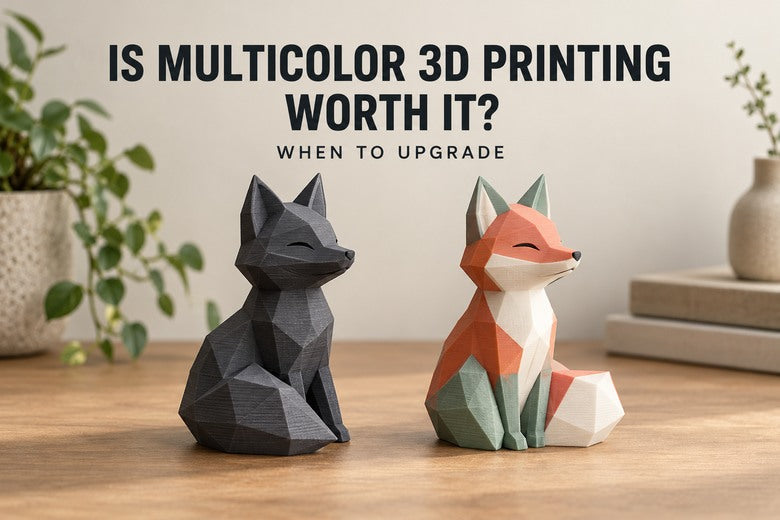
A multicolor print can look impressive on a product page. The harder question is whether you will use that capability often enough to justify the extra hardware, preparation and running costs.
Multicolor 3D printing is usually worth considering when you regularly need integrated colored details and want to avoid repeated manual swaps, painting or assembly. If you mainly print brackets, replacement parts or occasional signs with raised lettering, your existing single-color printer may already cover most of the job.
This guide helps you decide whether to upgrade at all. For a closer comparison of machine architectures, see our IDEX vs AMS/MMU guide.
Start with three projects you actually want to make
Before comparing machines, choose three files you would genuinely print this month. They reveal more than a maximum color count.
1. A two-color sign with raised lettering
If the base finishes before the letters begin, a layer-height filament change may be enough. You print the base, pause at the right height, change filament and finish the text. This does not require automatic switching between colors within the same layer.
For one occasional sign, automation may save little hands-on work. For repeated batches, unattended changes may become more convenient. Check the model orientation: a sign with side-by-side colors throughout its thickness is a different job.
2. A figure with colored details across many layers
Eyes, clothing and body colors may share the same horizontal layers. An automatic system can produce those details without asking you to swap filament repeatedly. Here, the practical benefit is clearer—especially if painting is the part of the hobby you enjoy least.
The trade-off is that frequent changes can add substantial time and auxiliary material, depending on the machine and sliced file. A tiny figure is not automatically a quick or economical multicolor print.
3. A model designed as separate colored parts
If the body, face and accessories can be printed separately, a single-color machine can produce each part from a different spool. Assembly then creates the multicolor result. Automatic multicolor becomes more valuable when splitting the design would leave awkward seams or require excessive fitting and gluing.

What do you gain beyond a more colorful object?
- Less manual finishing: integrated text and colored regions can reduce painting or attaching small inserts. They do not eliminate support removal or surface cleanup.
- Repeatable identification: labels, orientation marks and different compartments can remain easy to distinguish. Use text or shapes as well as color where identification matters.
- More convenient repeat jobs: once a project is prepared and tested, another copy does not require repeating every manual swap.
- More design options: you can put color where separate parts would be difficult to assemble.
Multicolor alone does not make a part stronger, more accurate or more useful. For a hidden bracket, good material choice and reliable printing may matter much more.
The costs that the printer price does not show
The useful comparison is the total cost of the workflow you will actually use.
- Hardware: the printer or upgrade, required accessories, spare parts and any suitable filament storage.
- Filament: material in the model, plus purge, priming, towers, supports and test pieces.
- Machine time: switching, travel, temperature changes and extra structures can extend a job.
- Your time: preparing color regions, checking the preview, loading spools and maintaining the system.
- Reprints: more material paths or tools add things to check. That does not establish a universal failure rate, but it makes reliable profiles important.
On a shared-nozzle system, changing filament normally requires clearing residual material from the melt path. Separate toolheads reduce that need, but wiping or priming may still be required. Neither architecture makes every multicolor job waste-free.

A simple example: what does the extra material really cost?
The following numbers are invented for calculation, not measured printer results. Suppose your filament costs €20 per kilogram and a model contains 80 g of plastic.
- Model material: 80 g × €0.02/g = €1.60.
- If a multicolor version adds 40 g of auxiliary material, that adds €0.80, bringing material cost to €2.40.
- If another setup or color layout adds 160 g instead, that adds €3.20, bringing material cost to €4.80.
These are scenarios, not predictions. They show why “four colors” is not enough information to estimate cost. Switch count, color layout, purge settings and architecture all matter.
Then compare your time. If the printed colors replace painting you would otherwise do, the extra filament may be acceptable. If you enjoy painting and print one figure occasionally, the same saving may have little value to you. For paid work, include electricity, labor, equipment cost and rejected pieces before calling the difference profit.
Who is most likely to benefit from upgrading?
Regular makers of figures, labels and personalized products
If color is part of many finished projects, automatic switching can become a regularly used tool rather than an occasional novelty. Start with your actual files and check whether colored regions are integrated or easily printed separately.
People who value convenience more than the lowest material bill
Some owners are happy to spend more filament to avoid being present for manual changes. That is a valid reason to upgrade, provided the longer machine time and preparation still fit their routine.
Users who also need compatible support or other materials
Multiple independent tools can offer benefits beyond appearance, such as using a dedicated support interface. But multicolor and multi-material are not interchangeable promises. Different plastics must still suit the shared bed, environment and intended interface. Do not buy on the assumption that any two filaments will work together.
Who should probably keep a single-color printer for now?
- You mainly make functional parts that do not need colored details.
- Your occasional signs can use a simple change at one height.
- Your designs already split neatly into separate parts.
- You enjoy painting and are satisfied with the result.
- You have not yet solved frequent first-layer or extrusion failures on your current setup.
- The upgrade would leave too little budget for filament, maintenance or the workspace you need.
You can also keep a reliable single-color printer after adding a multicolor machine. There is no need to run every plain part through the more complex workflow.

Try these lower-cost alternatives first
A layer-based swap is useful for stacked color regions. Separate parts suit designs with natural joints. Painting suits one-off decorative work and effects such as shading. A compatible feeder upgrade may be an option for an existing printer, but verify official hardware, firmware and slicer support before buying it.
For a real editable example, Apolleon's customizable name keychain is described by its creator as suitable for a simple color change at the lettering. It is a useful project to compare against a model needing repeated same-layer changes. Check its files and license; do not assume every personalized tag has the same color layout.
A buying test that takes the guesswork out
- Choose three representative files: an easy sign, a repeatedly changing model and a typical everyday part.
- Compare realistic options: single color, separate parts or painting, and automatic multicolor.
- Slice with the correct profiles: record model material, auxiliary material, estimated time and switch count where available.
- Include finishing: add the hands-on work you would genuinely do for each option.
- Check a real output: use a sample, demonstration or review that shows the relevant job and preparation—not only a finished beauty shot.
- Decide how often you will repeat it: frequent use makes convenience easier to justify, but there is no universal number of prints that guarantees payback.
Where the Sovol M1D fits
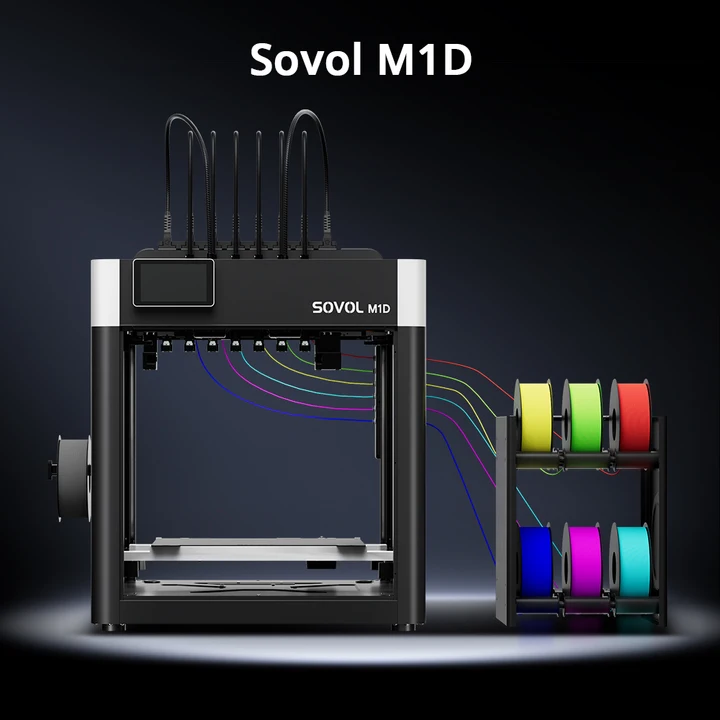
The Sovol M1D is an option for readers who regularly want integrated color or compatible multi-material work. Its DualX™ layout combines one fixed toolhead with six automatically interchangeable toolheads, supporting up to seven colors or materials. Dedicated melt paths reduce the need to flush a shared nozzle; some priming and wiping can still be necessary.
That makes it worth evaluating for repeated color changes. It is not a reason to replace a satisfactory single-color workflow that rarely needs them. Compare your files, available space, configuration and budget first. Check the product page for current pre-order status and delivery information before making time-sensitive plans.
Frequently asked questions
Is multicolor printing always slower?
Repeated switching commonly adds time compared with the same geometry in one color. The amount depends on the system and file. Compare complete sliced jobs rather than a tool-change specification alone.
Do I need an automatic system for two colors?
No. A height-based swap or separately printed parts may be enough. Automatic switching matters more when colors recur in the same layers.
Will the upgrade pay for itself?
There is no general guarantee. For personal use, convenience and enjoyment may be the main return. For selling prints, calculate actual costs, your labor, demand and the right to sell the design.
Does more color mean better quality?
No. Color layout, clean boundaries, geometry and finish matter more than using every available spool.
Conclusion: upgrade for a repeated need
Multicolor 3D printing is worth the extra cost when it repeatedly delivers a result or convenience you care about. It is harder to justify when your projects work well with one spool, a single manual change or a few assembled pieces.
Choose three real files, compare the complete workflows and look at the extra cost alongside the finishing time saved. That gives you a much stronger answer than the maximum number of colors on a product page.
