








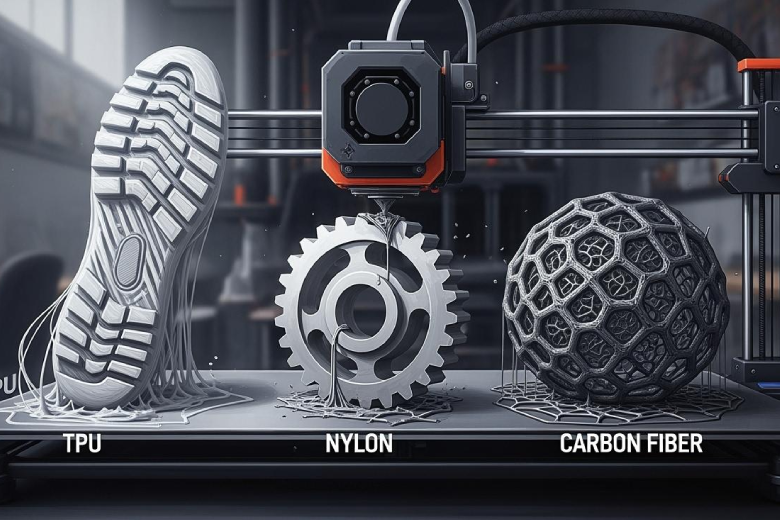
Mastering 3d printing with nylon, carbon fiber, and TPU begins with understanding the unique behaviors of these thermoplastics. Each material introduces challenges that affect durability, performance, and strength. Users often encounter issues such as stringing, warping, or under-extrusion during production of high-quality parts. Successful additive manufacturing relies on careful preparation, correct equipment, and precise 3d printer filament settings. Experimentation with materials and troubleshooting common problems leads to better applications and improved results in additive manufacturing.
Key Takeaways
- Dry nylon filament before printing to prevent warping and improve part strength.
- Upgrade to high-temperature hotends and use garolite sheets for better nylon printing results.
- Use direct drive extruders for TPU to reduce jams and improve print quality.
- Store TPU and carbon fiber filaments in airtight containers with desiccants to maintain quality.
- Adjust print settings like speed and temperature to enhance the performance of nylon, carbon fiber, and TPU.
3D Printing Materials: Key Challenges
Nylon Printing Difficulties
Nylon stands out among 3d printing materials for its impressive strength and durability, but it presents several technical challenges. This thermoplastic absorbs moisture quickly, which can lead to filament clogs and poor part quality. Users often notice warping during production, especially with PA12-based nylon, unless they use a heated chamber. Bed adhesion also causes problems, as nylon does not stick well to bare PEI surfaces. Many hobbyists and professionals must dry filament before printing to maintain performance and avoid failed parts. These issues can impact additive manufacturing applications that require reliable 3d printer filament and consistent results.
Tip: Drying nylon filament before printing helps prevent warping and improves part strength.
|
Challenge |
Description |
|---|---|
|
Nylon filament absorbs water, which can cause clogs and reduce print quality. |
|
|
Warping |
PA12-based nylon may warp without a heated chamber. |
|
Bed Adhesion |
Nylon struggles to adhere to bare PEI beds. |
Carbon Fiber Nylon Issues
Carbon fiber nylon combines the strength of nylon with the rigidity of carbon fibers, making it popular for high-performance parts in additive manufacturing. However, this filament wears out brass nozzles quickly, so users must upgrade to hardened steel or specialty nozzles. Bed adhesion remains a challenge, and carbon fiber filament can fail unexpectedly if not handled properly. Moisture absorption also affects carbon fiber nylon, requiring careful storage and drying to maintain durability and performance. These factors influence the production of reliable parts for demanding applications.
- Nozzle wear increases with carbon fiber filament, reducing the lifespan of standard 3d printer components.
- Bed adhesion issues persist, especially on bare PEI surfaces.
- Moisture absorption can lead to filament clogs and weak parts.
TPU Flexibility Problems
TPU ranks among the most flexible 3d printing materials, allowing users to create parts with unique properties. Its flexibility makes it difficult to feed through Bowden extruders, often causing jams during production. TPU filament requires slow print speeds and optimized extruders to avoid print failures. Moisture sensitivity also affects TPU, so proper storage is essential for maintaining filament quality. Limited hydrolysis resistance in wet environments can reduce the strength and durability of finished parts. These challenges impact additive manufacturing and the reliability of flexible applications.
- TPU filament jams easily in Bowden extruders.
- Slow print speeds are necessary for successful production.
- Moisture sensitivity affects filament quality and part performance.
Nylon 3D Printing Mastery
Hardware Upgrades For Nylon
Many users improve their 3d printing results with nylon by upgrading hardware. They choose hotends that reach at least 250°C. All-metal hotends, such as the E3D V6, handle high temperatures and resist wear from abrasive 3d printing materials. For the print bed, garolite sheets or glass plates work best. These surfaces help prevent warping and improve adhesion. Some users add a PVA glue stick to the bed for even better results. These upgrades increase the strength and durability of finished parts, making them suitable for demanding applications.
Tip: Upgrading to a high-temperature hotend and using a garolite bed can transform nylon printing performance.
Print Settings & Quick Reference
Correct print settings play a key role in successful nylon 3d printing. The right combination of temperature, speed, and layer height ensures strong parts and smooth surfaces. Slower print speeds help with interlayer bonding and reduce the risk of defects. High-speed printing can cause cracks, distortions, or layer detachment, especially with thermoplastics like nylon.
|
Setting |
Value |
|---|---|
|
Print Surface Temp. |
70 - 90°C |
|
Extruder Temp. |
|
|
Print Speed |
30 – 60 mm/s |
|
Layer Height |
0.2 – 0.4 mm |
Users should avoid fast print speeds. Slower speeds allow each layer to bond well, which increases the strength and performance of the final parts.
Drying & Preparation Steps
Nylon filament absorbs moisture from the air, which can lower the quality and mechanical properties of printed parts. Before printing, users dry nylon filament using a specialized drying system set to 75°C for 8-12 hours. Some use an oven at 160°F - 180°F for 6 to 8 hours, making sure the temperature stays steady to avoid warping the filament. Food dehydrators also work well at lower temperatures. After drying, users store filament in airtight containers with desiccant to keep it dry.
Moisture in nylon filament can reduce tensile strength and stiffness. Wet parts may only reach 60% of the strength and 40% of the stiffness of dry samples. This drop in performance can affect additive manufacturing and other production needs.
Note: Always monitor the drying process to prevent overheating and damaging the filament.
Bed Adhesion Tips
Bed adhesion is one of the biggest challenges when printing with nylon. Users often choose garolite sheets for their excellent grip and durability. Sanding the garolite surface with fine-grit sandpaper can improve adhesion. A thin layer of PVA glue stick on glass or garolite creates a sticky surface that helps nylon parts stay in place during printing. BuildTak sheets and nylon-specific adhesive tapes also work well for holding parts.
A heated bed is essential for nylon. Users set the bed temperature between 70°C and 90°C. Adding a brim of at least 5mm around the part can further improve adhesion and reduce warping. Some users apply hairspray on Kapton tape as another option.
Tip: Garolite forms a mechanical bond with nylon, which prevents warping and detachment during production.
Troubleshooting Nylon Prints
When problems occur, users follow several steps to improve nylon 3d printing results:
- Dry the filament by baking it at 160°F – 180°F for 6 to 8 hours.
- Use an enclosure to keep the temperature stable and prevent warping.
- Set the heated bed up to 120°C and apply glue for better adhesion.
- Check for proper bed leveling and clean the print surface before each job.
- Slow down the print speed to improve layer bonding and surface finish.
These troubleshooting steps help users produce strong, reliable parts for additive manufacturing and other advanced applications.
Reminder: Consistent preparation and careful monitoring lead to better results with nylon and other 3d printing materials.
Industrial 3D Printing Materials: Carbon Fiber
Required Nozzle & Extruder
Industrial 3d printing materials like carbon fiber reinforced nylon demand specialized hardware. Hardened steel nozzles resist abrasion from composites and extend the lifespan of 3d printer filament components. Ruby-tipped nozzles offer even greater durability for long-term production. Larger nozzle diameters, such as 0.6 mm, help prevent clogging and allow carbon fiber particles to pass through easily. Standard brass or stainless steel nozzles wear out quickly when printing with composites, which reduces print quality and mechanical strength.
|
Nozzle Type |
Recommendation |
|---|---|
|
Hardened Steel |
Essential for durability against abrasive carbon fiber filaments. |
|
Ruby-tipped |
Recommended for extended nozzle life when printing with carbon fiber. |
|
Larger Diameter (0.5mm or more) |
Reduces clogging risk as fibers can pass through more easily. |
Tip: Always avoid using a 0.2 mm nozzle for composites to minimize clogging and maintain print quality.
Carbon Fiber Print Settings
Proper print settings ensure strong parts and reliable performance with industrial 3d printing materials. For carbon fiber reinforced nylon, set the extruder temperature between 260°C and 280°C. The bed temperature should stay between 80°C and 100°C. Print speed works best at 30-40 mm/s for most composites. For PLA carbon fiber filament, keep the speed below 50 mm/s to improve visual results and reduce defects. These settings help maintain the strength and durability of finished parts.
- Extruder temperature: 260°C to 280°C
- Bed temperature: 80°C to 100°C
- Print speed: 30-40 mm/s for composites, up to 50 mm/s for PLA carbon fiber
Filament Handling
Handling carbon fiber filament correctly protects the quality of 3d printing materials and finished parts. Store filament in airtight containers with real seals and silica gel desiccants to block humidity. Dry boxes with electronic controls keep moisture levels low for composites. For long-term storage, use vacuum-sealed bags with desiccants in a cool, dark place. Regularly check and recharge desiccants to maintain effectiveness. Store containers between 50-70°F to further prevent moisture absorption. Improper handling leads to poor bonding in composites, larger voids, and reduced strength in parts. The orientation of prints also affects mechanical properties, with X and Y directions providing higher strength than Z.
Adhesion Strategies
Adhesion plays a key role in successful additive manufacturing with industrial 3d printing materials. Use a textured build plate or apply adhesive solutions to ensure the first layer of composites sticks well. PEI surfaces, glass with glue stick, or painter’s tape work for carbon fiber reinforced nylon. For larger parts, add a brim or raft to prevent warping during production. Good bed adhesion helps maintain the performance and durability of finished parts.
- Use textured build plates or adhesive solutions for composites.
- Apply glue stick or painter’s tape on glass or PEI surfaces.
- Add a brim or raft for large parts to prevent warping.
Troubleshooting Carbon Fiber
Common issues with carbon fiber filament include clogging and layer separation. If clogging occurs, check and adjust the printing temperature to ensure smooth extrusion. Reduce print speed or increase temperature to allow proper melting of composites. Clean the nozzle by raising the temperature and scraping with metal tools, or replace it if necessary. When switching from high-temperature thermoplastics, set the nozzle temperature to 250-300°C to clear residue. Worn nozzles cause voids and reduce the strength of parts, so monitor nozzle condition regularly.
|
Issue |
Recommended Solution |
|---|---|
|
Clogging due to low nozzle temperature |
Adjust printing temperature for smooth extrusion. |
|
Clogging from high printing speed |
Lower speed or raise temperature for proper melting. |
|
Narrowed nozzle channel from residue |
Clean or replace nozzle as needed. |
|
Residue from high-temperature materials |
Heat nozzle to 250-300°C before switching materials. |
TPU 3D Printing Tips
Direct Drive vs Bowden
TPU stands out among 3d printing materials for its flexibility and resilience. The choice between direct drive and Bowden extruders greatly affects print quality and reliability. Direct drive extruders offer a short filament path, which gives precise control over flexible filaments like TPU. This setup reduces the risk of jams and improves the consistency of extrusion. Bowden extruders work well with rigid materials but struggle with flexible filaments due to the longer tubing. The filament can bend or compress, leading to failed prints and poor part quality.
- Direct drive extruders provide excellent compatibility with flexible materials, including TPU, and help produce strong parts.
- Bowden setups allow faster printing speeds but often cause jams when handling the strongest 3d printer filament with high flexibility.
- For detailed models and additive manufacturing applications using TPU, direct drive systems deliver better control and performance.
|
Advantages |
Disadvantages |
|
|---|---|---|
|
Direct Drive |
Superior for flexible materials; reduces jamming |
Slower than Bowden setups |
|
Bowden |
Faster speeds; lighter print head |
Limited with flexible filaments like TPU |
TPU Print Settings
Correct print settings ensure strong filaments and high-quality parts when working with TPU. The recommended nozzle temperature ranges from 220°C to 240°C, with 230°C as a typical starting point. Bed temperatures between 40°C and 60°C help maintain adhesion and prevent warping. Slow print speeds, usually between 15 mm/s and 40 mm/s, allow the filament to flow smoothly and reduce the risk of stringing or under-extrusion. Retraction settings should stay low, between 0 mm and 2 mm, at speeds of 20–30 mm/s, to avoid filament jams.
|
Recommended Value |
|
|---|---|
|
Nozzle temperature |
220–240 °C (230 °C typical) |
|
Bed temperature |
40–60 °C |
|
Print speed |
15–40 mm/s (25 mm/s typical) |
|
Retraction |
0–2 mm at 20–30 mm/s |
Slow print speeds and careful retraction settings help maintain the strength and flexibility of TPU parts. These adjustments support additive manufacturing and ensure the strongest 3d printer filament performs well in demanding applications.
Storage & Preparation
TPU filament absorbs moisture quickly, which can reduce durability and cause printing defects. Proper storage and preparation protect the filament and improve the performance of finished parts. Users store TPU filament in airtight boxes to block water and dust. Silica gel packs inside the container soak up moisture and keep the filament dry. Stable temperatures between 59°F and 77°F help maintain filament quality. For long-term storage, vacuum bags keep TPU filament dry and untangled.
- Store filament in airtight containers with silica gel packs.
- Maintain steady temperatures between 59°F and 77°F.
- Use vacuum bags for long-term storage to protect the strongest 3d printer filament.
If TPU filament feels wet, users dry it before printing. A filament dryer or oven set between 122°F and 140°F for 4 to 6 hours restores filament quality and ensures strong parts.
Note: Drying TPU filament before production increases strength and reliability, especially for additive manufacturing and high-performance applications.
Bed Adhesion For TPU
Bed adhesion plays a critical role in successful 3d printing with TPU and other thermoplastics. Users often increase the initial layer height to improve bed squish and adhesion. Glue sticks provide an easy and effective solution for holding TPU parts in place. Some experiment with hairspray, but they handle it carefully due to flammability. On PEI plates, a blow torch can restore adhesion after several prints. Mold release agents like Mann Ease Release 200 prevent residue buildup and maintain adhesion.
- Clean the print bed regularly to improve adhesion and avoid failed parts.
- Try different adhesive products to find the best solution for specific setups.
- Use glue sticks or hairspray for reliable adhesion with strong filaments.
Tip: Consistent bed cleaning and adhesive application help users achieve strong parts and reliable production with TPU and other 3d printing materials.
Troubleshooting TPU
TPU presents unique challenges in additive manufacturing due to its flexibility and moisture sensitivity. Users often encounter filament jams, stringing, or poor layer bonding. To overcome these issues, they slow down print speeds and reduce retraction settings. Direct drive extruders minimize jams and improve extrusion consistency. Drying TPU filament before printing prevents bubbles and weak spots in finished parts. Regular bed cleaning and adhesive application improve bed adhesion and reduce warping.
- Slow print speeds and low retraction settings prevent jams and improve print quality.
- Use direct drive extruders for flexible filaments to avoid feeding problems.
- Dry filament before printing to maintain strength and durability.
- Clean the print bed and apply adhesives for better adhesion.
Strong filaments like TPU require careful handling and preparation. These steps help users produce strong parts and achieve reliable results in additive manufacturing and other production environments.
Reminder: Mastering TPU and other 3d printing materials requires patience, preparation, and attention to detail. Users who follow these tips can unlock the full potential of the strongest 3d printer filament for advanced applications.
- Users achieve success in 3d printing by preparing nylon and other materials carefully.
- Hardware upgrades and correct settings improve manufacturing results and part strength.
- Experimentation helps users learn new techniques and solve problems.
Mastering advanced materials opens new possibilities for creativity and innovation.
FAQ
What is the best way to store nylon filament?
Nylon filament stays dry in airtight containers with silica gel packs. Users keep containers away from sunlight and humidity. This method helps maintain filament quality and prevents moisture absorption.
Why does carbon fiber filament wear out nozzles quickly?
Carbon fiber filament contains abrasive particles. These particles scratch and erode standard brass nozzles. Hardened steel or ruby-tipped nozzles resist damage and last longer during 3d printing.
How can users improve TPU bed adhesion?
Users clean the print bed before each job. They apply a thin layer of glue stick or hairspray. Increasing the first layer height also helps TPU stick better to the bed.
What temperature should users set for drying TPU filament?
TPU filament dries best at 122°F to 140°F for four to six hours. Filament dryers or ovens with precise temperature controls work well for this process.
Can users print flexible parts with a Bowden extruder?
Bowden extruders struggle with flexible filaments. TPU often jams or bends in the long tube. Direct drive extruders provide better control and reduce feeding problems for flexible parts.
